How to Start a Run with cdmetapopR
CDMetaPOP and Python Installation
If you haven’t already, make sure to download the CDMetaPOP zip archive from GITHUB
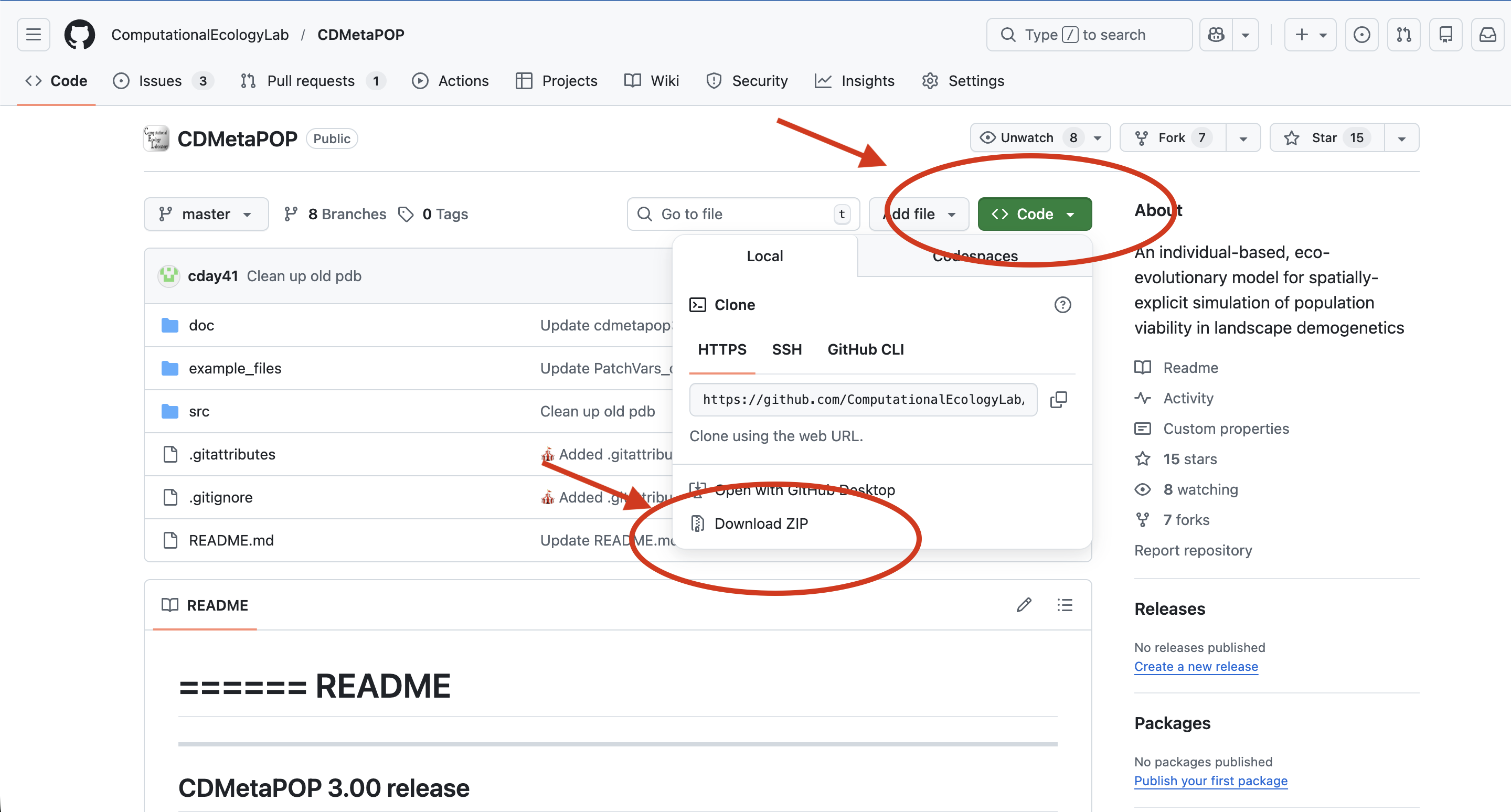
Next, navigate to the directory where you wish to install CDMetaPOP and unpack the archive. Three directories will be installed in the directory you chose:
src – CDMetaPOP source code
doc – documents
README.txt – a quick how to run CDMetaPOP instructions
CDMetaPOP3_usermanual.docx
CDmetaPOPhistory.txt – Notes on history and version changes
example_files – Example input files
Make sure to have Python 3.8+ along with the NumPy and SciPy packages installed. We recommend the Anaconda Python distribution, as it comes with these packages pre-installed. You can test for your Python install by opening a terminal (Linux/macOS) or command prompt (Windows) and typing “python”; If python is available, you will get the python prompt “>>>” along with the python version you have installed, for example:
python
Python 3.12.4 | packaged by Anaconda, Inc. | (main, Jun 18 2024, 10:14:12) [Clang 14.0.6 ] on darwin
Type "help", "copyright", "credits" or "license" for more information.
>>>
If ‘python’ is not a recognized command, it means either that python is installed but not in your command shell’s paths, or that python is not installed.
In such case, please refer to more detailed instructions here.
Now let’s begin to run CDMetaPOP
Once you have python and CDMetaPOP installed, you can run CDMetaPOP from R using the launch_cdmetapop() function.
This function will launch a command prompt (Windows) or terminal (Linux/Mac) that will call Python and supply the 5 arguments needed to launch CDMetaPOP simulations.
The five arguments are:
- PYTHON: Location of Python executable, or just ‘python’ if the environment is already established. To figure out where Python is located in your directories. At the command prompt for Windows, you can type:
where pythonIn the terminal (Linux/Mac), you can type
which python This will give you the location of the python executable, and your first argument for the launch_cdmetapop() function.
Make sure the input files you created for your run are in the same directory as the runVars.csv file, and that you have the CDMetaPOP.py file in the same directory as your R session or that you provide the path to it in the second argument.
For example (make sure to replace paths with yours):
library (cdmetapopR)

launch_cdmetapop (
pythonFilepath = "/Users/anaconda3/bin/python",
CDMetaPOPFilepath = "/Users/CDMetaPop/src/CDMetaPOP.py",
runvarsDirectory = "/Users/CDMetaPop/data/",
runvarsFilename = "RunVarsEBT.csv",
outputDirectory = "test_")
This will launch the command prompt or terminal and run CDMetaPOP. You will find the output files in the same directory as your runVars.csv file, in a new folder with the name you specified in the outputDirectory argument and its added timestamp.