cdmetapopR Vignette

Reading, summarizing, customizing, and plotting CDMetaPOP outputs

library(cdmetapopR)
library(dplyr)
library(ggplot2)

1 Overview

This vignette shows how to use cdmetapopR to read, reshape, summarize, and plot CDMetaPOP outputs. The goal is to show both quick plotting functions and the lower-level data-frame outputs that can be used for custom ggplot2 figures.

The examples use the package example output files in inst/extdata/Adaptive_Run_08.

The example data include:

  • 2 batches
  • 2 Monte Carlo replicates per batch
  • summary_popAllTime.csv
  • summary_classAllTime.csv
  • summary_popAllTime_DiseaseStates.csv
  • ind0.csv through ind9.csv
ex_dir <- system.file("extdata", "Adaptive_Run_08", package = "cdmetapopR")

pop_file <- file.path(ex_dir, "run0batch0mc0species0", "summary_popAllTime.csv")
class_file <- file.path(ex_dir, "run0batch0mc0species0", "summary_classAllTime.csv")
ind_file <- file.path(ex_dir, "run0batch0mc0species0", "ind9.csv")

ex_dir
[1] "/home/runner/work/_temp/Library/cdmetapopR/extdata/Adaptive_Run_08"
list.files(ex_dir)
[1] "run0batch0mc0species0" "run0batch0mc1species0" "run0batch1mc0species0"
[4] "run0batch1mc1species0"

1.1 Choosing Runs, Batches, Monte Carlo Replicates, and Species

Most summary functions use the same filtering arguments:

  • run = 0
  • batch = 0
  • mc = 0
  • species = 0

These defaults intentionally select one output folder. Use "all" or a range of values c(0,1) for any of these arguments to combine multiple folders. The example directory includes two batches with two MCs each. Each of these files contains ten ind#.csvs, containing information from each year of the simulation. Additionally, each file has a summary_popAllTime.csv, summary_classAllTime.csv, and a summary_popAllTime_DiseaseStates.csv that summarizes information across the years of the simulation.

one_mc <- summary_dataframe(ex_dir, type = "ind", years = 9, mc = 0)
both_mcs <- summary_dataframe(ex_dir, type = "ind", years = 9, mc = "all")
all_batches_mcs <- summary_dataframe(ex_dir, type = "pop", batch = "all", mc = "all")

c(
  one_mc_rows = nrow(one_mc),
  both_mcs_rows = nrow(both_mcs),
  all_batches_mcs_rows = nrow(all_batches_mcs)
)
         one_mc_rows        both_mcs_rows all_batches_mcs_rows 
                 400                  800                80800 

For individual files, years narrows the selected ind##.csv files. For summary files, years are filtered after reading by using ordinary data-frame operations.

2 Reading and Conversion Helpers

2.1 read.cdmetapop()

Use read.cdmetapop() to read a CDMetaPOP CSV file into R while keeping the CDMetaPOP-delimited columns as character columns.

pop_data_chr <- read.cdmetapop(pop_file)

dim(pop_data_chr)
[1] 200  81
str(pop_data_chr[, 1:6])
'data.frame':   200 obs. of  6 variables:
 $ Year         : chr  "0" "1" "2" "3" ...
 $ K            : chr  "50054.54099999998|557.965|508.795|502.465|488.091|562.674|568.879|525.22|495.584|479.319|577.174|408.953|555.76"| __truncated__ "49528.29599999999|496.946|541.583|556.58|552.356|497.343|517.266|524.495|422.387|481.617|600.048|442.127|479.30"| __truncated__ "49360.18299999999|520.298|498.084|575.143|364.568|495.64|545.495|482.883|469.115|492.659|587.112|534.536|503.21"| __truncated__ "49719.33900000002|534.29|629.232|603.579|471.322|554.403|614.018|456.589|508.833|513.413|472.269|468.994|534.89"| __truncated__ ...
 $ GrowthRate   : chr  "1.09496" "0.9823189888215095" "1.0098921532168093" "1.0022094564737074" ...
 $ N_Initial    : chr  "12500|250|0|250|250|250|0|250|0|250|0|250|250|0|0|250|250|250|0|0|0|0|250|250|0|250|0|0|0|0|250|250|0|0|250|0|0"| __truncated__ "13687|312|0|296|303|326|0|310|0|309|0|180|246|0|0|306|203|254|0|0|0|0|276|327|0|297|0|0|0|0|259|258|0|0|313|0|0"| __truncated__ "13445|312|0|317|309|336|0|309|0|324|0|153|231|0|0|301|168|262|0|0|0|0|273|343|0|323|0|0|0|0|262|274|0|0|324|0|0"| __truncated__ "13578|319|0|309|320|352|0|347|0|334|0|123|238|0|0|343|165|262|0|0|0|0|274|364|0|324|0|0|0|0|282|269|0|0|340|0|0"| __truncated__ ...
 $ PopSizes_Mean: chr  "0.0|nan|0.0|0.0|0.0|nan|0.0|nan|0.0|nan|0.0|0.0|nan|nan|0.0|0.0|0.0|nan|nan|nan|nan|0.0|0.0|nan|0.0|nan|nan|nan"| __truncated__ "0.0|nan|0.0|0.0|0.0|nan|0.0|nan|0.0|nan|0.0|0.0|nan|nan|0.0|0.0|0.0|nan|nan|nan|nan|0.0|0.0|nan|0.0|nan|nan|nan"| __truncated__ "0.0|nan|0.0|0.0|0.0|nan|0.0|nan|0.0|nan|0.0|0.0|nan|nan|0.0|0.0|0.0|nan|nan|nan|nan|0.0|0.0|nan|0.0|nan|nan|nan"| __truncated__ "0.0|nan|0.0|0.0|0.0|nan|0.0|nan|0.0|nan|0.0|0.0|nan|nan|0.0|0.0|0.0|nan|nan|nan|nan|0.0|0.0|nan|0.0|nan|nan|nan"| __truncated__ ...
 $ PopSizes_Std : chr  "0.0|nan|0.0|0.0|0.0|nan|0.0|nan|0.0|nan|0.0|0.0|nan|nan|0.0|0.0|0.0|nan|nan|nan|nan|0.0|0.0|nan|0.0|nan|nan|nan"| __truncated__ "0.0|nan|0.0|0.0|0.0|nan|0.0|nan|0.0|nan|0.0|0.0|nan|nan|0.0|0.0|0.0|nan|nan|nan|nan|0.0|0.0|nan|0.0|nan|nan|nan"| __truncated__ "0.0|nan|0.0|0.0|0.0|nan|0.0|nan|0.0|nan|0.0|0.0|nan|nan|0.0|0.0|0.0|nan|nan|nan|nan|0.0|0.0|nan|0.0|nan|nan|nan"| __truncated__ "0.0|nan|0.0|0.0|0.0|nan|0.0|nan|0.0|nan|0.0|0.0|nan|nan|0.0|0.0|0.0|nan|nan|nan|nan|0.0|0.0|nan|0.0|nan|nan|nan"| __truncated__ ...

2.2 separate_column()

Use separate_column() when a CDMetaPOP column stores multiple values inside one delimited cell. The example below splits the fourth column, N_Initial, using |.

n_initial_by_patch <- separate_column(pop_file, column_name = 4, sep = "|")

dim(n_initial_by_patch)
[1] 200 102
str(n_initial_by_patch[, 1:8])
'data.frame':   200 obs. of  8 variables:
 $ V1: int  12500 13687 13445 13578 13608 13627 13612 13557 13572 13580 ...
 $ V2: int  250 312 312 319 315 309 317 318 331 352 ...
 $ V3: int  0 0 0 0 0 0 0 0 0 0 ...
 $ V4: int  250 296 317 309 313 313 313 314 321 331 ...
 $ V5: int  250 303 309 320 302 285 294 289 293 274 ...
 $ V6: int  250 326 336 352 371 384 370 390 394 397 ...
 $ V7: int  0 0 0 0 0 0 0 0 0 0 ...
 $ V8: int  250 310 309 347 329 345 356 369 384 358 ...

2.3 unite_column()

Use unite_column() to combine several columns into one delimited column.

small_df <- data.frame(
  Patch = c("A", "B", "C"),
  N_1 = c(25, 30, 35),
  N_2 = c(34, 44, 34)
)

unite_column(
  dataframe = small_df,
  column_name = "N_combined",
  sep = "|",
  cols = c("N_1", "N_2")
)
  Patch N_combined
1     A      25|34
2     B      30|44
3     C      35|34

2.4 create_cdmat()

Use create_cdmat() to create a cost distance matrix from patch coordinates. The simplest options are Euclidean distance and equal distance.

coords <- data.frame(
  x = c(0, 1, 3, 6),
  y = c(0, 2, 2, 5)
)

create_cdmat(coords, method = "euclidean")
         1        2        3        4
1 0.000000 2.236068 3.605551 7.810250
2 2.236068 0.000000 2.000000 5.830952
3 3.605551 2.000000 0.000000 4.242641
4 7.810250 5.830952 4.242641 0.000000
create_cdmat(coords, method = "equal")
     [,1] [,2] [,3] [,4]
[1,]    1    1    1    1
[2,]    1    1    1    1
[3,]    1    1    1    1
[4,]    1    1    1    1

2.5 cdmetapop_to_gene()

Use cdmetapop_to_gene() to convert an ind##.csv file to GENEPOP or GENALEX format. The function writes the converted file to the current working directory, so this example uses a temporary directory.

old_wd <- getwd()
setwd(tempdir())

cdmetapop_to_gene(ind_file, format = "genepop")
list.files(pattern = "^my_genepop")
[1] "my_genepop_ind9.txt"
setwd(old_wd)

3 Output Data Frames

summary_dataframe() returns CDMetaPOP output files as data frames for custom plotting or analysis. Use type to choose the file family and run, batch, mc, and species to choose which output folders to include. For type = "pop" and type = "class", pipe-delimited summary columns are split into one row per patch or class (depending on type) by default while keeping metrics in separate columns.

pop_df <- summary_dataframe(ex_dir, type = "pop", batch = 0, mc = 0)
head(pop_df[, c("Year", ".batch", ".mc", "PatchID", "GrowthRate", "K", "N_Initial")])
  Year .batch .mc PatchID GrowthRate         K N_Initial
1    0      0   0       0    1.09496 50054.541     12500
2    0      0   0       1    1.09496   557.965       250
3    0      0   0       2    1.09496   508.795         0
4    0      0   0       3    1.09496   502.465       250
5    0      0   0       4    1.09496   488.091       250
6    0      0   0       5    1.09496   562.674       250

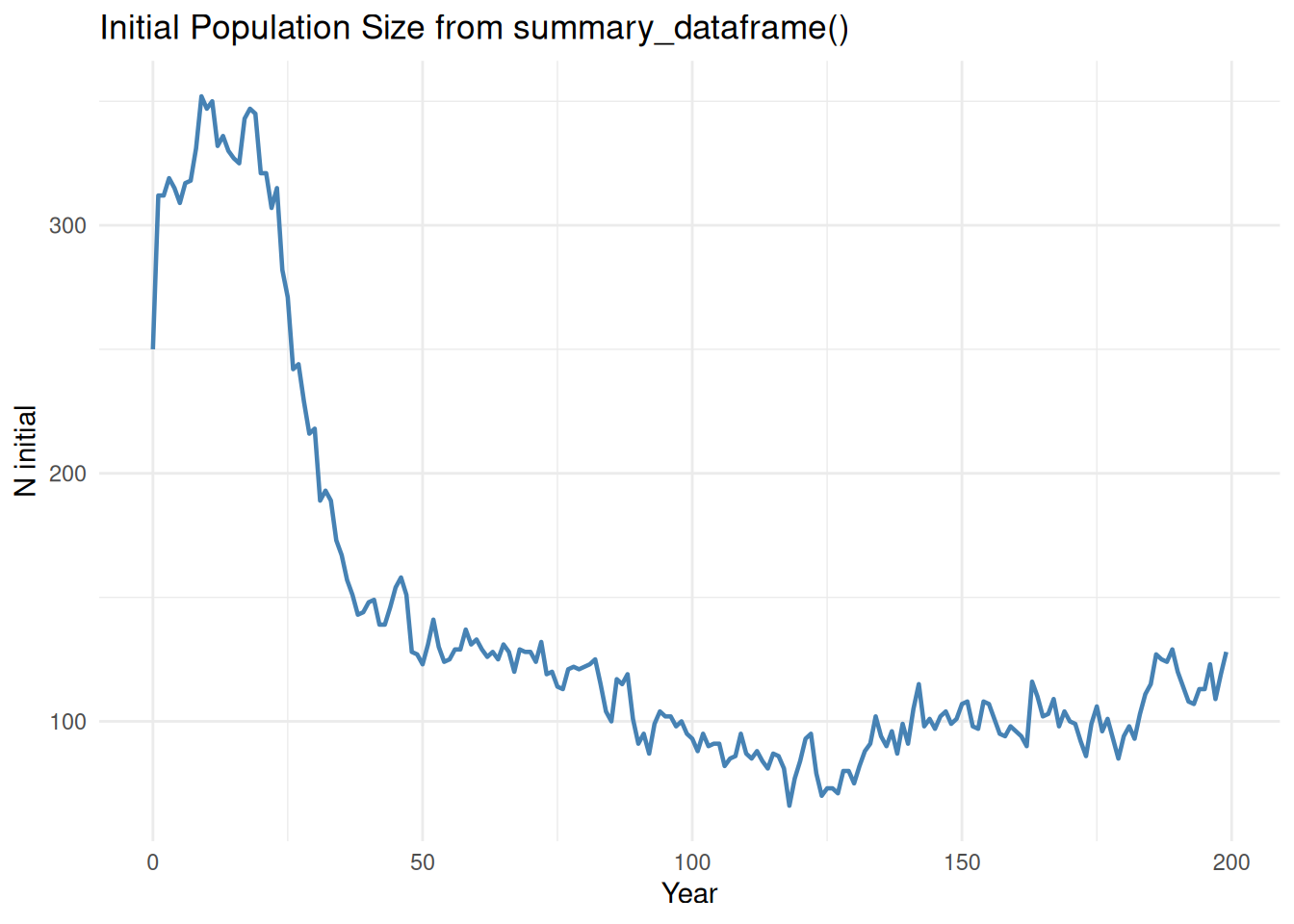
In the default long format, metrics remain in separate columns, but each pipe-delimited value is split into its own row. PatchID gives the position of the value inside the original |-delimited cell. For many summary_popAllTime columns, PatchID == 0 is the total across patches (such as N_initial) and later Patch IDs are actual patch-level values.

pop_totals <- pop_df %>%
  filter(PatchID == 1)

ggplot(pop_totals, aes(x = Year, y = N_Initial)) +
  geom_line(linewidth = 0.8, color = "steelblue") +
  labs(
  ) +
  theme_minimal()

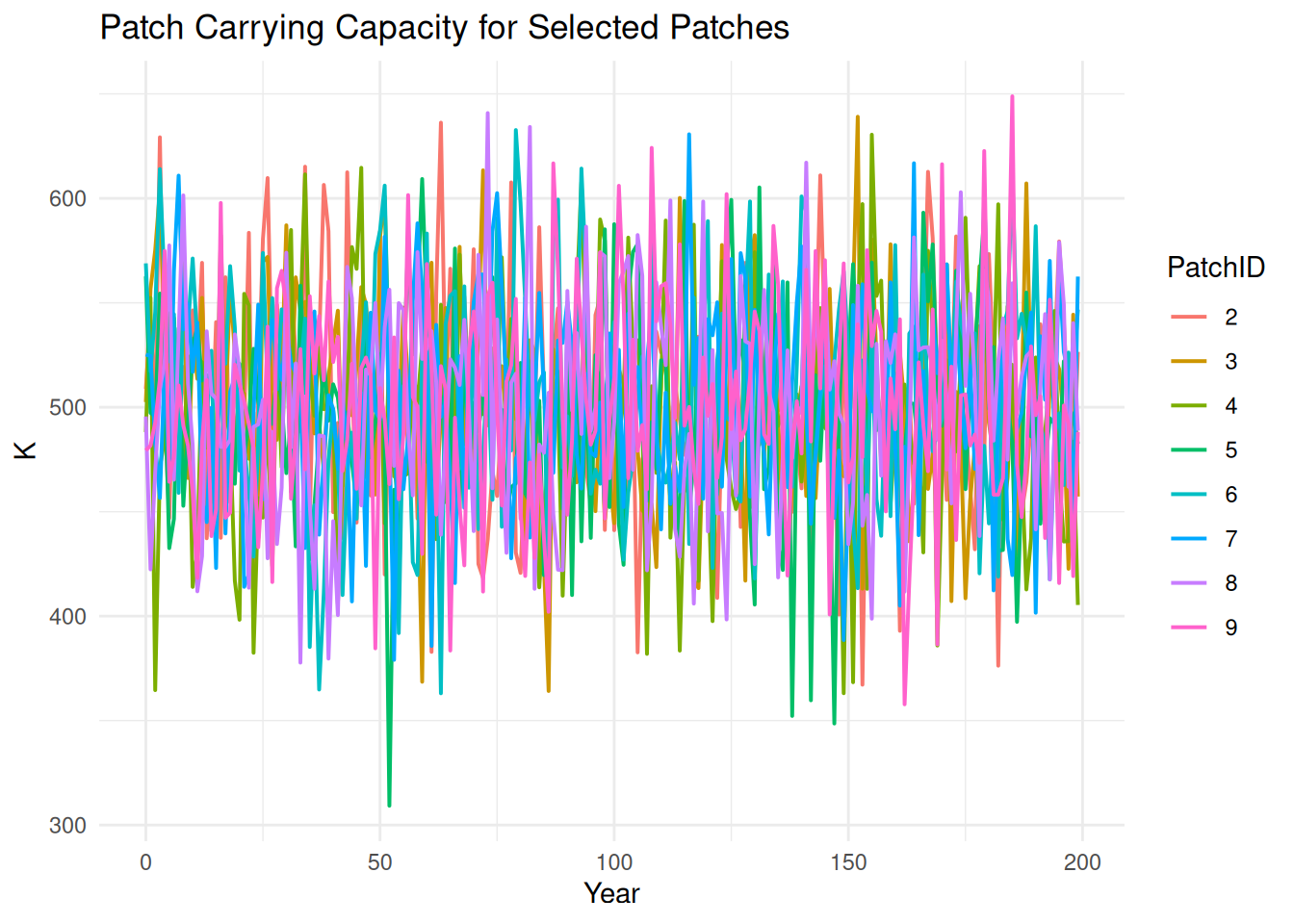
patch_subset <- pop_df %>%
  filter(PatchID %in% 2:9)

ggplot(patch_subset, aes(x = Year, y = K, color = factor(PatchID))) +
  geom_line(linewidth = 0.7) +
  labs(
  ) +
  theme_minimal()

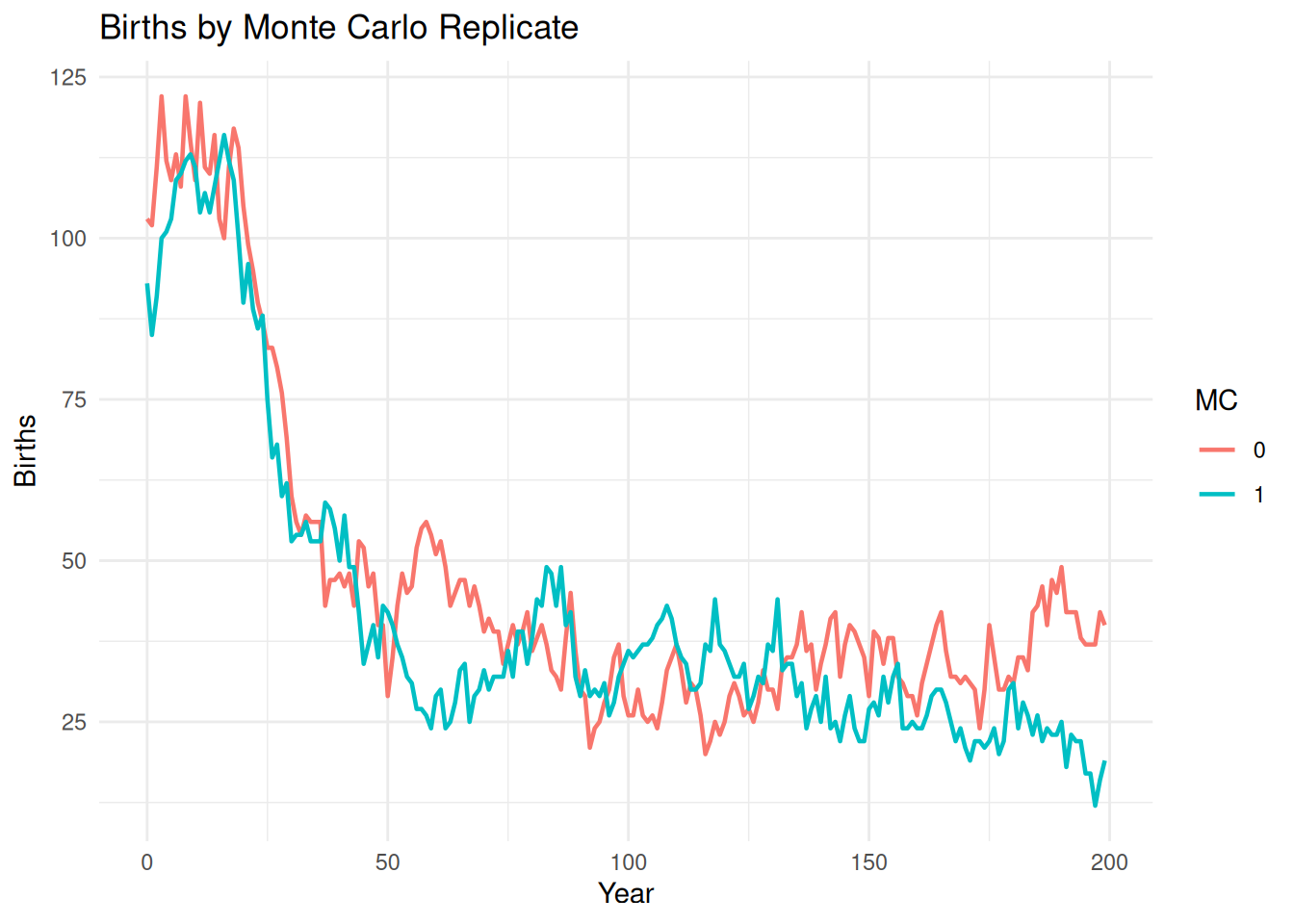
The same workflow can compare Monte Carlo replicates or batches.

pop_mc <- summary_dataframe(ex_dir, type = "pop", batch = 0, mc = "all") %>%
  filter(PatchID == 1)

ggplot(pop_mc, aes(x = Year, y = Births, color = factor(.mc), group = .mc)) +
  geom_line(linewidth = 0.8) +
  labs(
  ) +
  theme_minimal()

Use summary_format = "wide" if you need the original summary columns instead.

pop_wide_df <- summary_dataframe(ex_dir, type = "pop", batch = 0, mc = 0, summary_format = "wide")
head(pop_wide_df[, c("Year", "GrowthRate", "N_Initial")])
  Year GrowthRate
1    0  1.0949600
2    1  0.9823190
3    2  1.0098922
4    3  1.0022095
5    4  1.0013962
6    5  0.9988992
                                                                                                                                                                                                                                                                                                           N_Initial
1 12500|250|0|250|250|250|0|250|0|250|0|250|250|0|0|250|250|250|0|0|0|0|250|250|0|250|0|0|0|0|250|250|0|0|250|0|0|250|0|250|250|0|250|250|0|250|250|250|0|0|250|0|0|250|0|250|250|0|250|0|250|0|250|250|0|250|0|0|0|0|250|0|0|250|0|0|0|250|250|250|250|0|0|250|250|250|0|250|250|0|250|0|250|0|250|250|0|0|0|0|250|
2 13687|312|0|296|303|326|0|310|0|309|0|180|246|0|0|306|203|254|0|0|0|0|276|327|0|297|0|0|0|0|259|258|0|0|313|0|0|339|0|311|224|0|250|283|0|253|245|185|0|0|266|0|0|219|0|291|247|0|207|0|249|0|339|305|0|271|0|0|0|0|294|0|0|292|0|0|0|216|247|341|314|0|0|183|286|314|0|286|199|0|360|0|317|0|225|252|0|0|0|0|302|
3 13445|312|0|317|309|336|0|309|0|324|0|153|231|0|0|301|168|262|0|0|0|0|273|343|0|323|0|0|0|0|262|274|0|0|324|0|0|335|0|326|224|0|246|296|0|238|243|142|0|0|245|0|0|190|0|299|245|0|190|0|229|0|346|303|0|242|0|0|0|0|295|0|0|287|0|0|0|200|236|347|325|0|0|145|286|319|0|274|172|0|366|0|316|0|197|233|0|0|0|0|287|
4 13578|319|0|309|320|352|0|347|0|334|0|123|238|0|0|343|165|262|0|0|0|0|274|364|0|324|0|0|0|0|282|269|0|0|340|0|0|328|0|335|207|0|224|276|0|238|233|118|0|0|261|0|0|165|0|313|230|0|184|0|236|0|364|315|0|254|0|0|0|0|327|0|0|288|0|0|0|173|225|380|336|0|0|121|300|328|0|280|159|0|393|0|327|0|174|230|0|0|0|0|291|
5  13608|315|0|313|302|371|0|329|0|365|0|112|240|0|0|355|150|271|0|0|0|0|280|390|0|330|0|0|0|0|301|270|0|0|352|0|0|352|0|345|202|0|210|298|0|235|251|99|0|0|250|0|0|153|0|308|217|0|178|0|217|0|398|309|0|243|0|0|0|0|290|0|0|282|0|0|0|178|219|388|358|0|0|113|314|338|0|280|136|0|394|0|330|0|158|233|0|0|0|0|286|
6  13627|309|0|313|285|384|0|345|0|391|0|102|245|0|0|347|147|267|0|0|0|0|278|402|0|305|0|0|0|0|310|276|0|0|369|0|0|366|0|329|207|0|217|304|0|223|253|85|0|0|233|0|0|127|0|311|218|0|168|0|234|0|420|297|0|265|0|0|0|0|298|0|0|296|0|0|0|178|216|388|359|0|0|106|306|345|0|280|127|0|394|0|344|0|161|215|0|0|0|0|282|
class_df <- summary_dataframe(ex_dir, type = "class", batch = 0, mc = 0)
head(class_df[, c("Year", ".batch", ".mc", "ClassID", "Ages", "N_Initial_Age")])
  Year .batch .mc ClassID Ages N_Initial_Age
1    0      0   0       1    0          2442
2    0      0   0       2    1          1919
3    0      0   0       3    2          1628
4    0      0   0       4    3          1337
5    0      0   0       5    4          1103
6    0      0   0       6    5           848

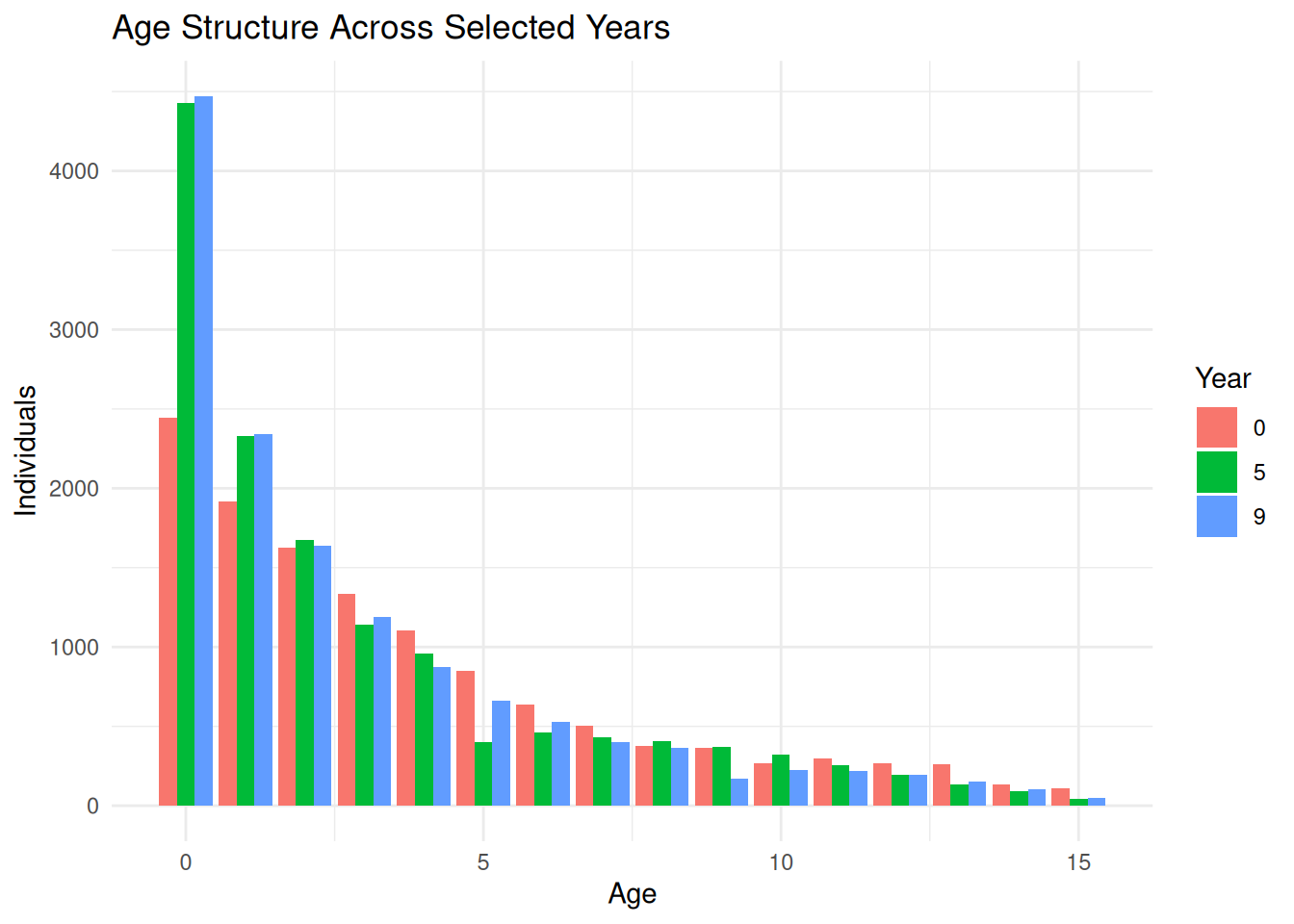
Class summaries are useful when the class ID positions correspond to age or size classes.

class_selected_years <- class_df %>%
  filter(Year %in% c(0, 5, 9))

ggplot(class_selected_years, aes(x = Ages, y = N_Initial_Age, fill = factor(Year))) +
  geom_col(position = "dodge") +
  labs(
  ) +
  theme_minimal()

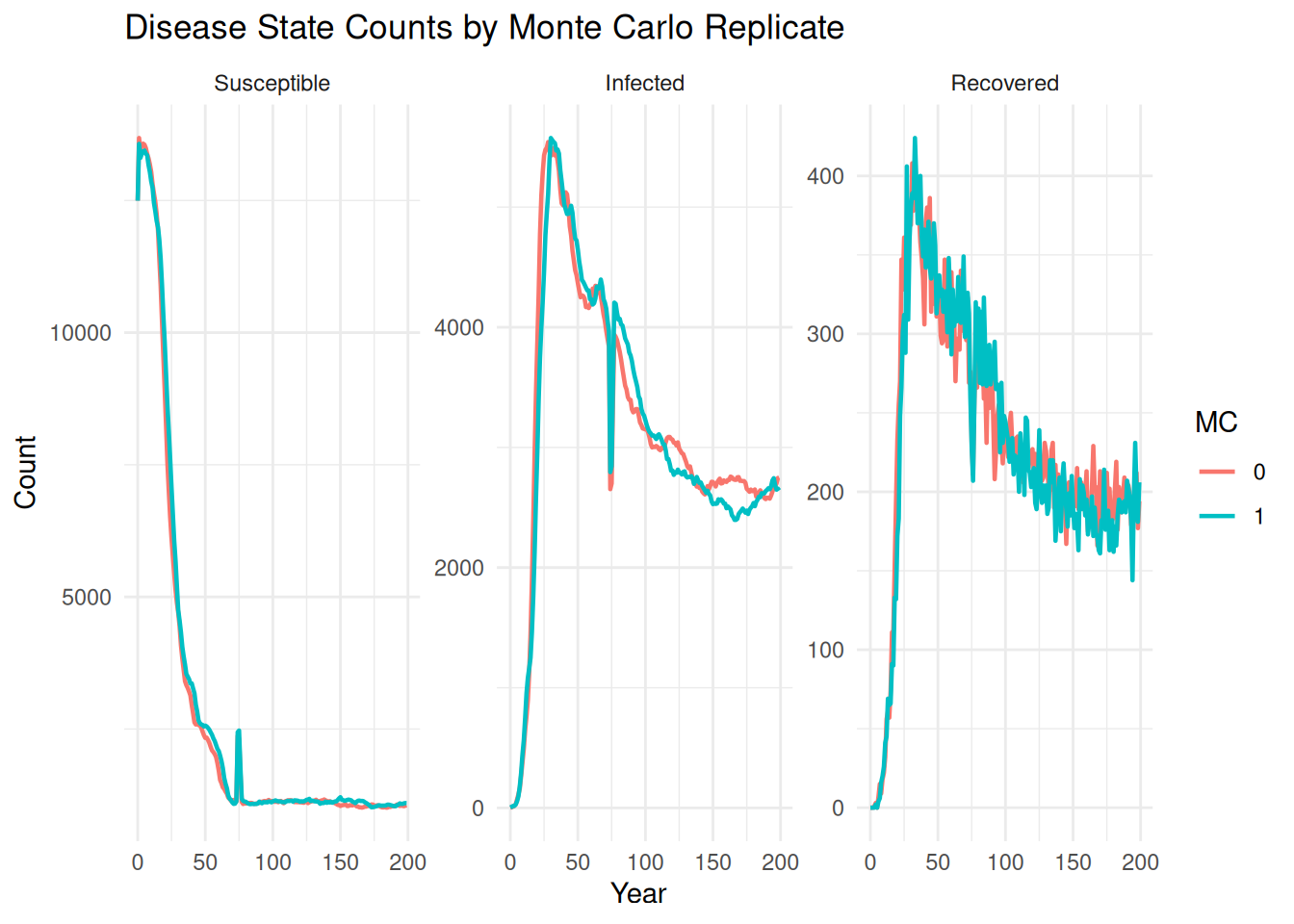
Disease-state files are returned in tidy long format by default, with one row per year, source, and disease state.

disease_df <- summary_dataframe(
  ex_dir,
  type = "disease",
  state_names = c("Susceptible", "Infected", "Recovered")
)
head(disease_df)
# A tibble: 6 × 15
   Year   Run Batch    MC Species Source   .source_file .source_group .source_id
  <dbl> <int> <int> <int>   <int> <chr>    <chr>        <chr>         <chr>     
1     0     0     0     0       0 Adaptiv… /home/runne… Adaptive_Run… run0batch…
2     0     0     0     0       0 Adaptiv… /home/runne… Adaptive_Run… run0batch…
3     0     0     0     0       0 Adaptiv… /home/runne… Adaptive_Run… run0batch…
4     1     0     0     0       0 Adaptiv… /home/runne… Adaptive_Run… run0batch…
5     1     0     0     0       0 Adaptiv… /home/runne… Adaptive_Run… run0batch…
6     1     0     0     0       0 Adaptiv… /home/runne… Adaptive_Run… run0batch…
# ℹ 6 more variables: .run <int>, .batch <int>, .mc <int>, .species <int>,
#   State <fct>, Count <dbl>
disease_mc <- summary_dataframe(
  ex_dir,
  type = "disease",
  state_names = c("Susceptible", "Infected", "Recovered"),
  mc = "all"
)

ggplot(disease_mc, aes(x = Year, y = Count, color = factor(.mc), group = .mc)) +
  geom_line(linewidth = 0.8) +
  facet_wrap(~ State, scales = "free_y") +
  labs(
  ) +
  theme_minimal()

Individual files can be filtered by year and patch.

ind_df <- summary_dataframe(ex_dir, type = "ind", years = 9, patches = c(1, 3))
head(ind_df)
  PatchID   XCOORD   YCOORD                          ID
1       1 56758.45 381341.8     S1_F10_m1f1_P10_Y8_UO17
2       1 56758.45 381341.8    S1_F33_m1f1_P33_Y8_UO111
3       1 56758.45 381341.8     S1_F44_m1f1_P44_Y8_UO71
4       1 56758.45 381341.8   ID1_F10_m9f9_P44_Y7_UO598
5       1 56758.45 381341.8    I1_F44_m9f9_P10_Y6_UO626
6       1 56758.45 381341.8 I1_F10_m77f77_P10_Y5_UO3306
                           MID                         FID sex age size mature
1     I1_F33_m9f9_P44_Y6_UO582   ID1_F18_m9f9_P33_Y4_UO548 MXY   1    0      0
2    I1_F10_m-1f-1_P1_Y-1_U180 I1_F44_m77f77_P10_Y2_UO3381 MXY   1    0      0
3  I1_F33_m77f77_P33_Y4_UO3297    I1_F10_m9f9_P33_Y5_UO537 MXY   1    0      0
4     I9_F44_m9f9_P10_Y4_UO567 I9_F33_m77f77_P10_Y4_UO3281 MXY   2    0      1
5     I9_F33_m9f9_P10_Y0_UO504    I9_F10_m-1f-1_P9_Y-1_U99 FXX   3    0      1
6 ID77_F82_m-1f-1_P77_Y-1_U164    I77_F10_m1f1_P33_Y3_UO25 FXX   4    0      1
  newmature layeggs capture recapture state CDist  Hindex Species ClassFile
1         0       0       0         0     0 -9999 0.53125       1    P0_CV0
2         0       0       0         0     0 -9999 0.37500       1    P0_CV0
3         0       0       0         0     0 -9999 0.59375       1    P0_CV0
4         0       0       0         0     0 -9999 0.37500       1   P76_CV0
5         0       1       0         0     0 10158 0.37500       1    P8_CV0
6         0       1       0         0     0 -9999 0.31250       1   P76_CV0
  SubPatchID L0A0 L0A1 L1A0 L1A1 L2A0 L2A1 L3A0 L3A1
1          1    0    2    0    2    0    2    0    2
2          1    1    1    1    1    0    2    0    2
3          1    2    0    1    1    0    2    0    2
4          1    2    0    0    2    0    2    0    2
5          1    0    2    1    1    0    2    0    2
6          1    1    1    2    0    0    2    0    2
                                                                                       .source_file
1 /home/runner/work/_temp/Library/cdmetapopR/extdata/Adaptive_Run_08/run0batch0mc0species0/ind9.csv
2 /home/runner/work/_temp/Library/cdmetapopR/extdata/Adaptive_Run_08/run0batch0mc0species0/ind9.csv
3 /home/runner/work/_temp/Library/cdmetapopR/extdata/Adaptive_Run_08/run0batch0mc0species0/ind9.csv
4 /home/runner/work/_temp/Library/cdmetapopR/extdata/Adaptive_Run_08/run0batch0mc0species0/ind9.csv
5 /home/runner/work/_temp/Library/cdmetapopR/extdata/Adaptive_Run_08/run0batch0mc0species0/ind9.csv
6 /home/runner/work/_temp/Library/cdmetapopR/extdata/Adaptive_Run_08/run0batch0mc0species0/ind9.csv
    .source_group                     .source_id .run .batch .mc .species
1 Adaptive_Run_08 run0batch0mc0species0_ind9.csv    0      0   0        0
2 Adaptive_Run_08 run0batch0mc0species0_ind9.csv    0      0   0        0
3 Adaptive_Run_08 run0batch0mc0species0_ind9.csv    0      0   0        0
4 Adaptive_Run_08 run0batch0mc0species0_ind9.csv    0      0   0        0
5 Adaptive_Run_08 run0batch0mc0species0_ind9.csv    0      0   0        0
6 Adaptive_Run_08 run0batch0mc0species0_ind9.csv    0      0   0        0
  .file_type Year
1        ind    9
2        ind    9
3        ind    9
4        ind    9
5        ind    9
6        ind    9

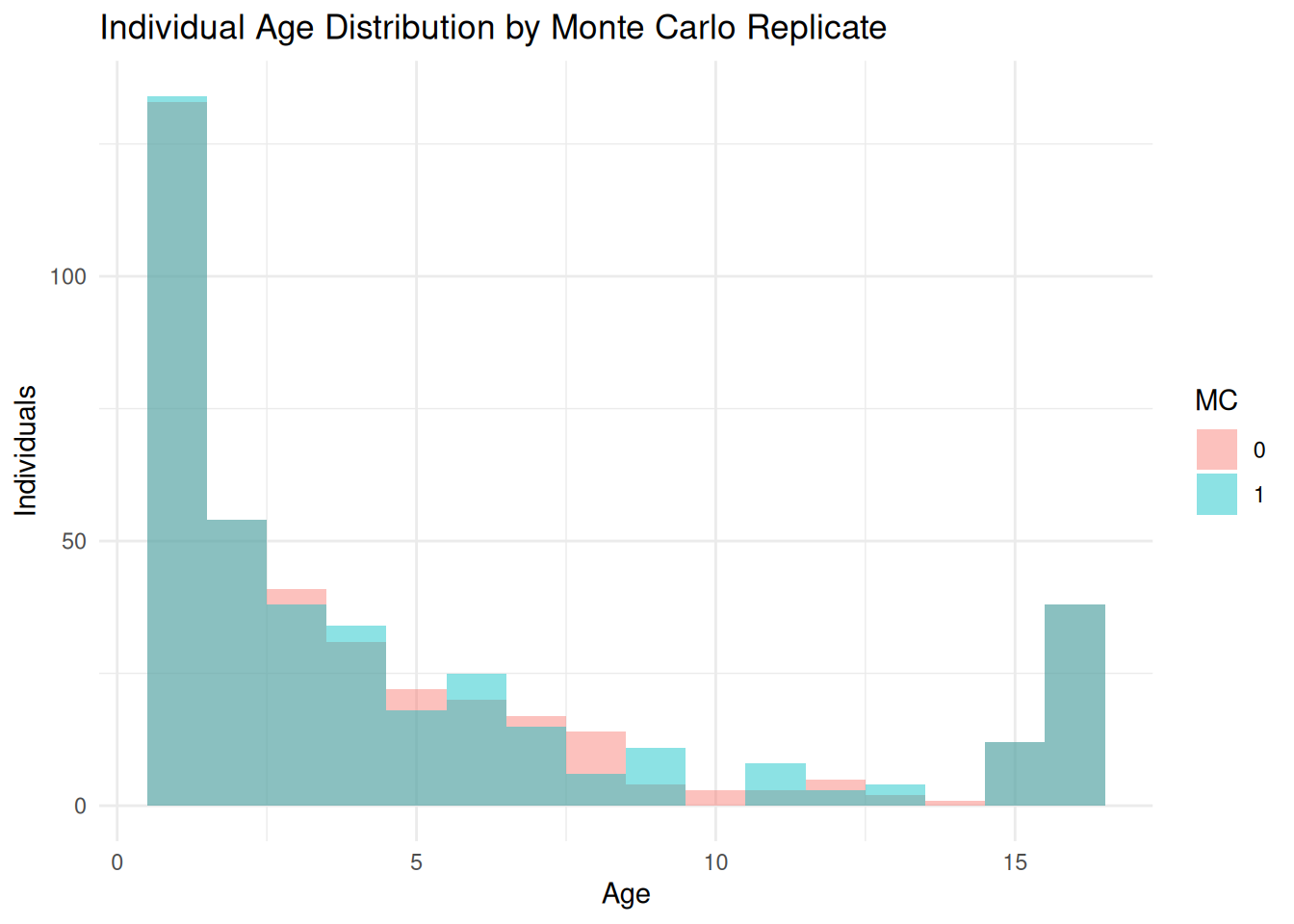
You may want to view the number of individuals in each disease state:

ind_year9 <- summary_dataframe(ex_dir, type = "ind", years = 9, mc = "all")

ggplot(ind_year9, aes(x = age, fill = factor(.mc))) +
  geom_histogram(binwidth = 1, position = "identity", alpha = 0.45) +
  labs(
  ) +
  theme_minimal()

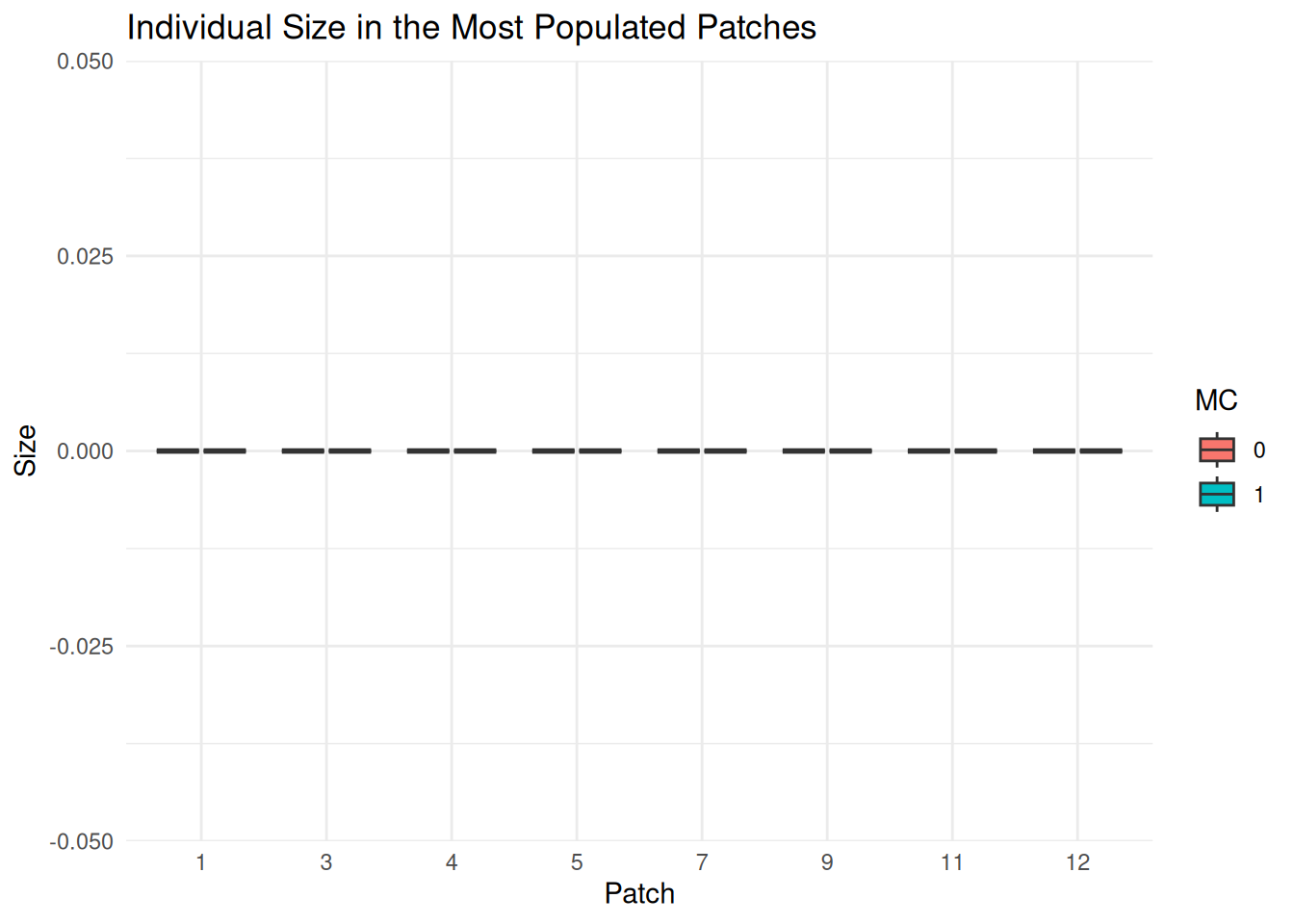
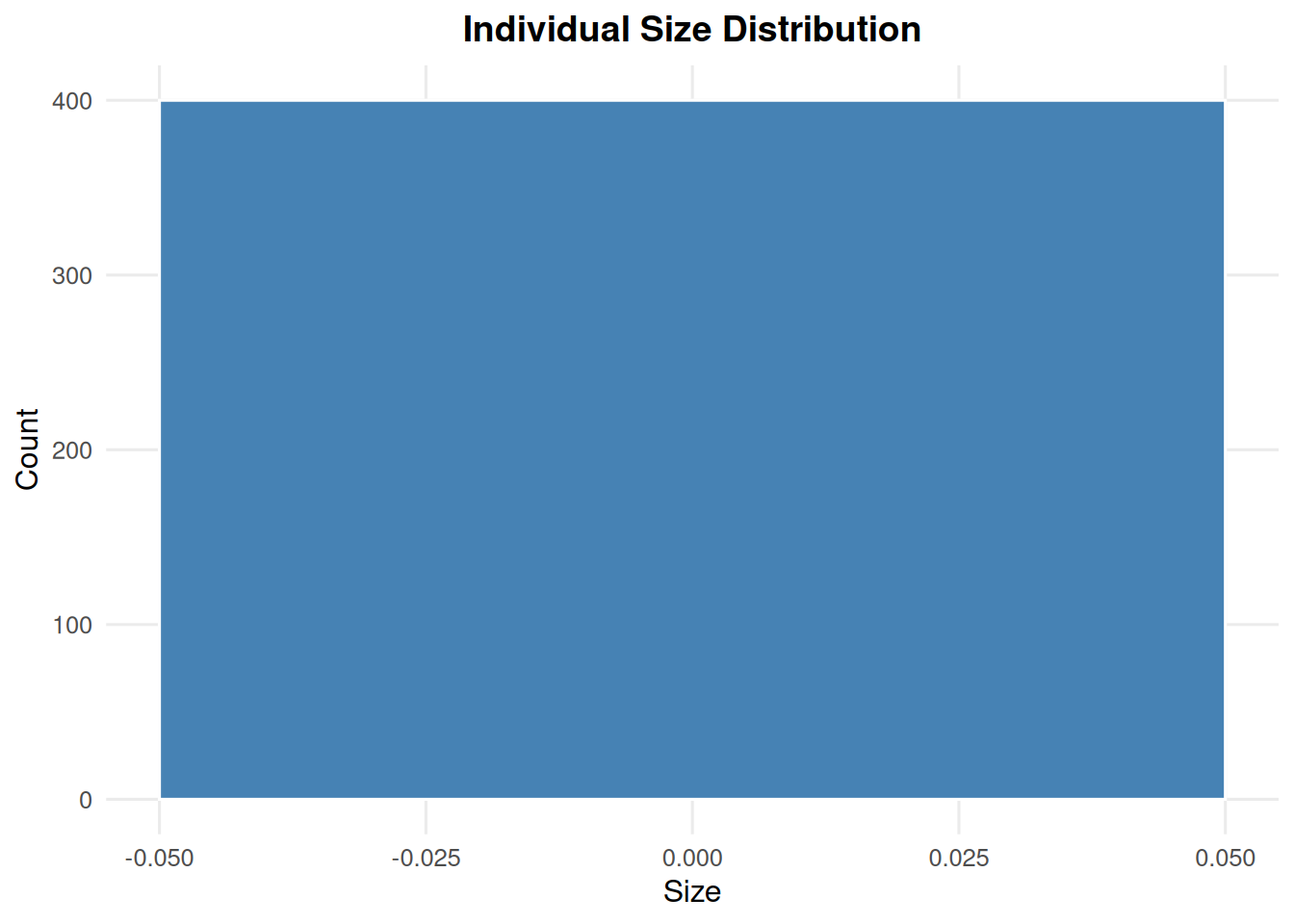
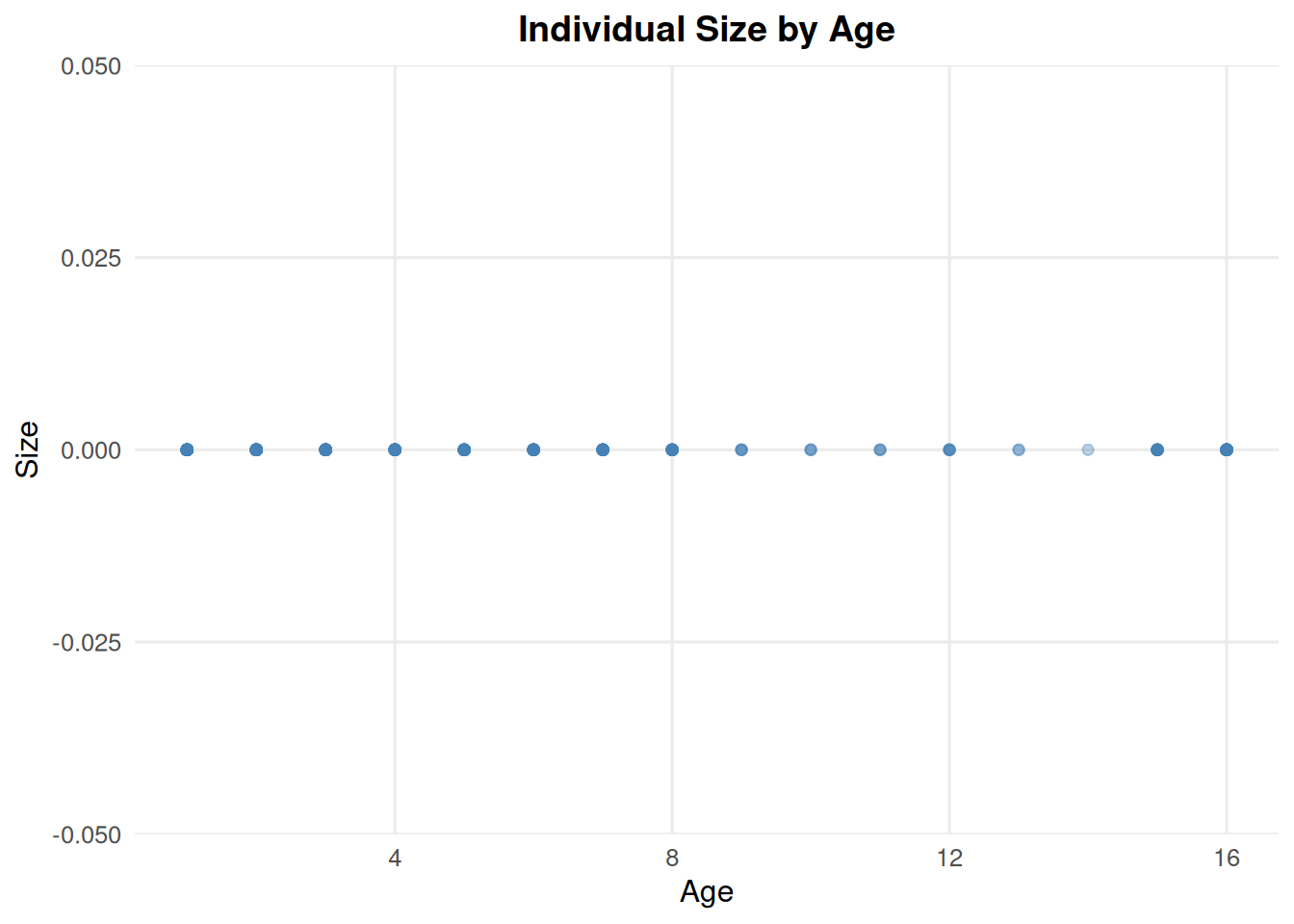
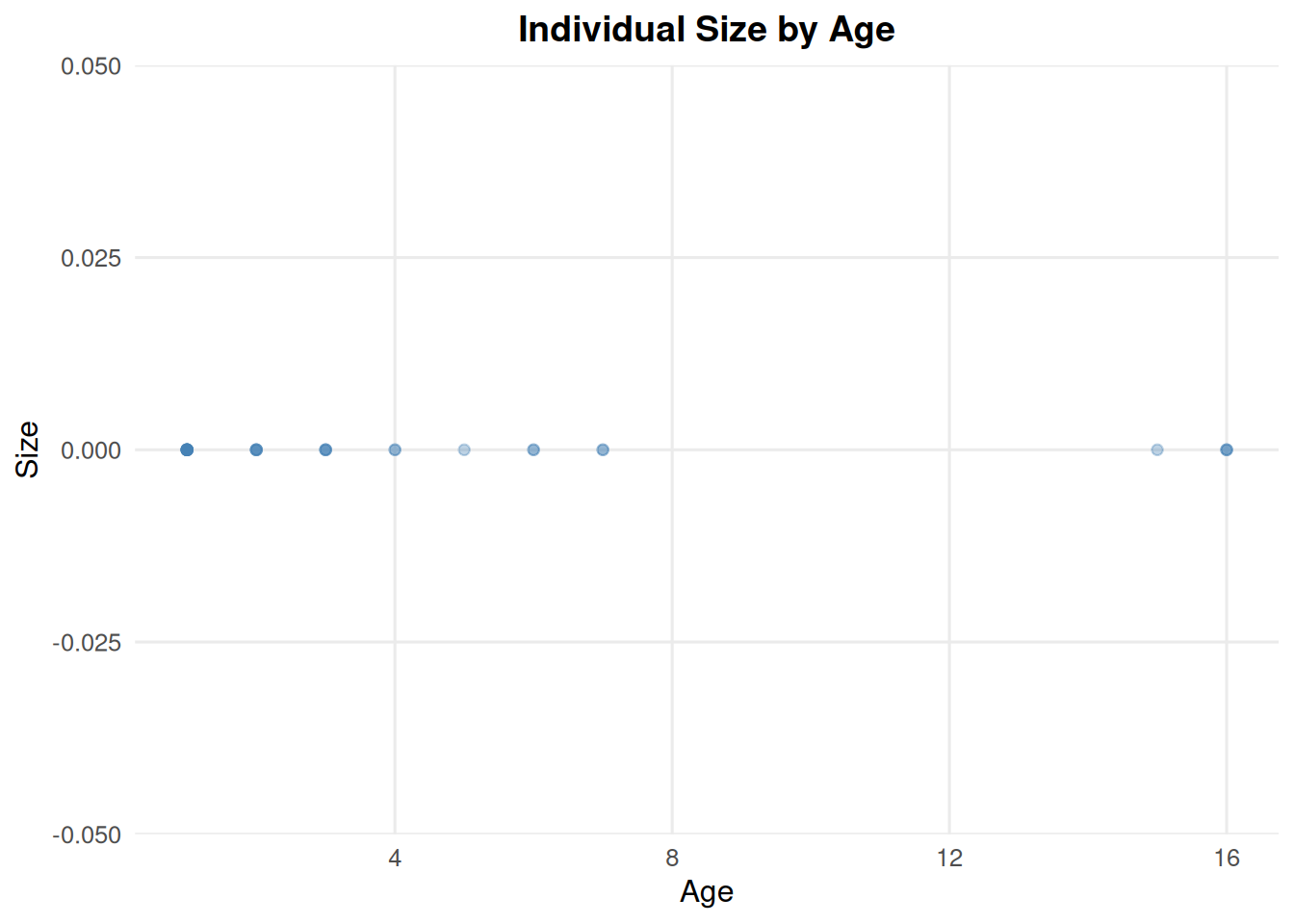
You may also examine sizes of individuals, however this does not vary in our example files:

top_patches <- ind_year9 %>%
  count(PatchID, sort = TRUE) %>%
  slice_head(n = 8) %>%
  pull(PatchID)

ind_top_patches <- ind_year9 %>%
  filter(PatchID %in% top_patches)

ggplot(ind_top_patches, aes(x = factor(PatchID), y = size, fill = factor(.mc))) +
  geom_boxplot(outlier.alpha = 0.3) +
  labs(
  ) +
  theme_minimal()

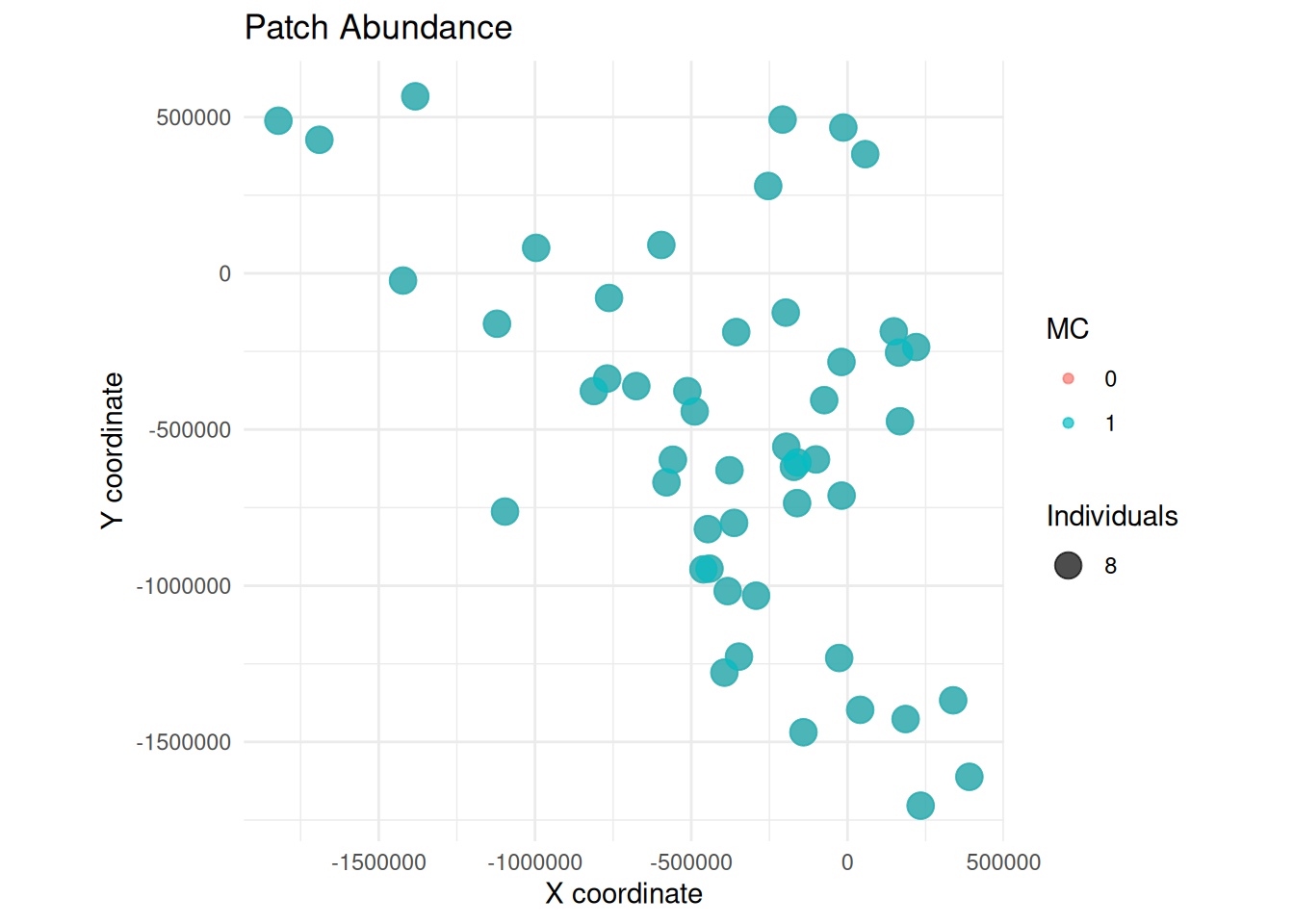
Perhaps view the distribution of individuals spatially:

patch_counts <- ind_year9 %>%
  group_by(.mc, PatchID, XCOORD, YCOORD) %>%
  summarise(n = n(), .groups = "drop")

ggplot(patch_counts, aes(x = XCOORD, y = YCOORD, size = n, color = factor(.mc))) +
  geom_point(alpha = 0.7) +
  coord_equal() +
  labs(
  ) +
  theme_minimal()

4 Population Summary Plots

If users prefer to view figures that can be made directly from CDMetaPOP outputs, they can use the following summary_pop() functions.

summary_pop() works with summary_popAllTime.csv files. The input can be a single file, a vector of files, a data frame, or a directory containing CDMetaPOP output folders.

When a directory is supplied, summary_pop() discovers the matching output folders. By default it uses run = 0, batch = 0, mc = 0, and species = 0; use "all" for any of those arguments to include multiple runs, batches, Monte Carlo replicates, or species.

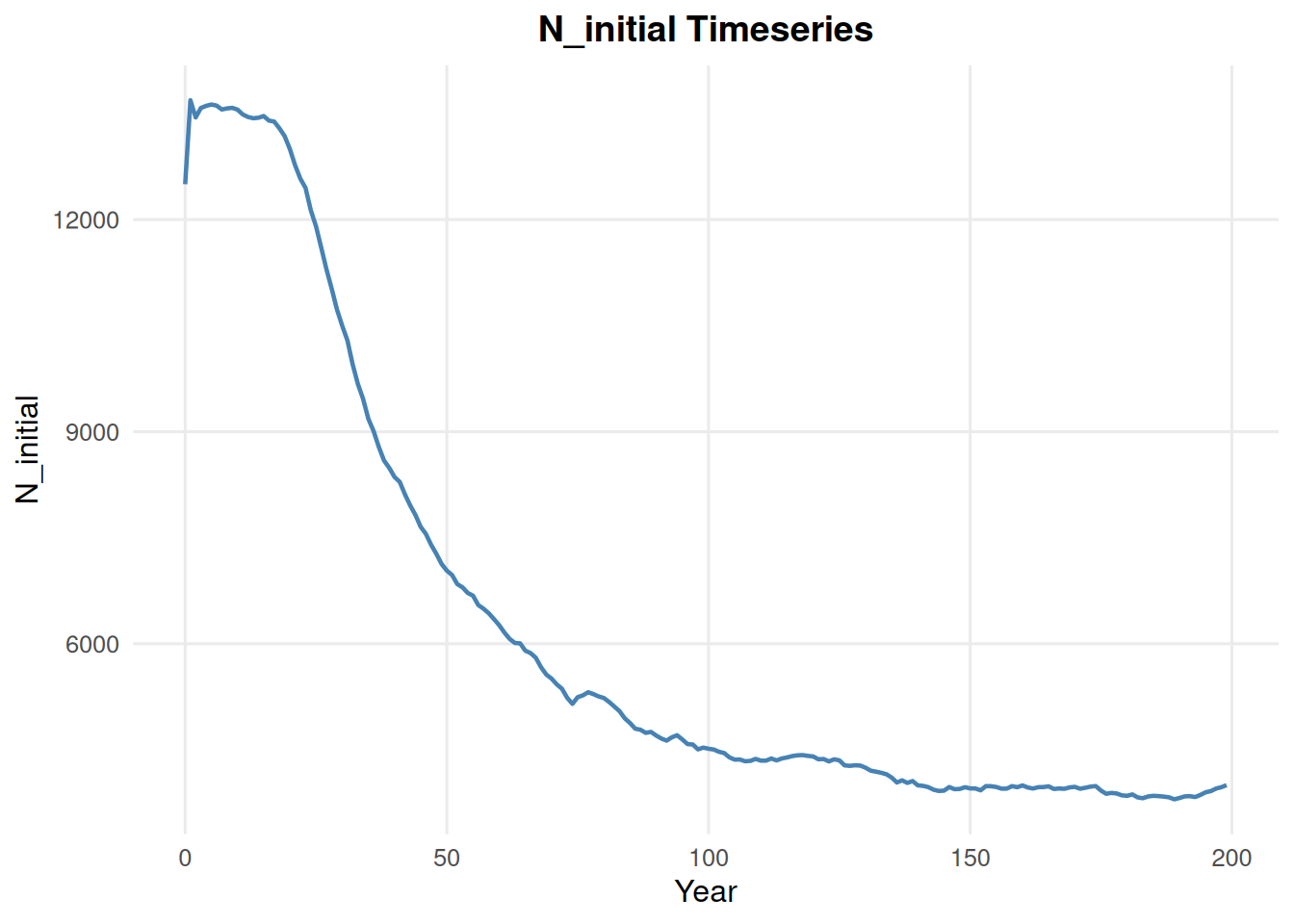
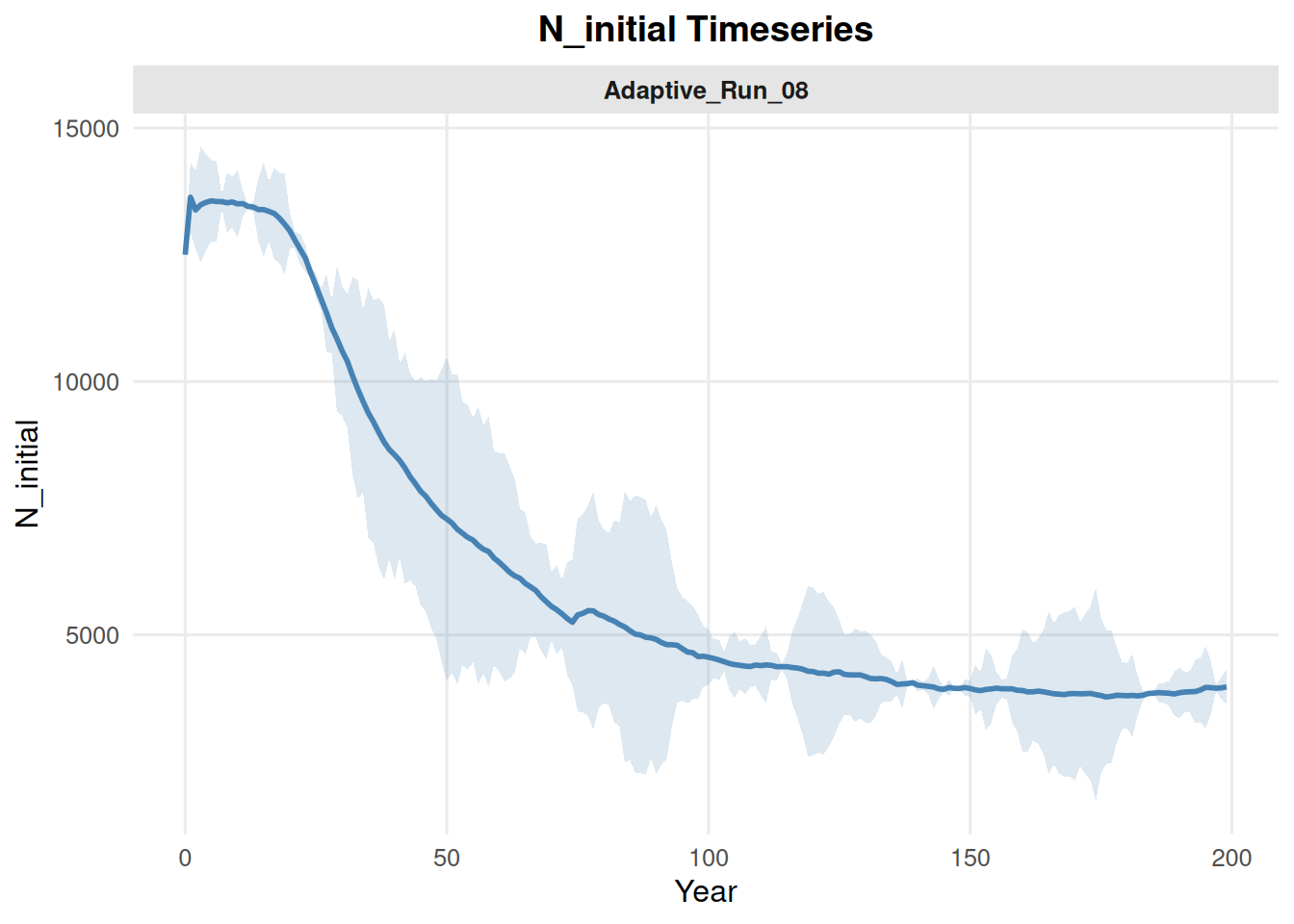
4.1 Initial Population Size

summary_pop(ex_dir, type = "N_initial")

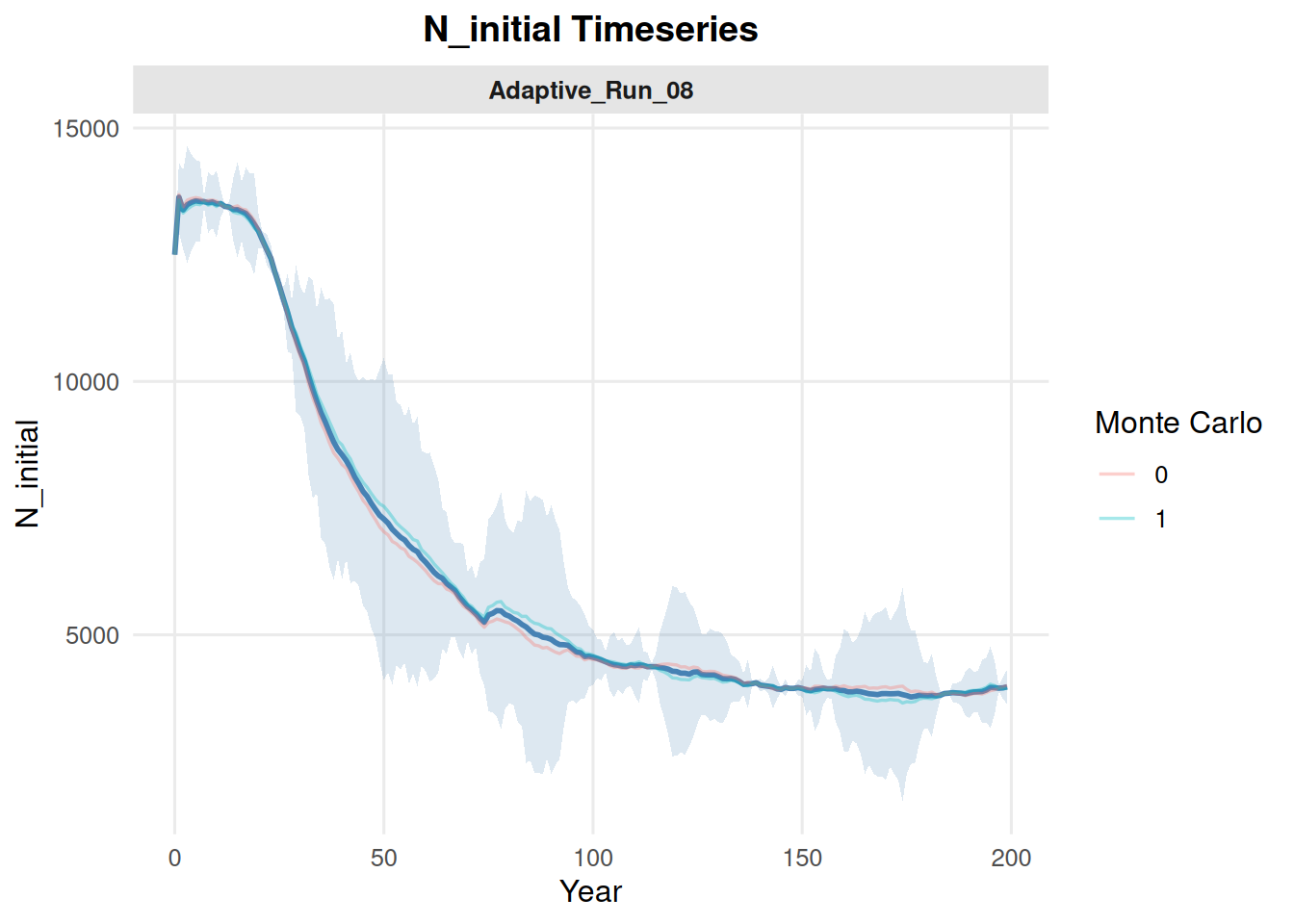
Include multiple Monte Carlo replicates by setting mc = "all". With multiple source files, the default behavior can show individual MC trajectories and a summary band.

summary_pop(ex_dir, type = "N_initial", mc = "all")

To show only the summarized pattern, set show_mc = FALSE.

summary_pop(ex_dir, type = "N_initial", mc = "all", show_mc = FALSE)

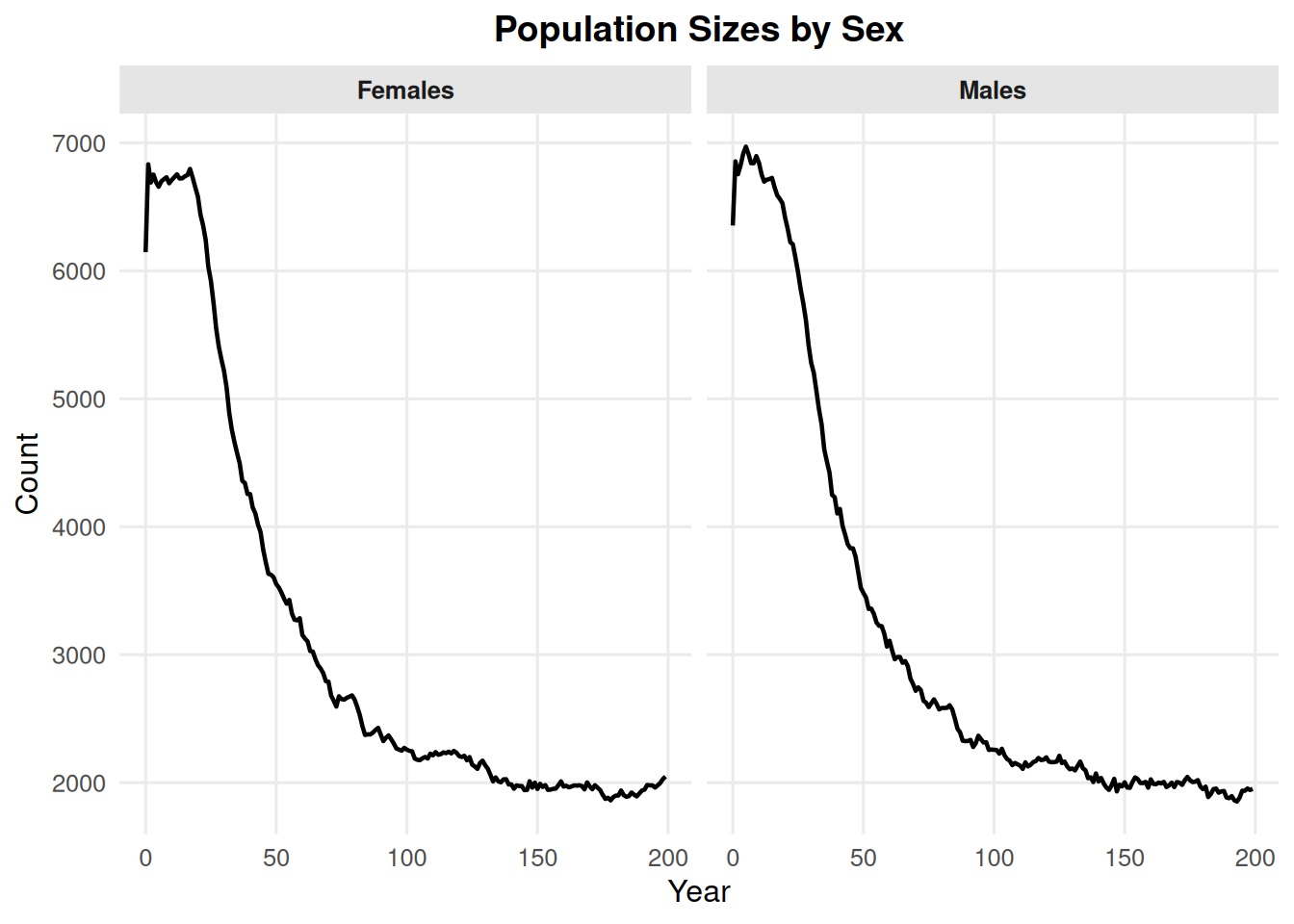
4.2 Sex Counts

By default, type = "sex" shows males and females only.

summary_pop(ex_dir, type = "sex")

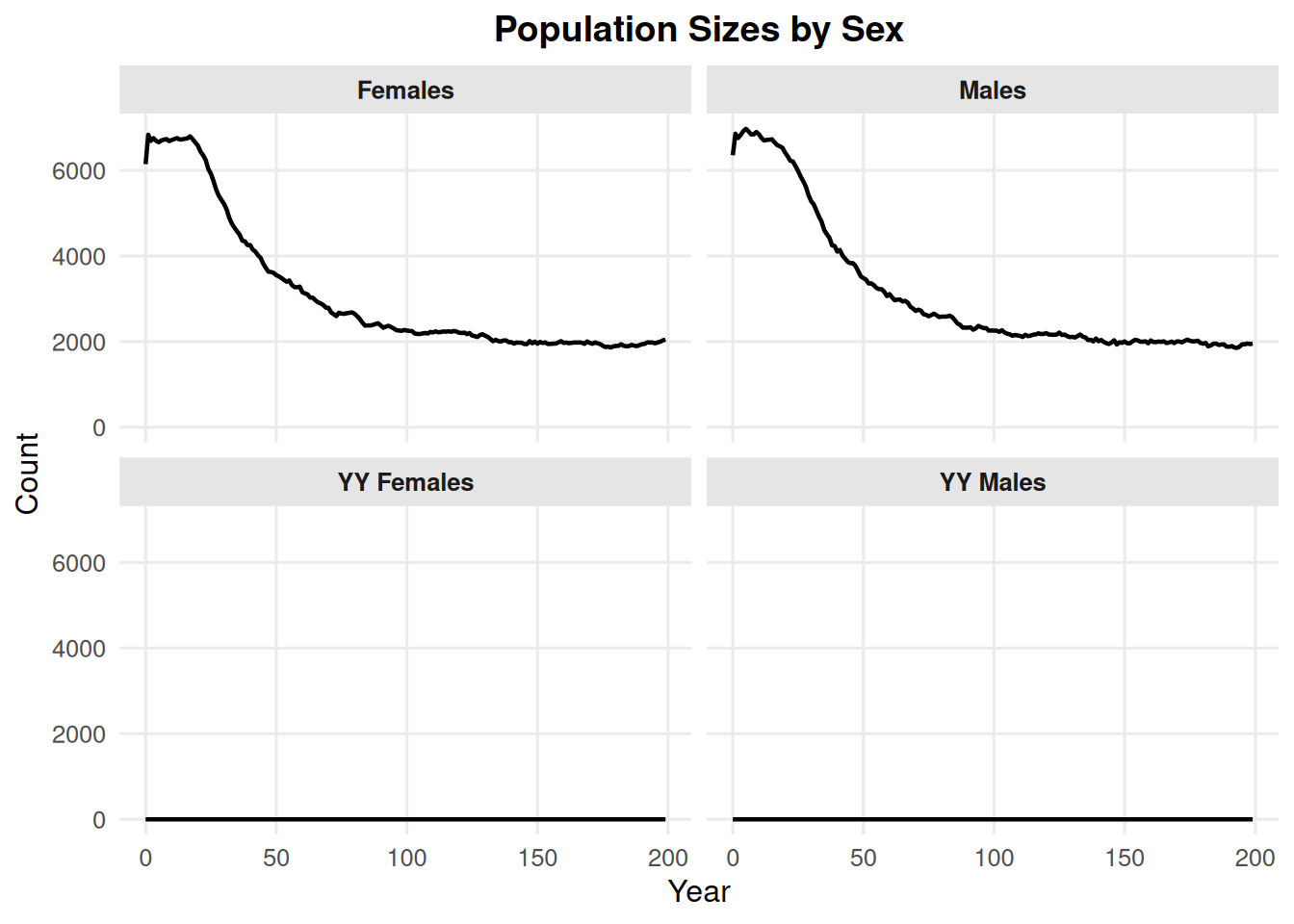
Use include_yys = TRUE to include YY males and YY females. This may be relevant for fisheries research.

summary_pop(ex_dir, type = "sex", include_yys = TRUE)

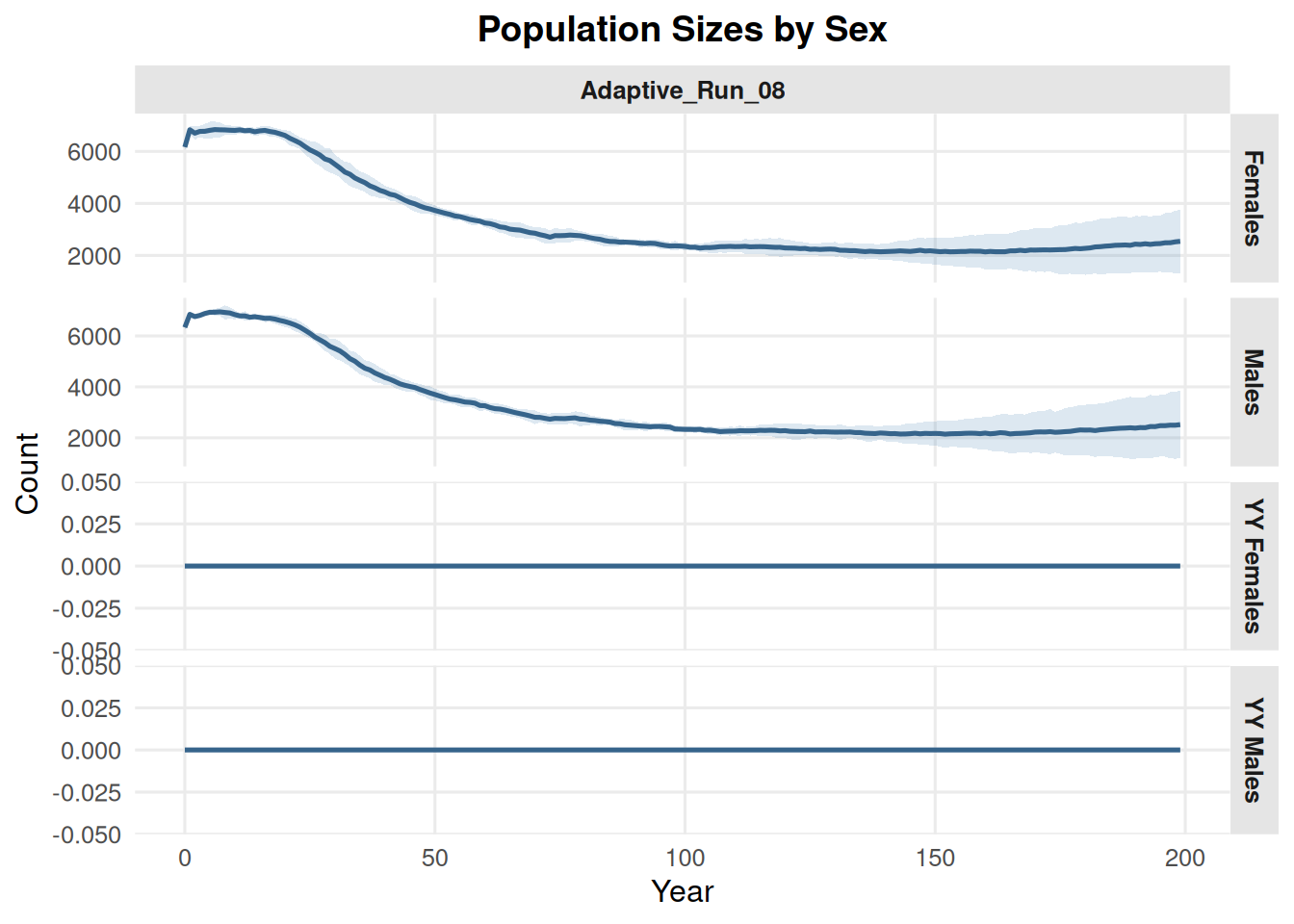
The same YY option works when comparing multiple batches or MCs.

summary_pop(
  ex_dir,
  type = "sex",
  batch = "all",
  mc = "all",
  include_yys = TRUE,
  show_mc = FALSE
)

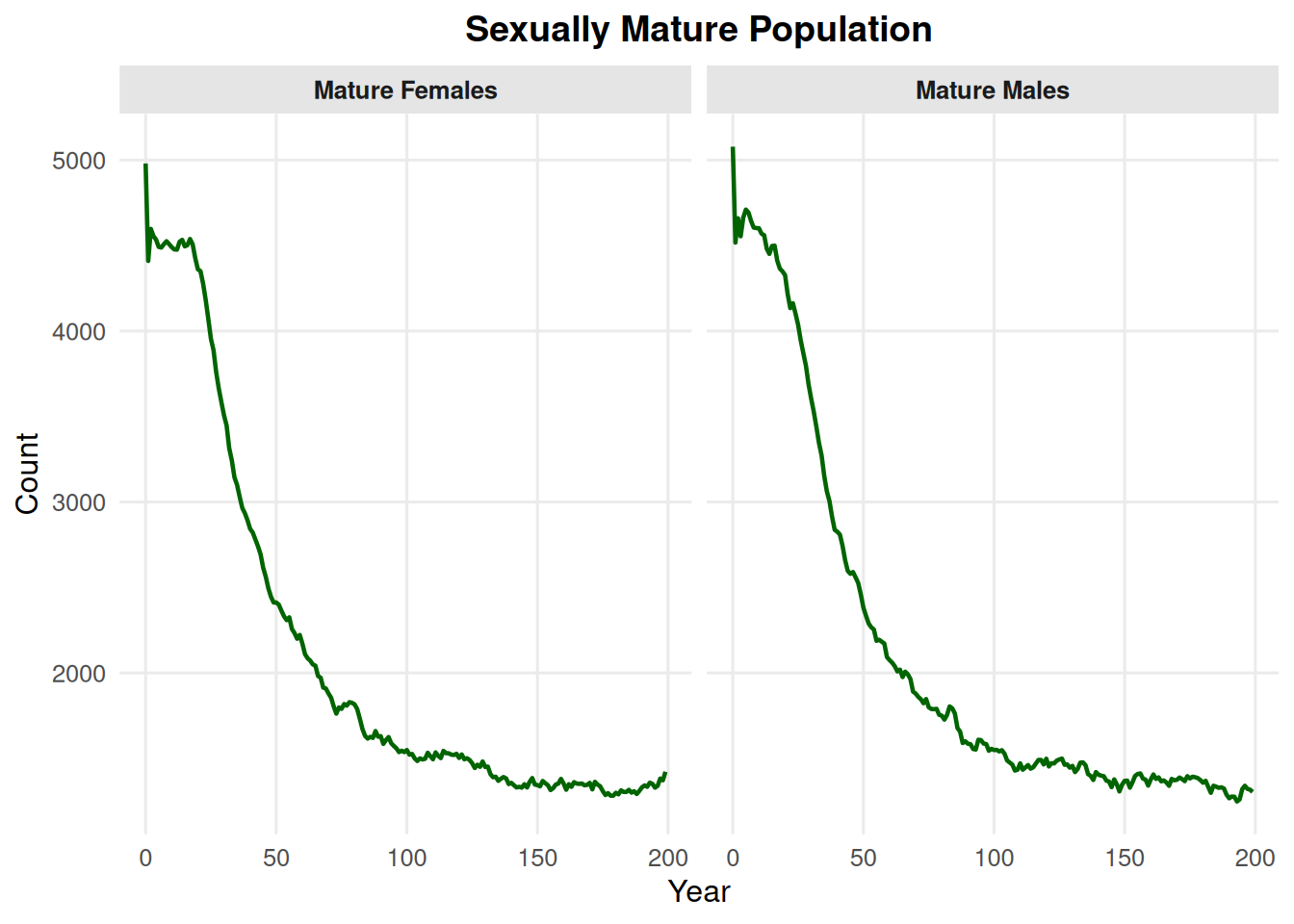
4.3 Mature Counts

By default, type = "mature" shows mature males and mature females only.

summary_pop(ex_dir, type = "mature")

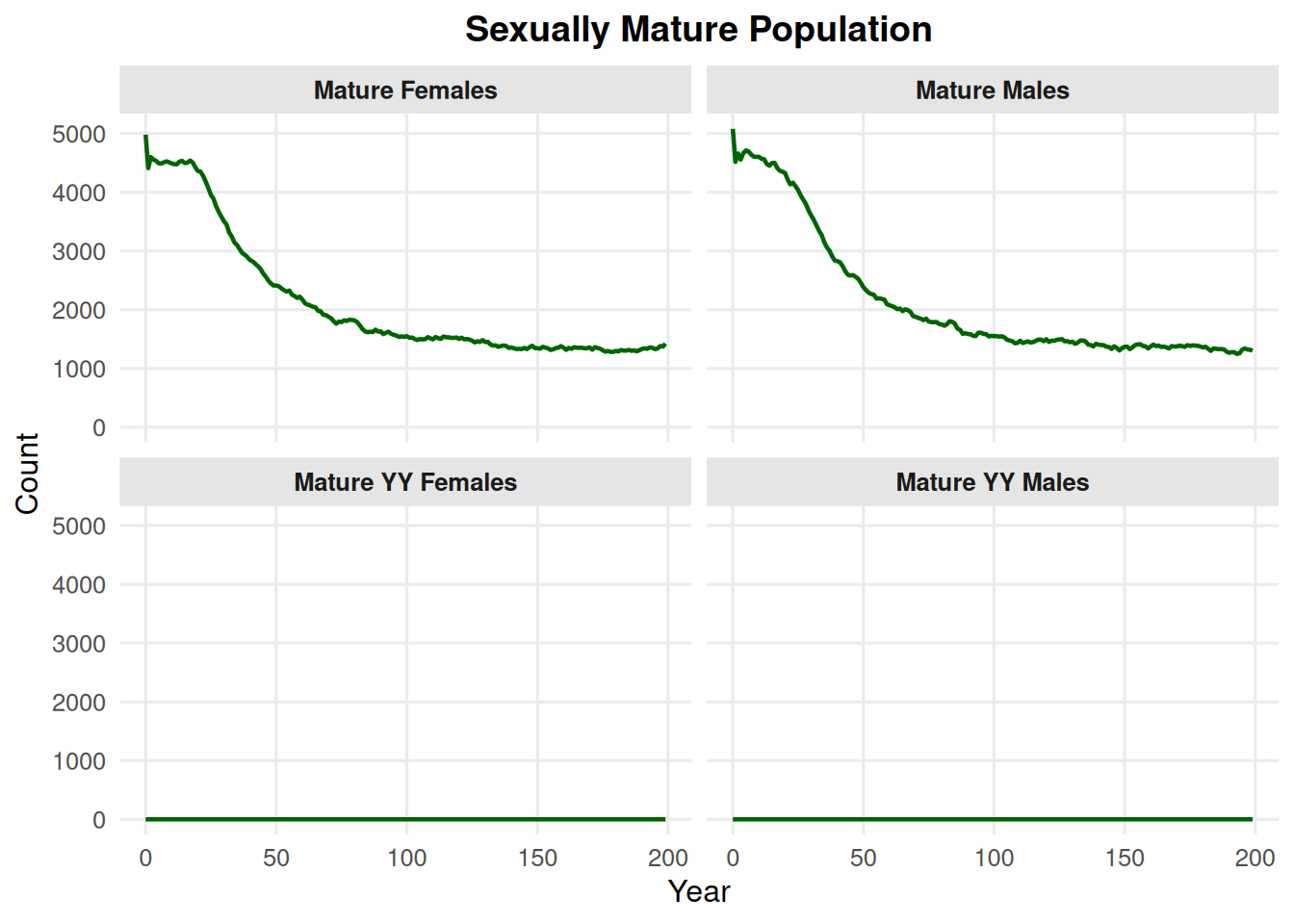
Use include_yys = TRUE to include mature YY males and mature YY females.

summary_pop(ex_dir, type = "mature", include_yys = TRUE)

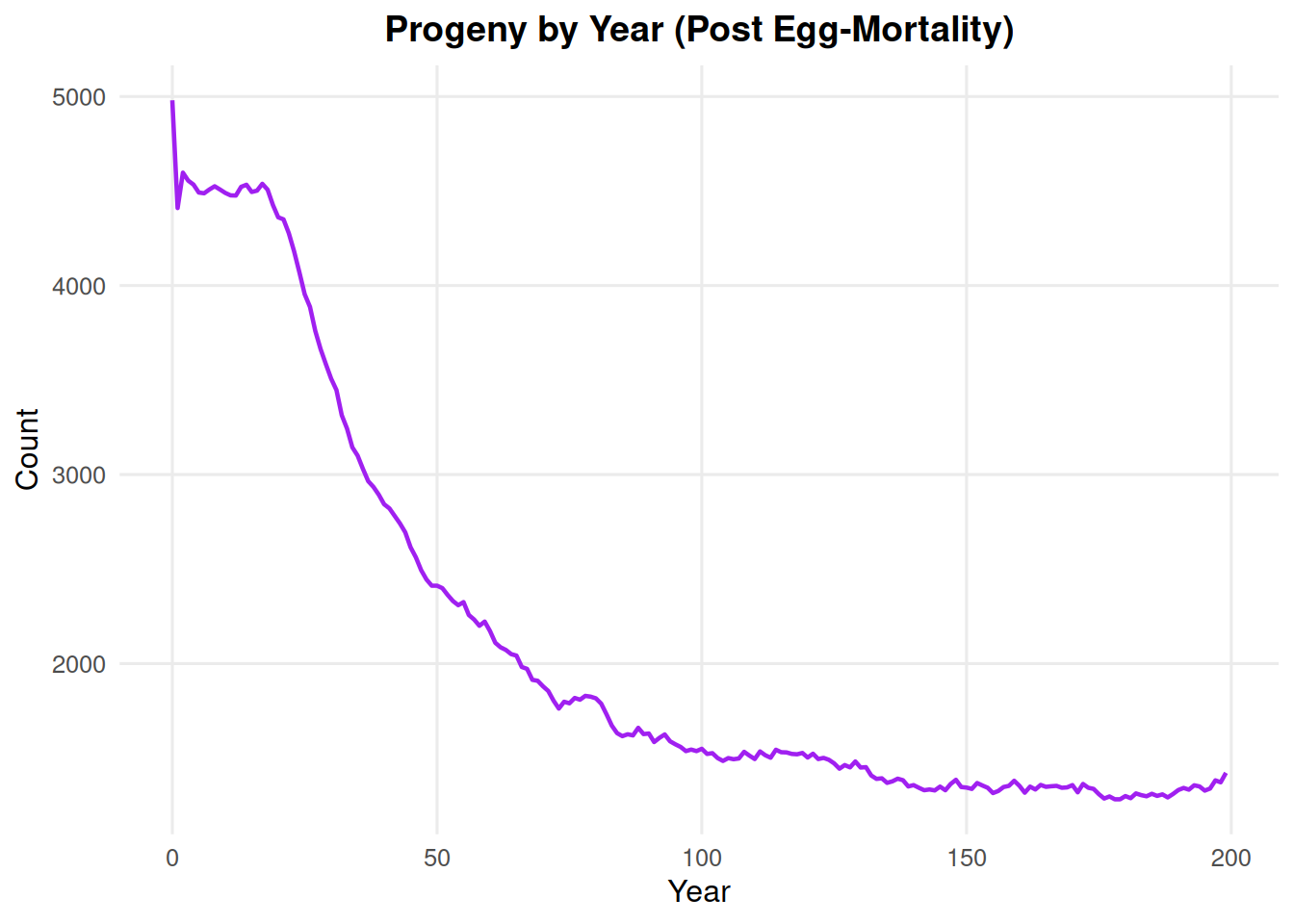
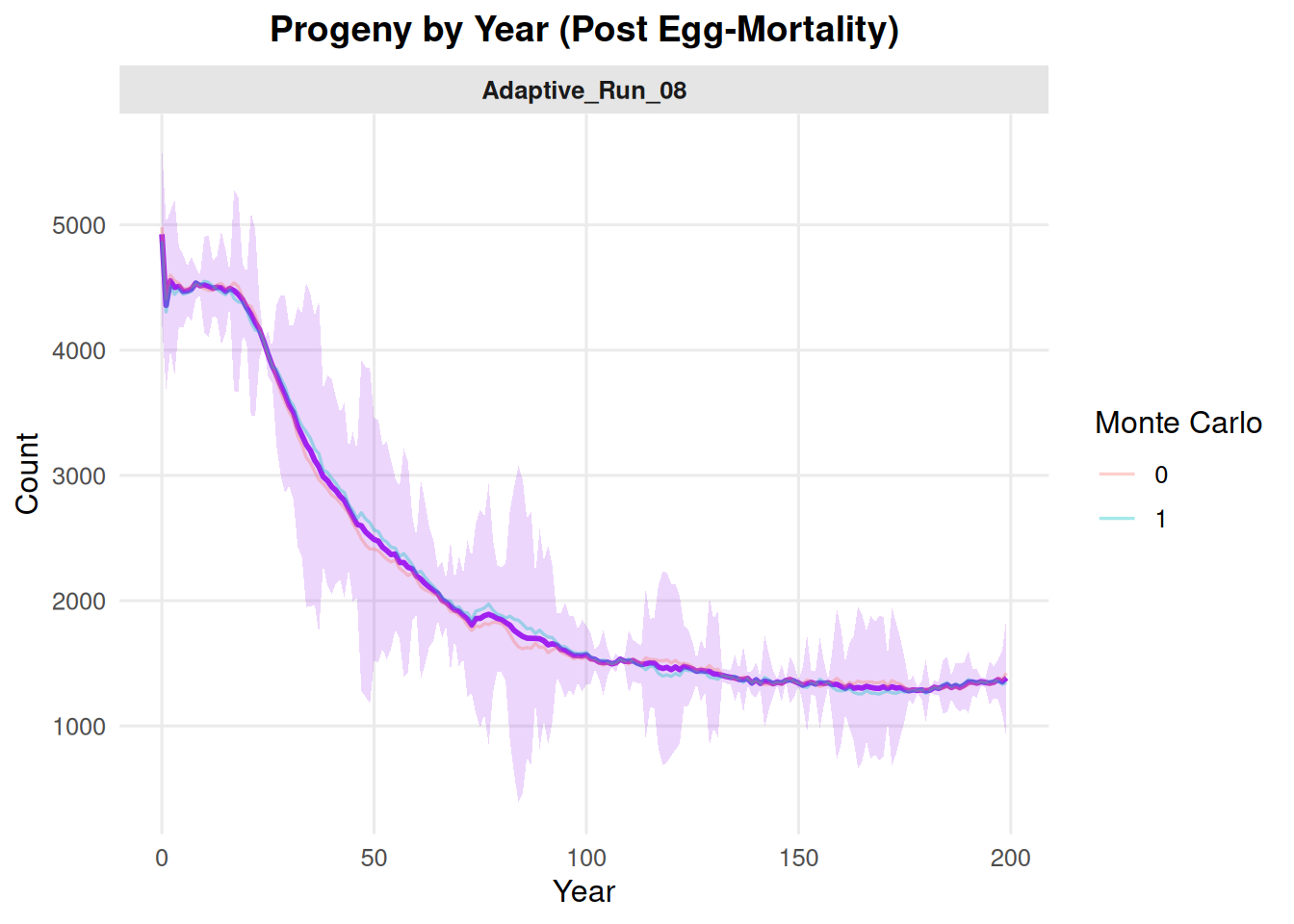
4.4 Births

summary_pop(ex_dir, type = "births")

summary_pop(ex_dir, type = "births", mc = "all")

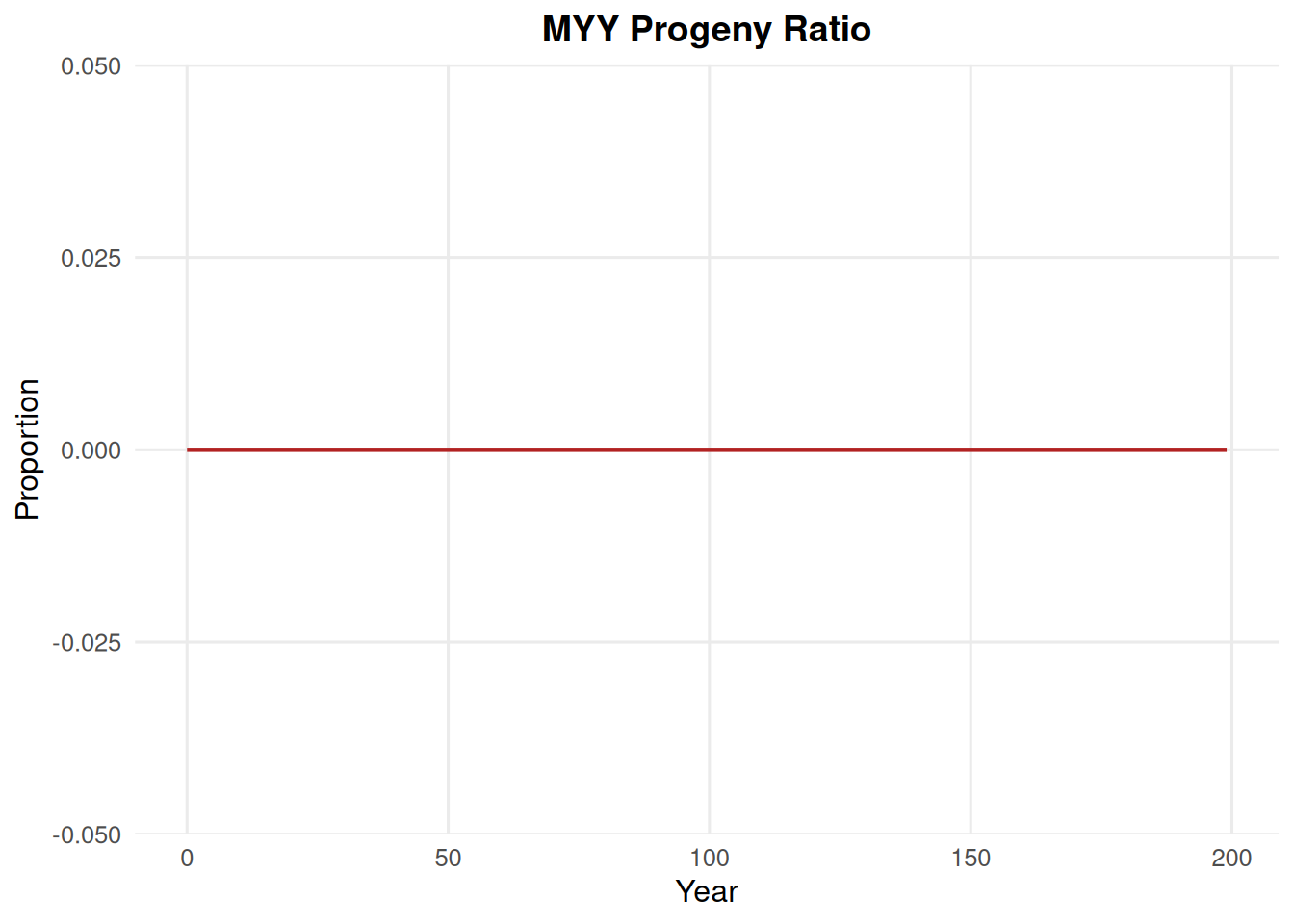
4.5 Myy Ratio

summary_pop(ex_dir, type = "myy_ratio")

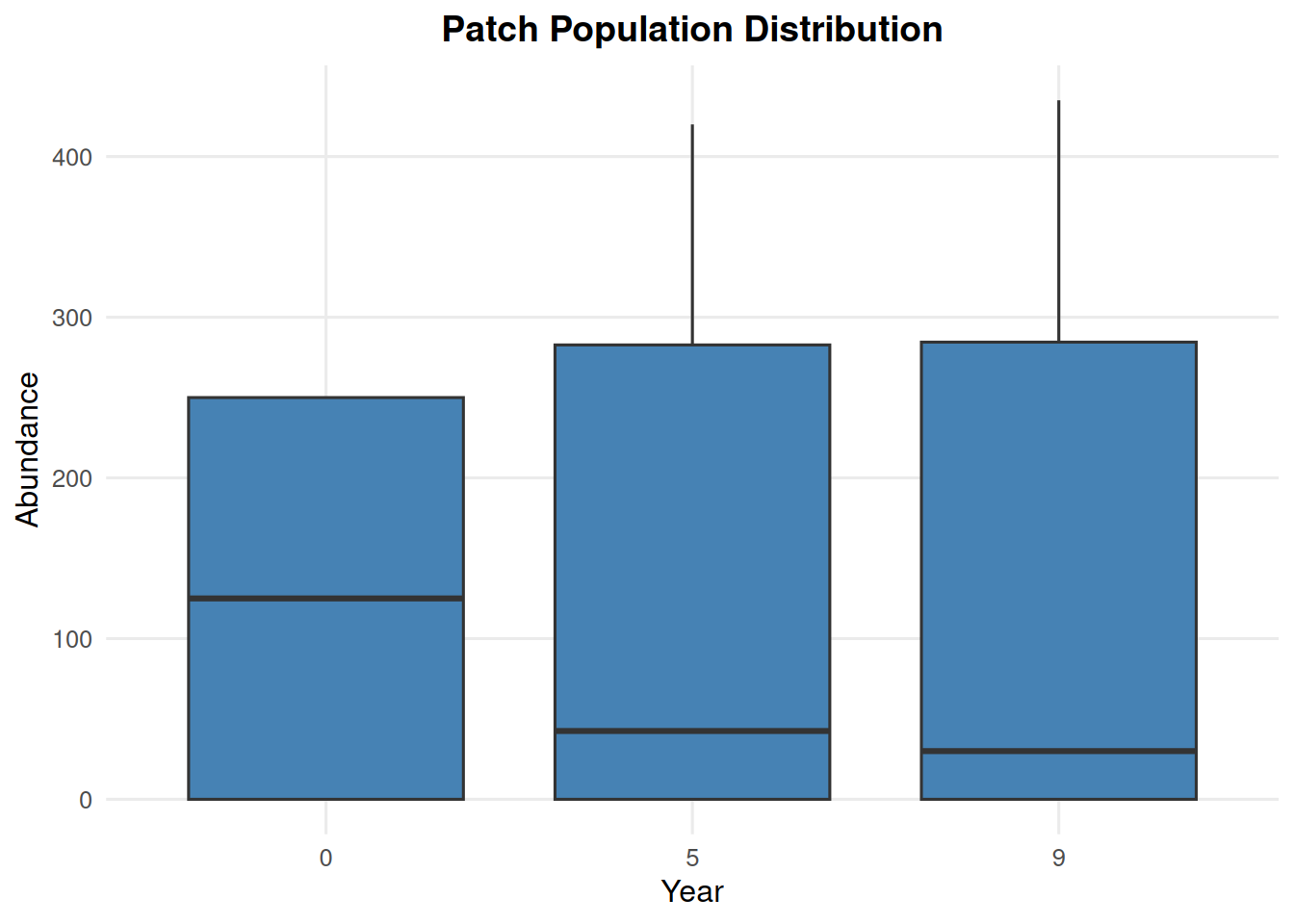
4.6 Patch Abundance from summary_popAllTime.csv

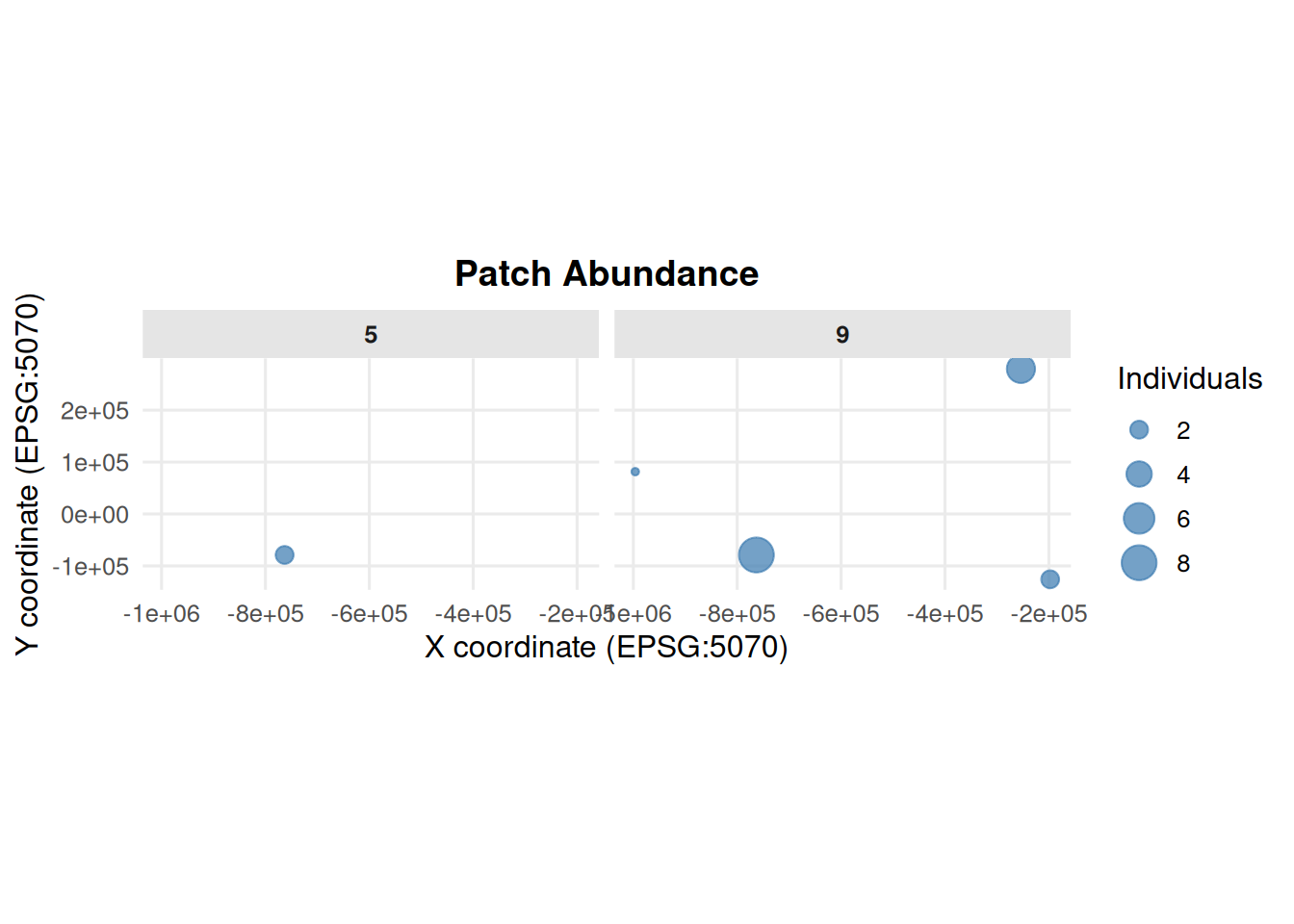
summary_pop(ex_dir, type = "patch", years = c(0, 5, 9))

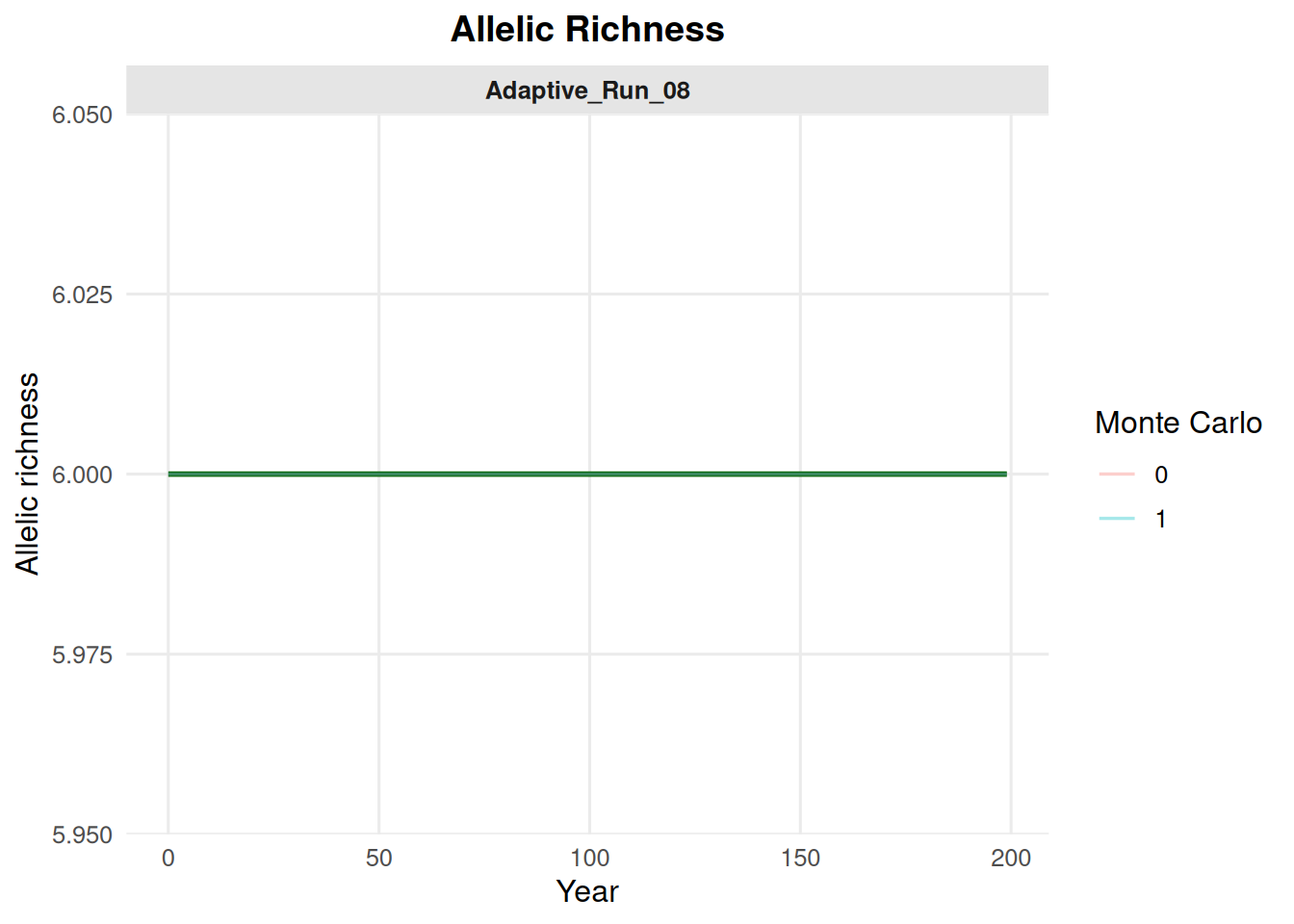
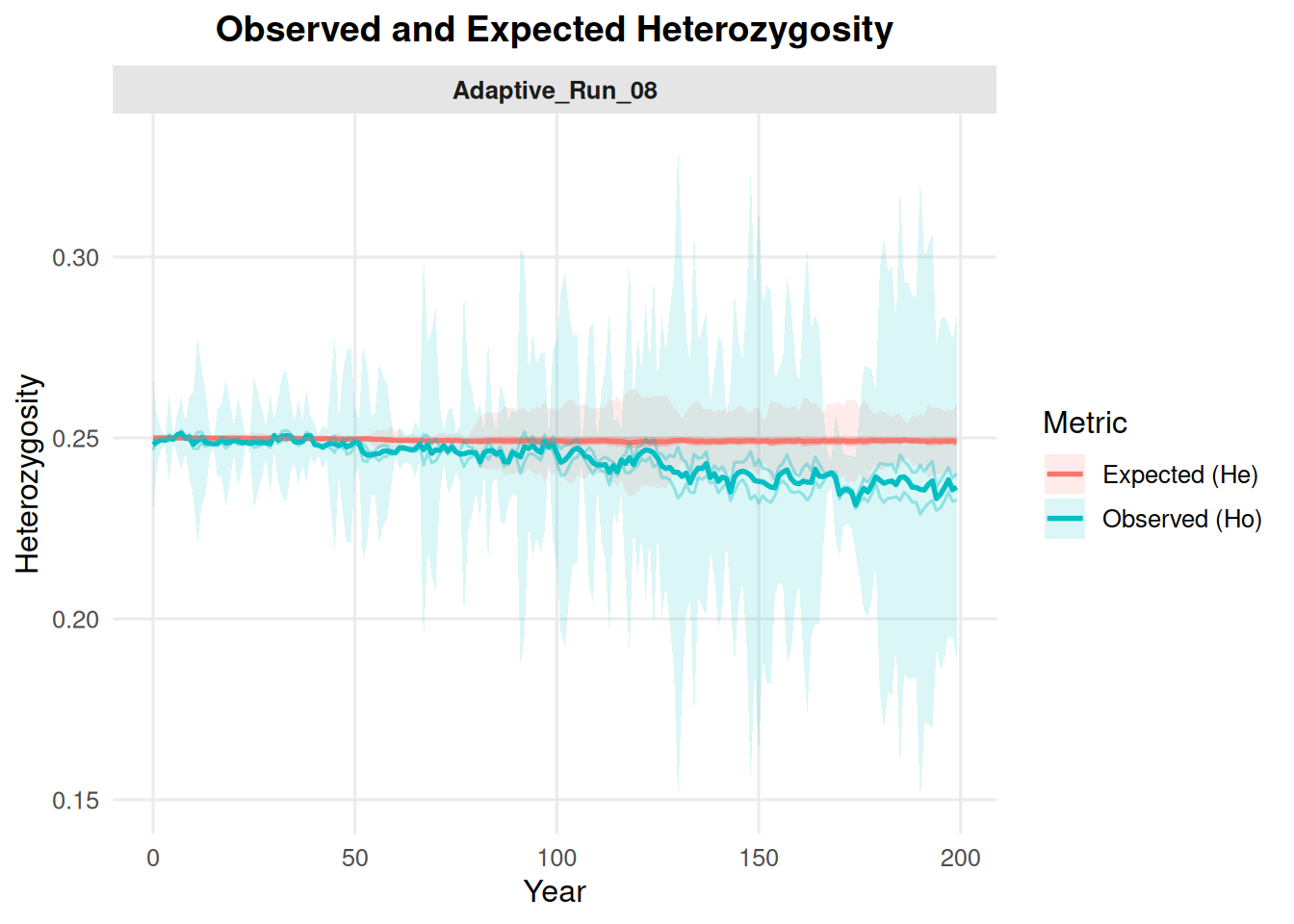
4.7 Allelic Richness and Heterozygosity from summary_popAllTime.csv

These options summarize genetic metrics stored in the population summary file.

summary_pop(ex_dir, type = "allelic_richness", mc = "all")

summary_pop(ex_dir, type = "het", mc = "all")

5 Class Summary Plots

summary_class() works with summary_classAllTime.csv files.

5.1 Age Class Counts

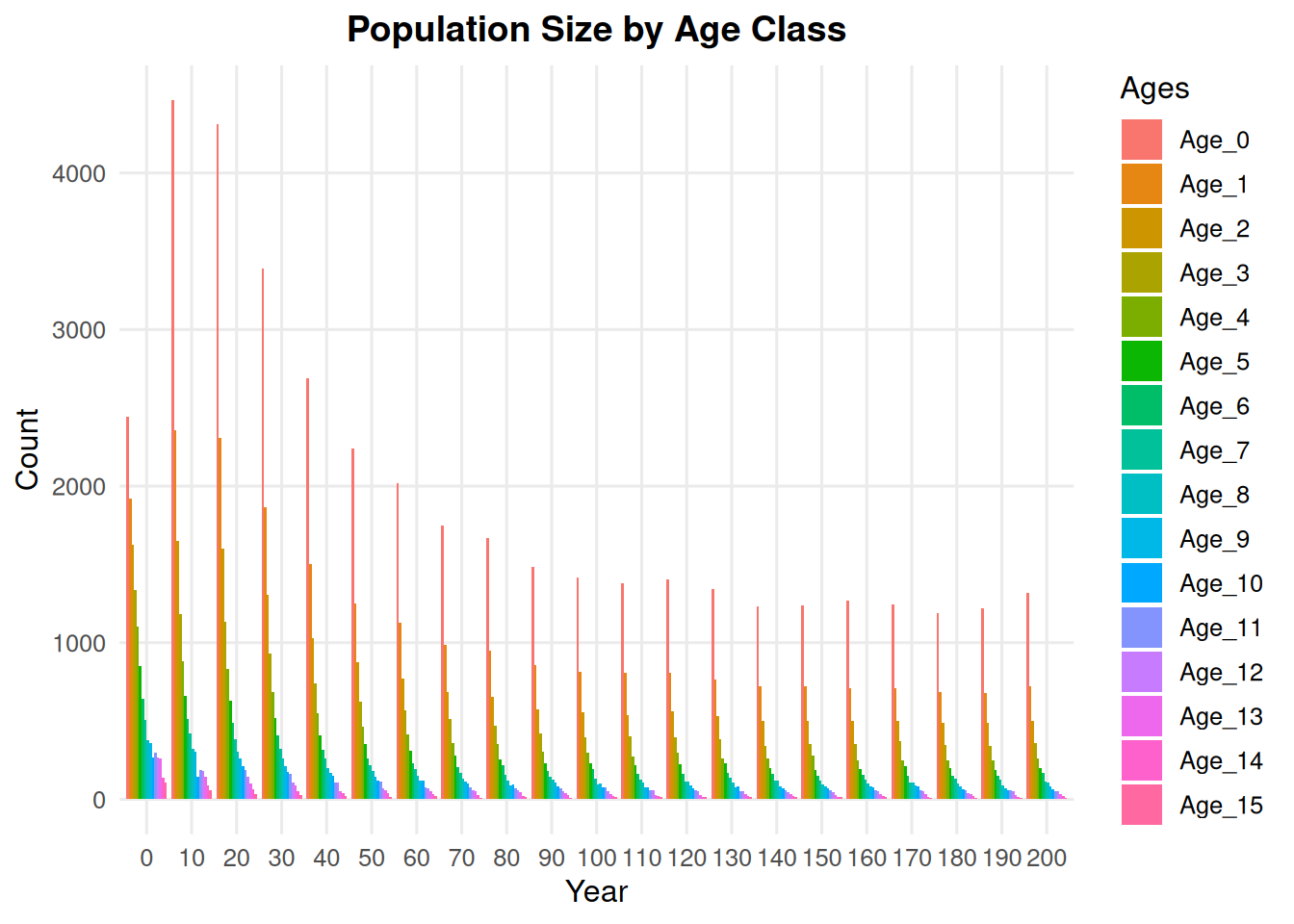
summary_class(ex_dir, type = "age_class", n = 10)

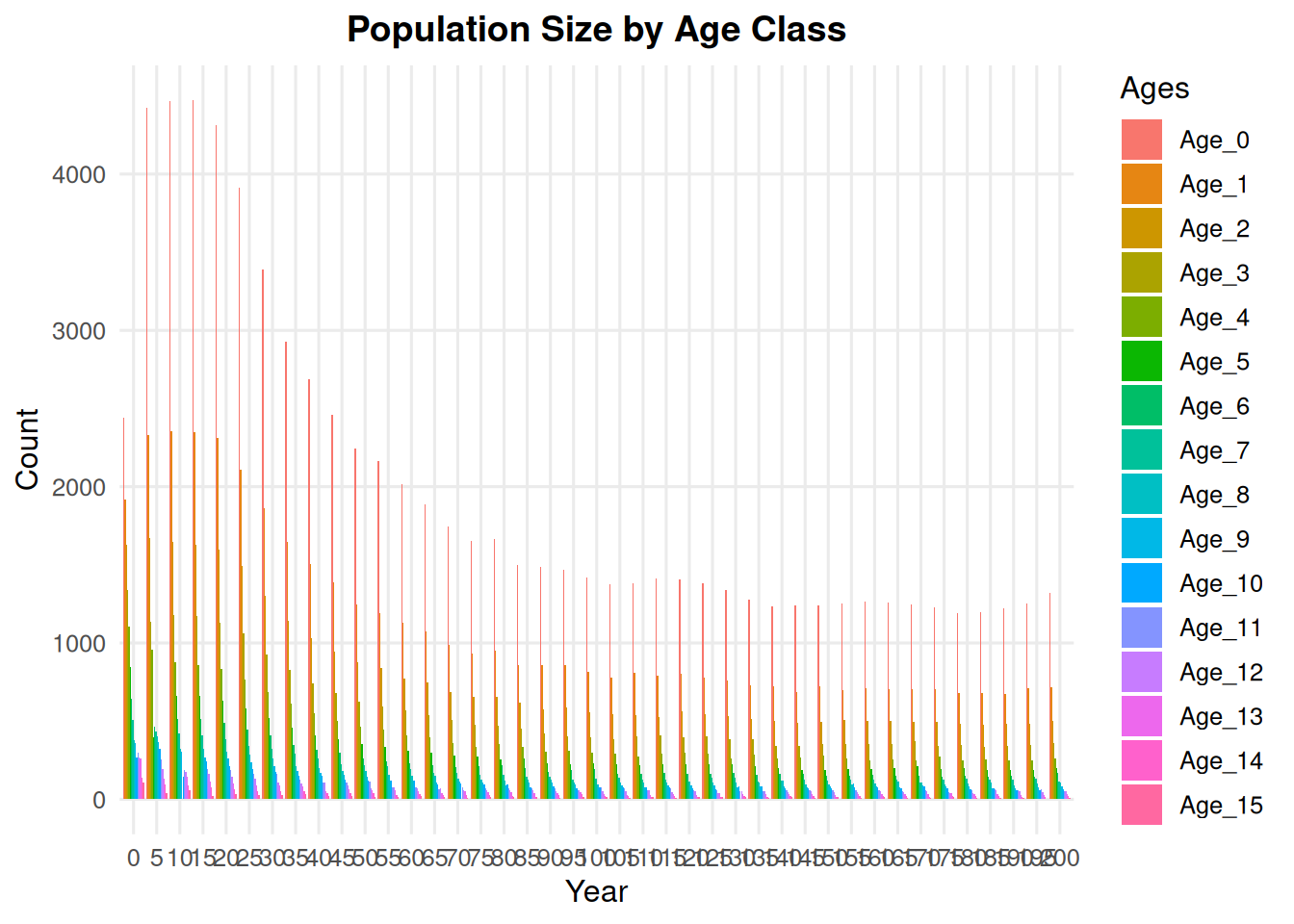
Use a smaller n to facet more years. This can be useful for short example runs or simulations with relatively few generations.

summary_class(ex_dir, type = "age_class", n = 5)

5.2 Age Plus One

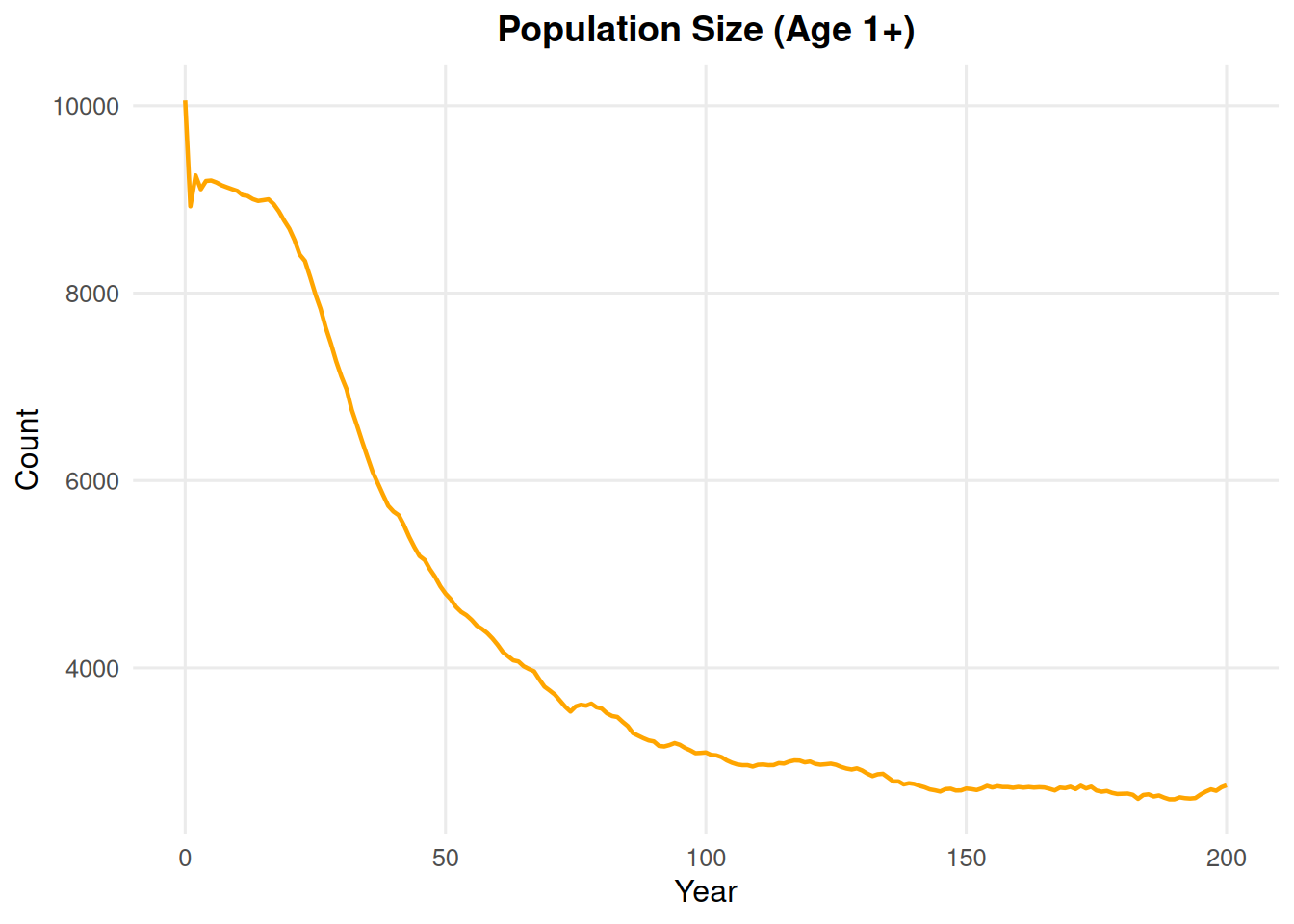
summary_class(ex_dir, type = "age_plus_one")

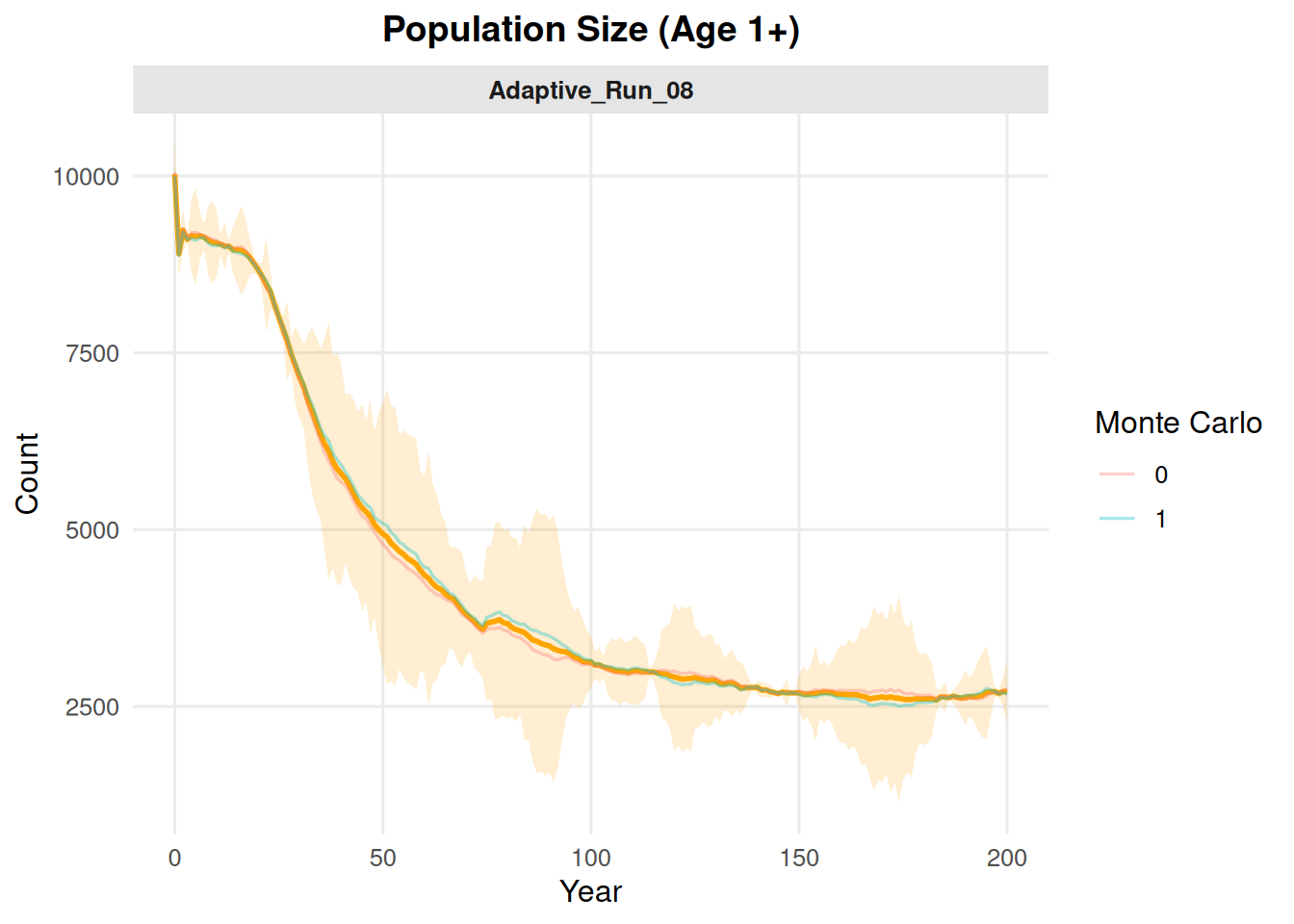
summary_class(ex_dir, type = "age_plus_one", mc = "all")

6 Disease State Summaries

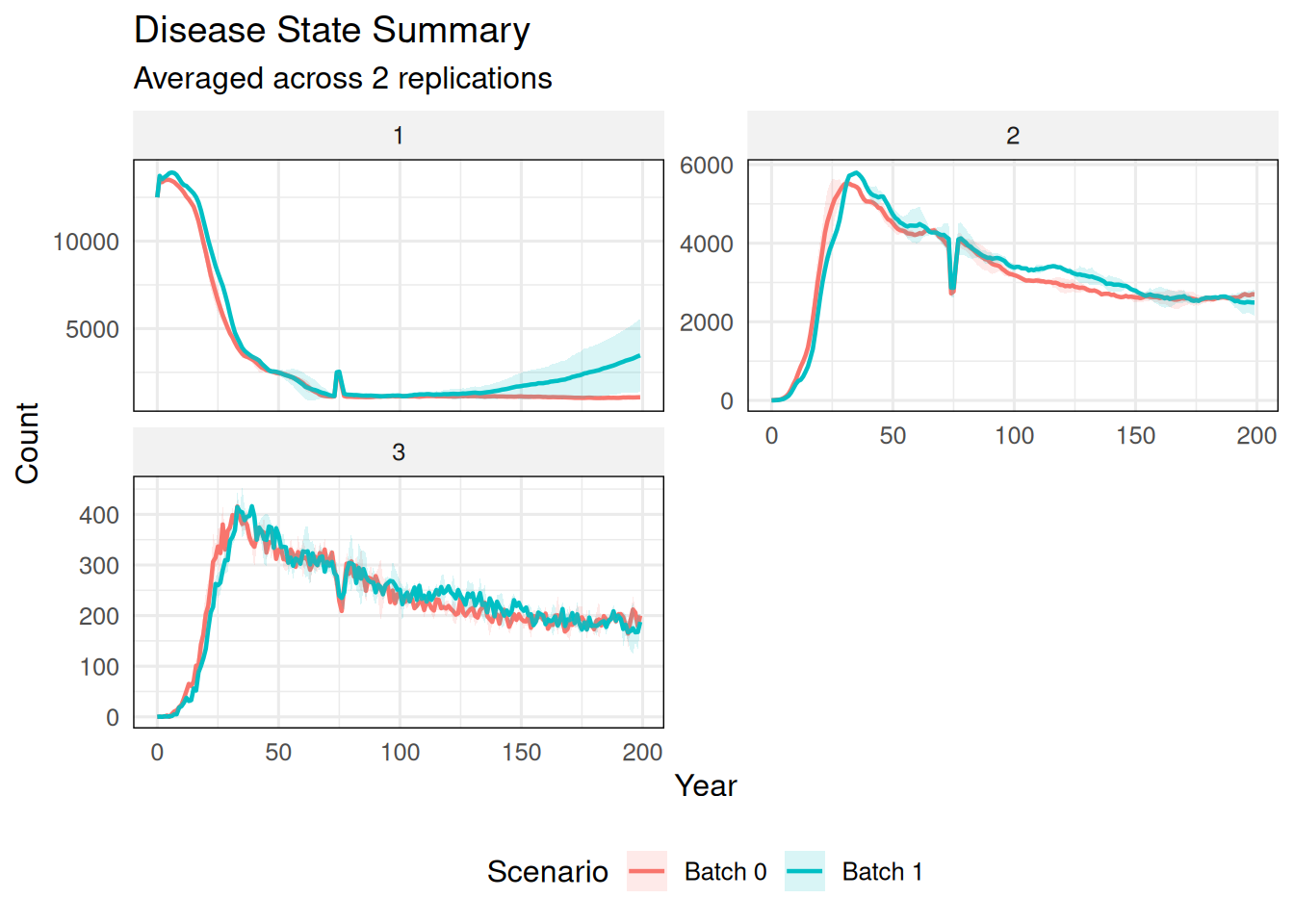
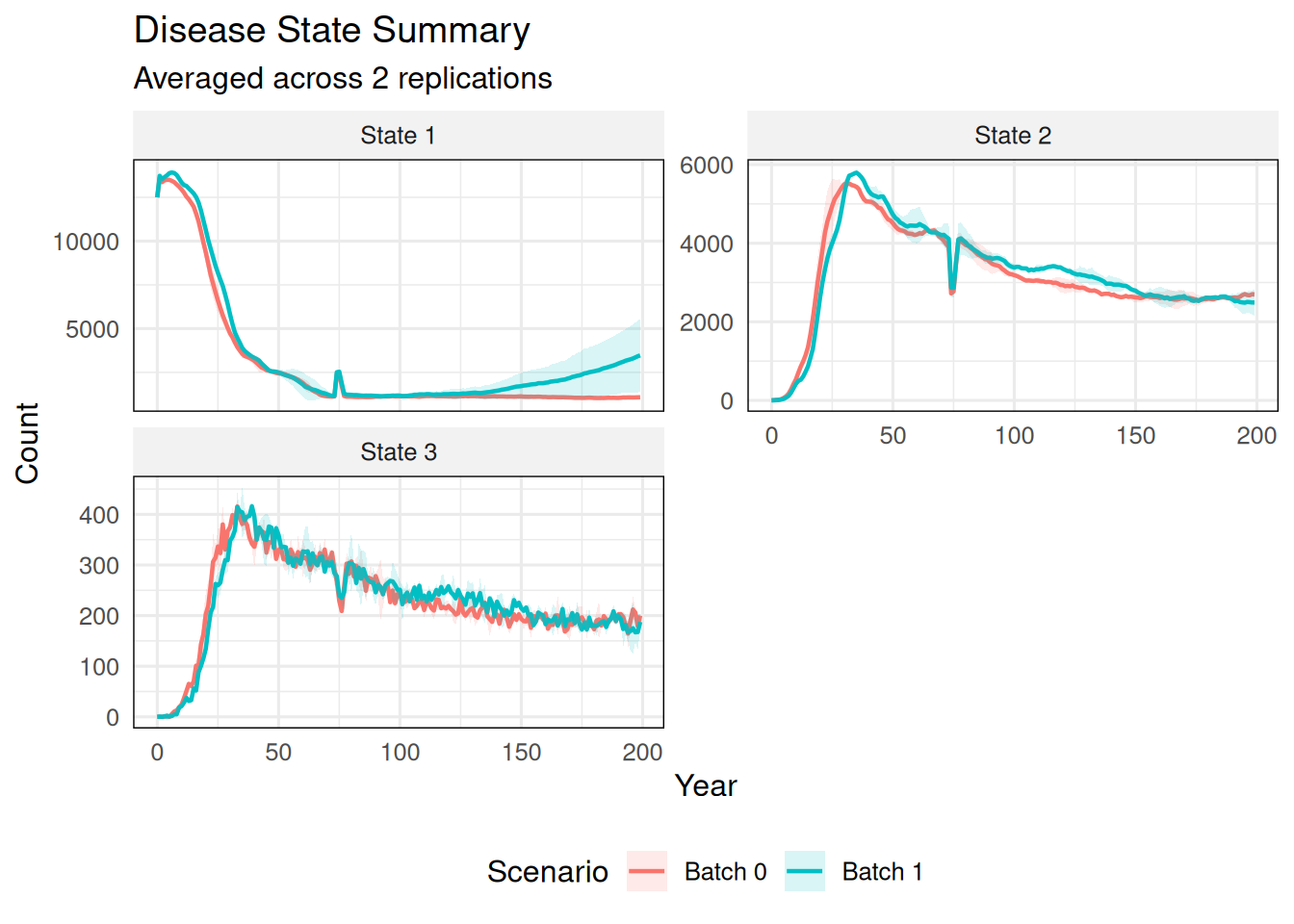
summarize_states() works with summary_popAllTime_DiseaseStates.csv files. It summarizes disease-state counts across Monte Carlo replicates and compares batches.

6.1 Default State Names

summarize_states(ex_dir)

6.2 Custom State and Scenario Names

summarize_states(
  ex_dir,
  state_names = c("State 1", "State 2", "State 3"),
  scenario_names = c("Batch 0", "Batch 1")
)

6.3 Cumulative State

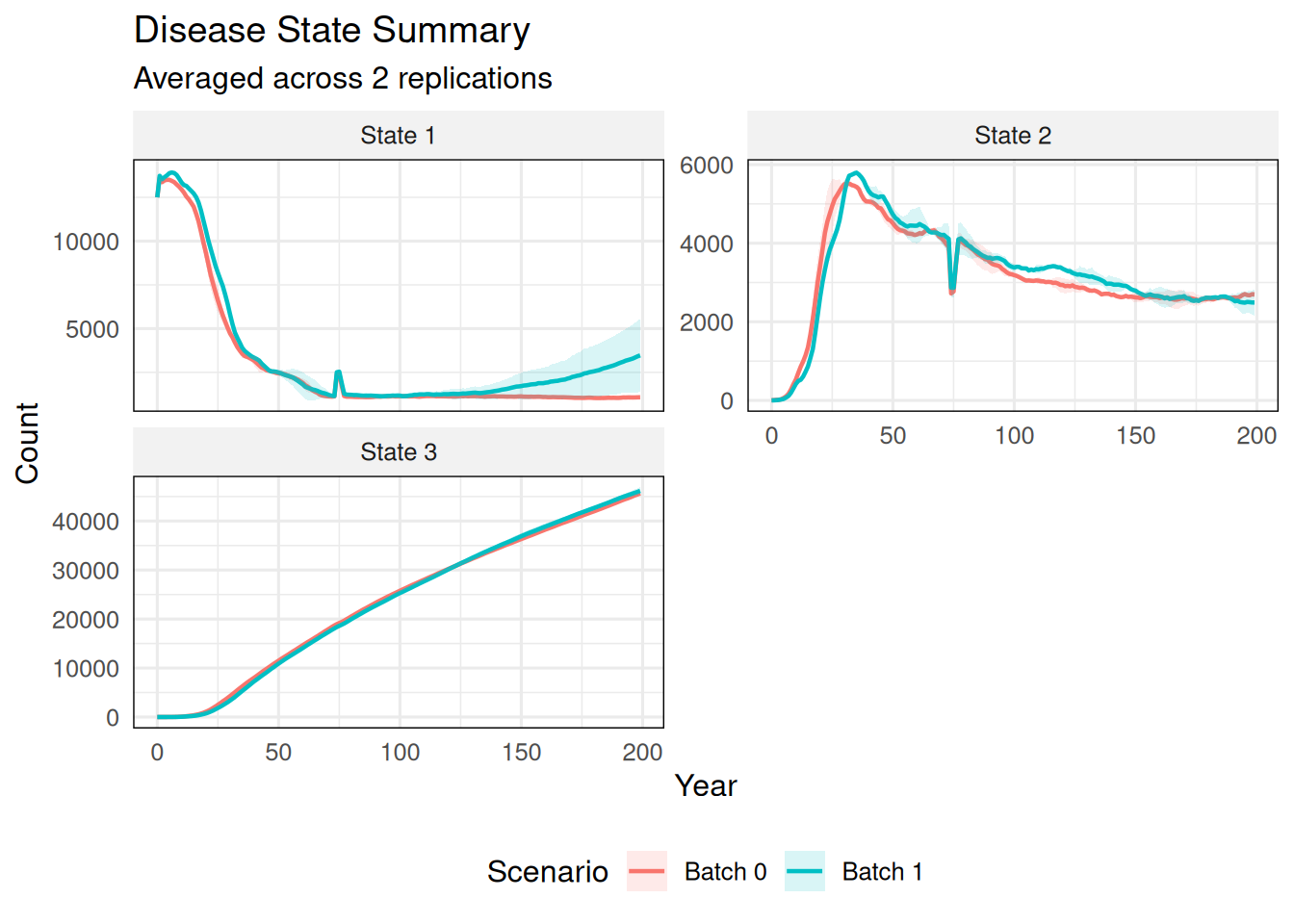
Use cumulative_states for a state that should be plotted as a running total within each Monte Carlo replicate.

summarize_states(
  ex_dir,
  state_names = c("State 1", "State 2", "State 3"),
  scenario_names = c("Batch 0", "Batch 1"),
  cumulative_states = "State 3"
)

7 Individual File Summaries

summary_ind() works with ind##.csv files. The input can be one file, multiple files, a run folder, a top-level output directory, or a data frame.

For one-year plots, specify year. For movement over time, specify years.

7.1 Age Histogram

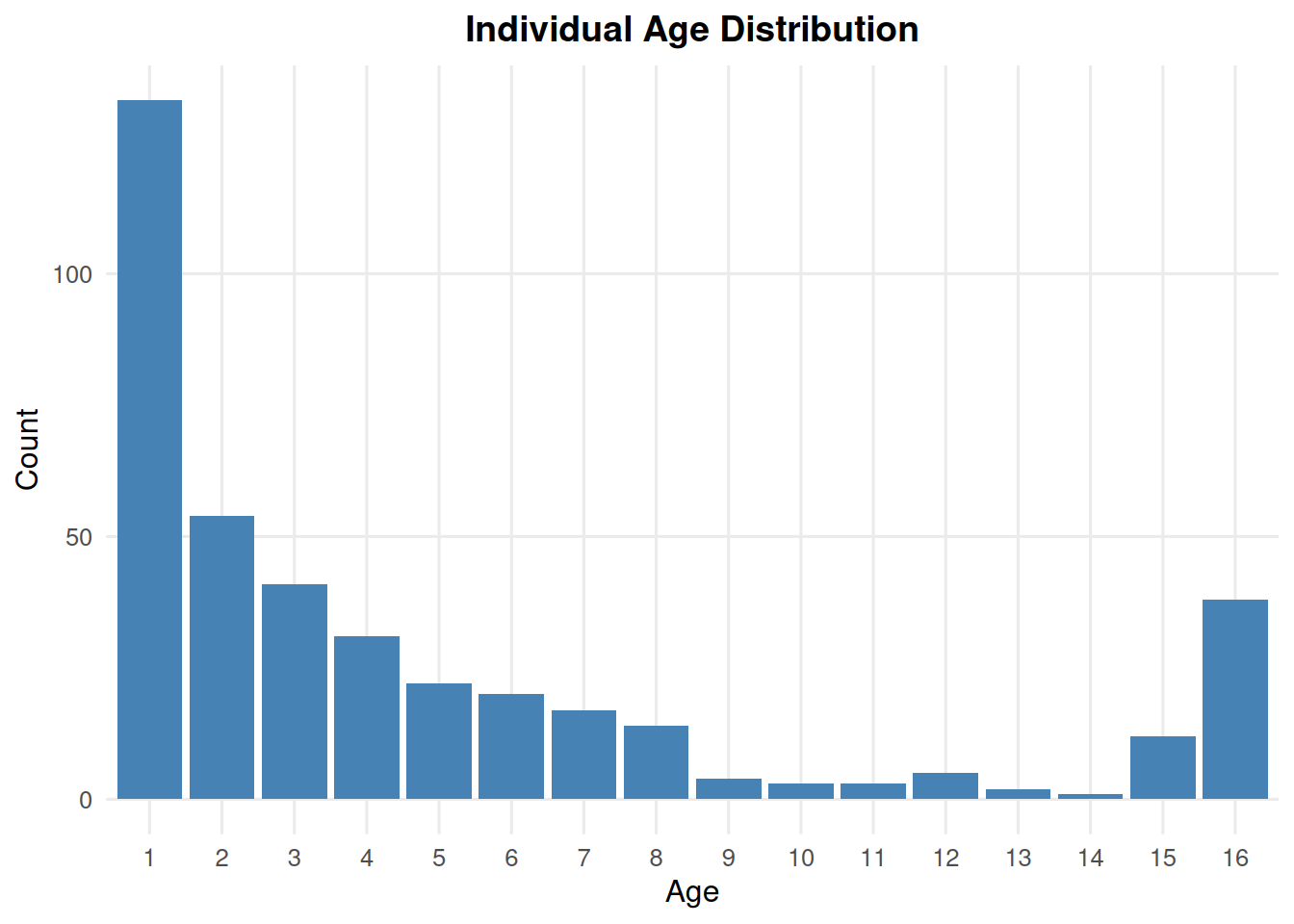
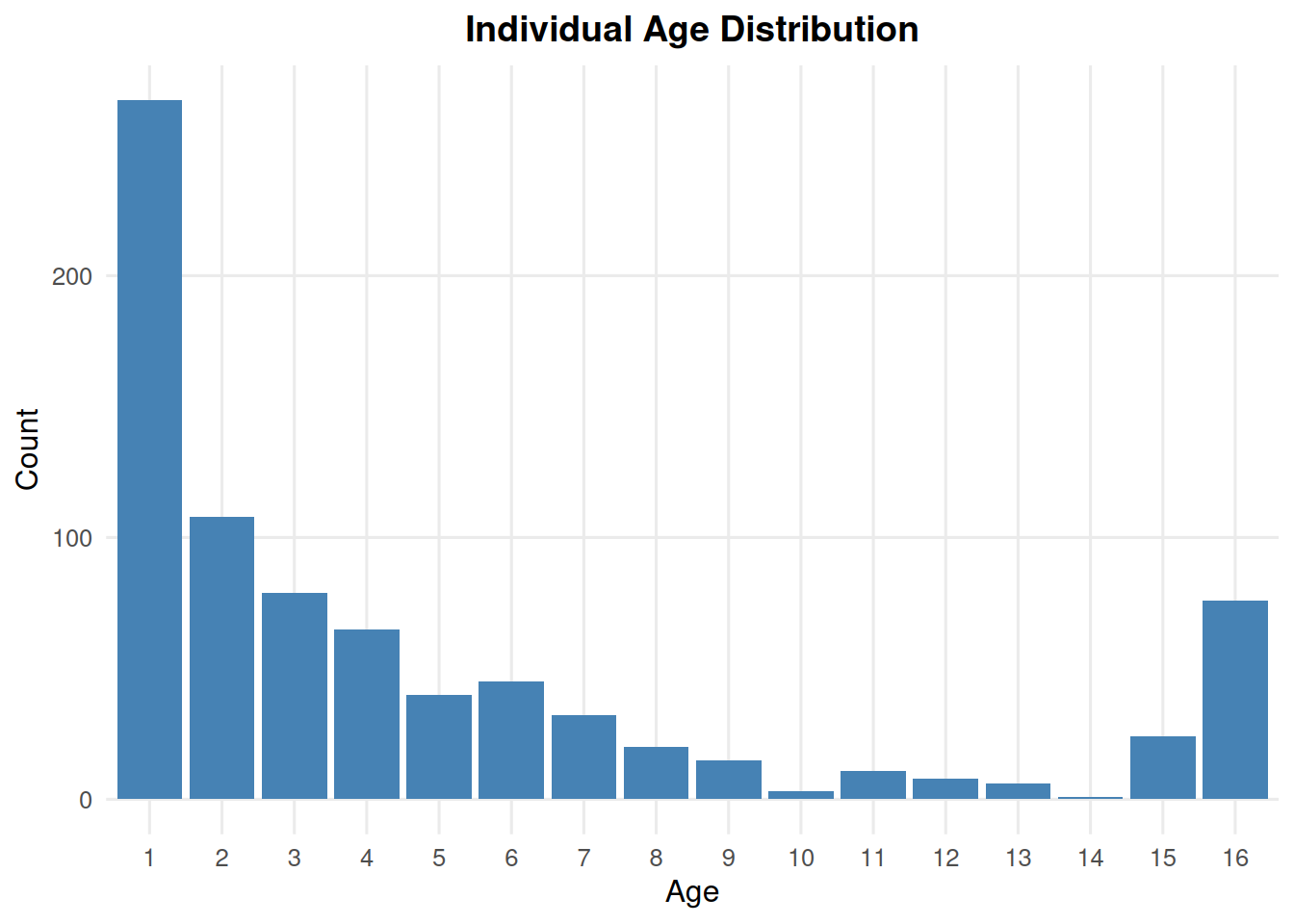
summary_ind(ex_dir, type = "age", year = 9, batch = 0, mc = 0)

summary_ind(ex_dir, type = "age", year = 9, batch = 0, mc = "all")

7.2 Size Histogram

summary_ind(ex_dir, type = "size", year = 9, batch = 0, mc = 0)

7.3 Size by Age

summary_ind(ex_dir, type = "age_size", year = 9, batch = 0, mc = 0)

Filter to a subset of patches with patches.

summary_ind(ex_dir, type = "age_size", year = 9, batch = 0, mc = 0, patches = c(1, 3, 4, 5))

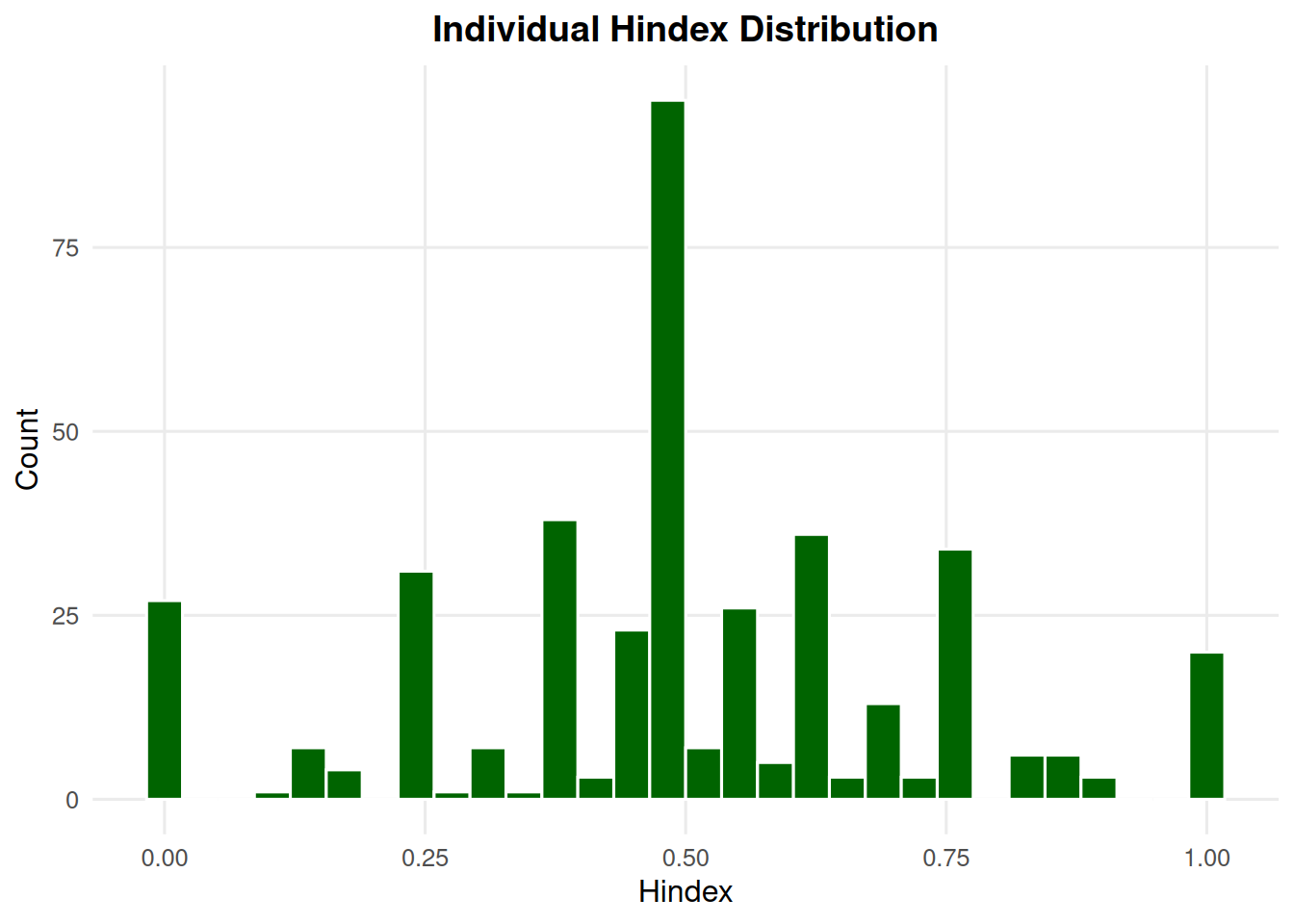
7.4 Hindex Histogram

summary_ind(ex_dir, type = "hindex", year = 9, batch = 0, mc = 0)

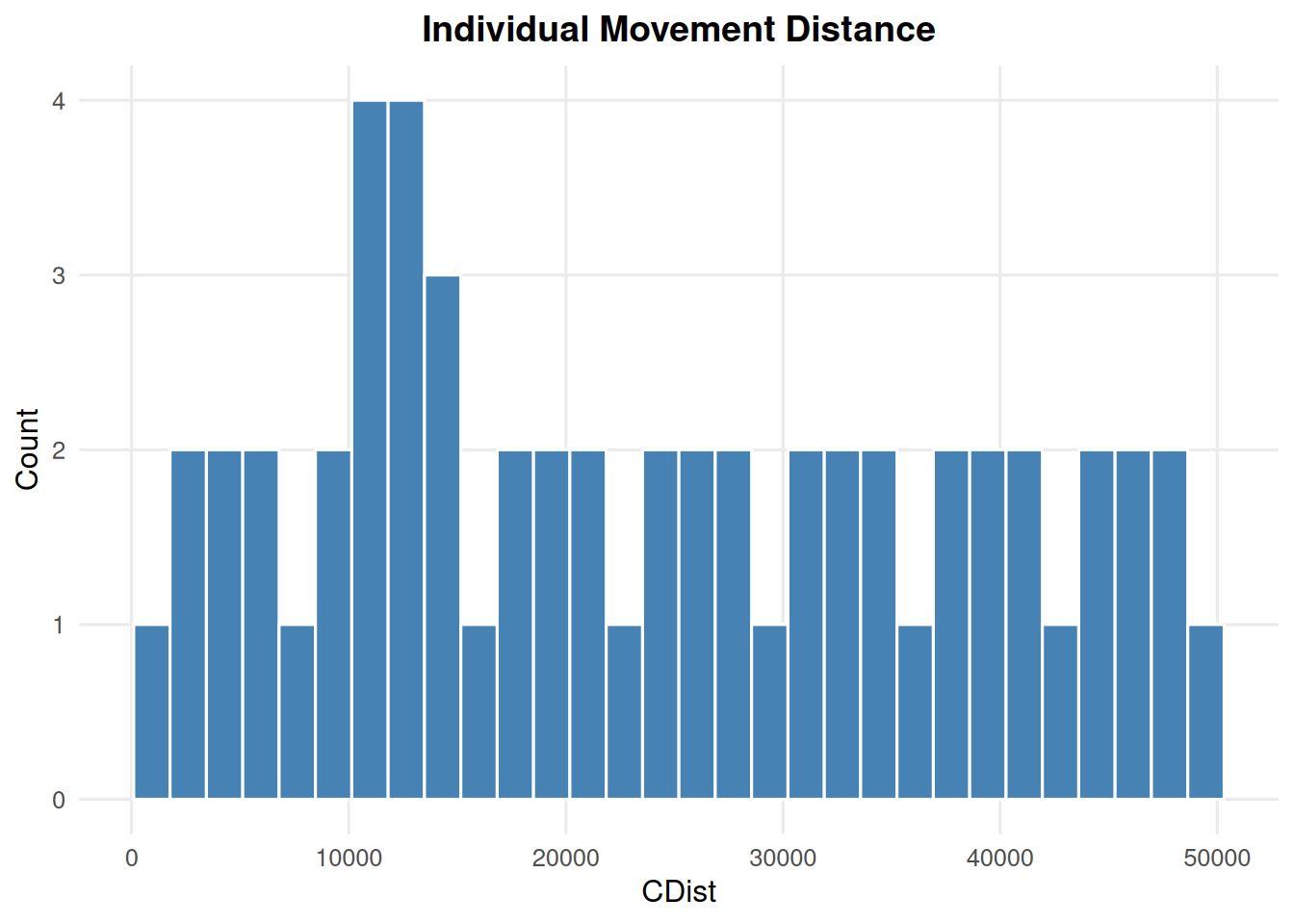
7.5 Movement Distance Histogram

CDist = -9999 is treated as no movement and is excluded from the histogram.

summary_ind(ex_dir, type = "cdist", year = 9, batch = 0, mc = 0)

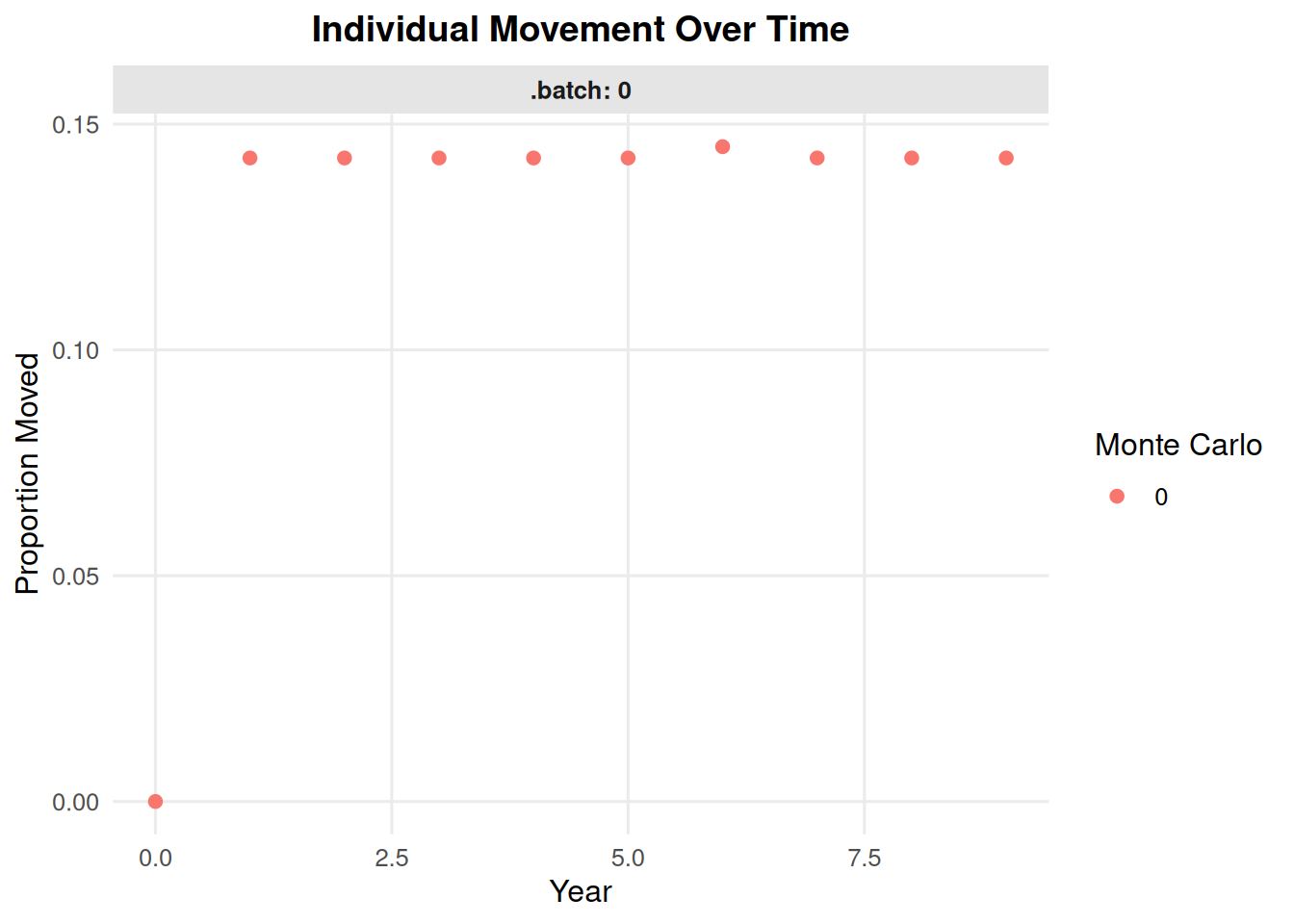
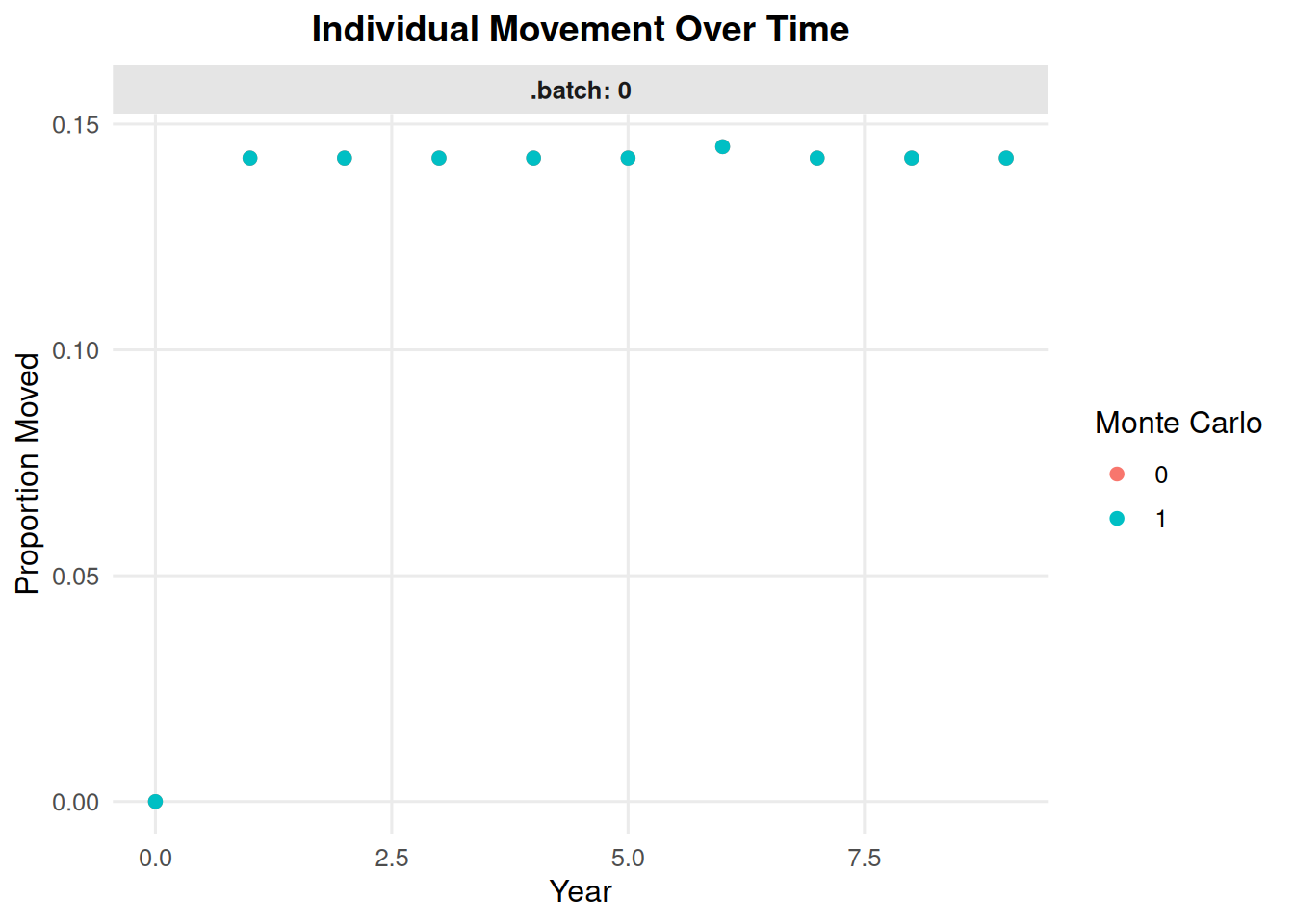
7.6 Movement Over Time

summary_ind(ex_dir, type = "movement", years = 0:9, batch = 0, mc = 0)

summary_ind(ex_dir, type = "movement", years = 0:9, batch = 0, mc = "all")

If CDMetaPOP output includes sampled individual files, use file_type = "ind_Sample" to read ind##_Sample.csv files instead of ind##.csv files. The bundled example data use ind##.csv, so this example is shown but not evaluated.

summary_ind(ex_dir, type = "age", year = 9, file_type = "ind_Sample")

8 Individual-Level Genetics

The individual-level genetics functions use genotype columns named like L0A0, L0A1, L1A0, and so on.

8.1 Allele Frequencies by Patch

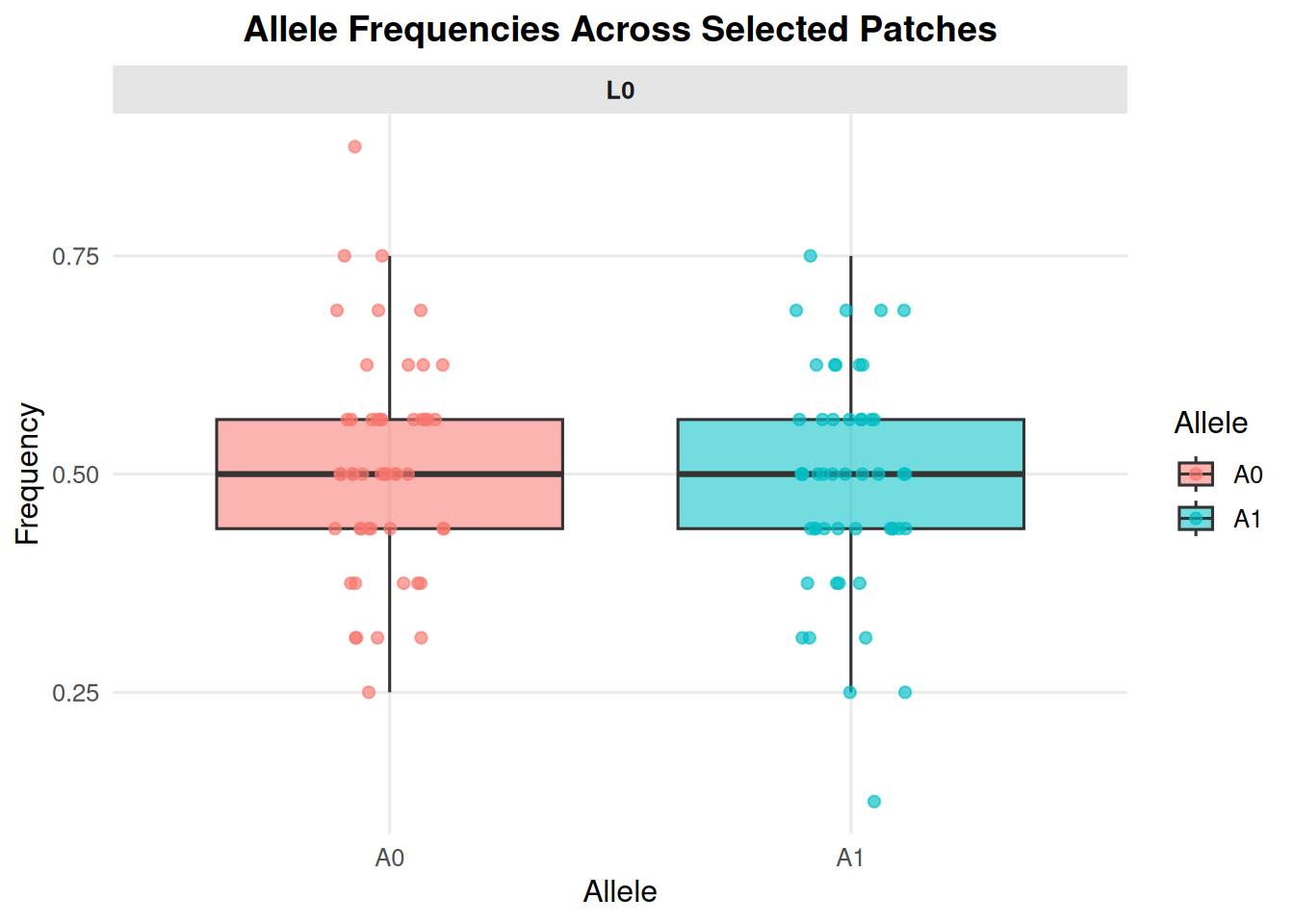
allele_frequencies_ind(ex_dir, year = 9, batch = 0, mc = 0)

Focus on one locus with loci.

allele_frequencies_ind(ex_dir, year = 9, batch = 0, mc = 0, loci = "L0")

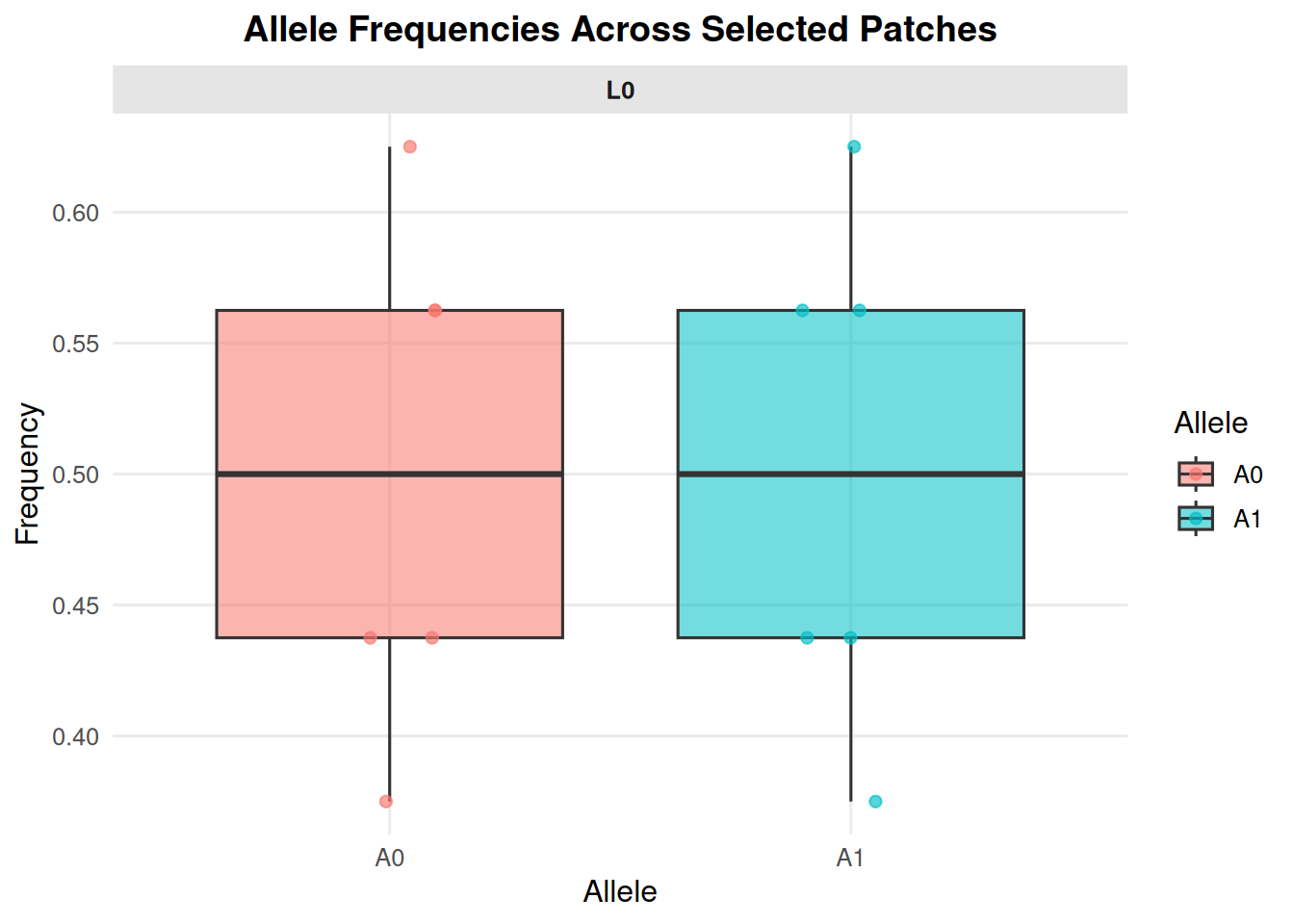
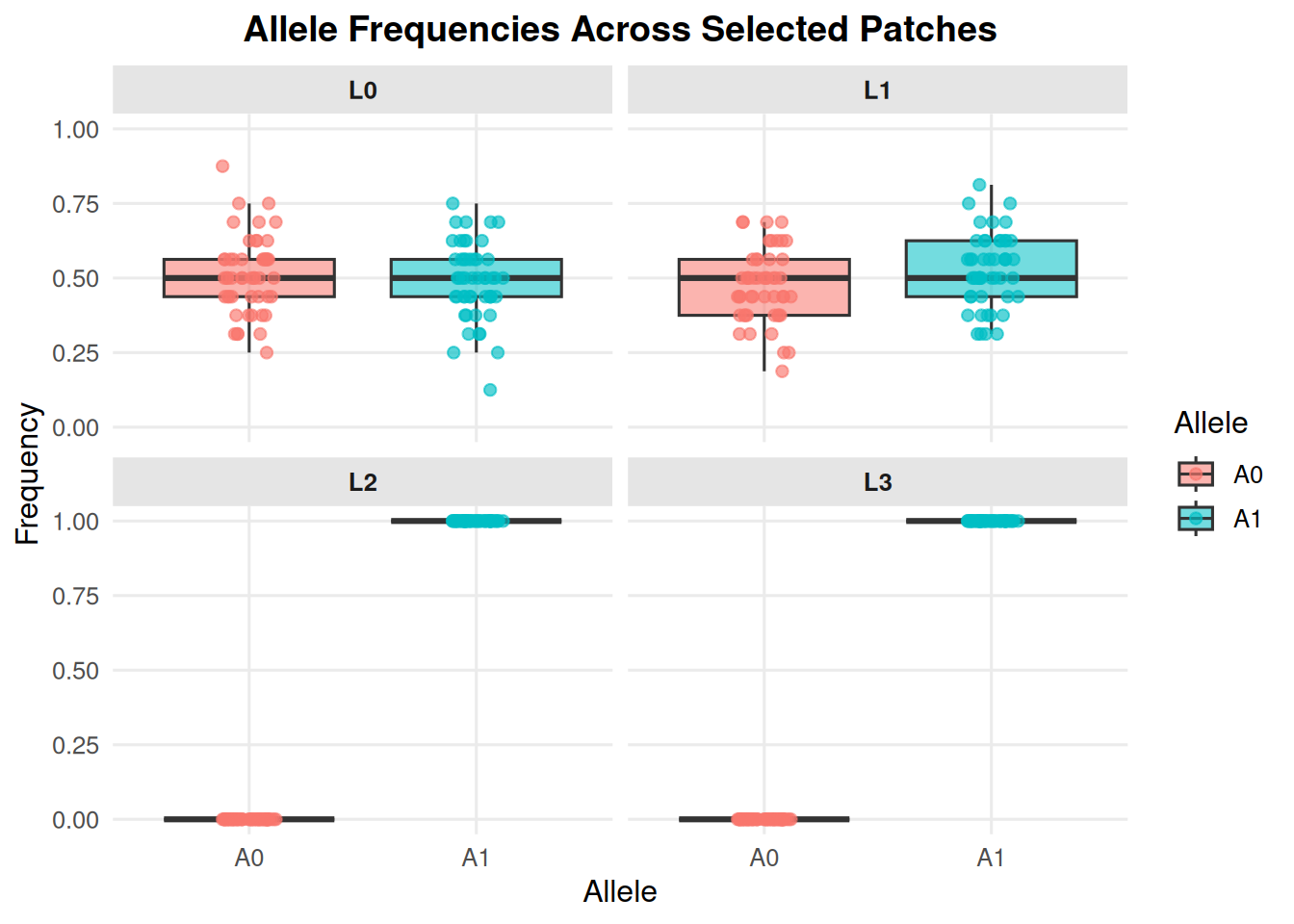
Filter to selected patches when a figure would otherwise be too dense.

allele_frequencies_ind(
  ex_dir,
  year = 9,
  batch = 0,
  mc = 0,
  loci = "L0",
  patches = c(1, 3, 4, 5, 7, 9)#, 
  #jitter = FALSE
)

Jittering of points on top of the boxplots can be turned off by adding the argument jitter = FALSE.

8.2 Heterozygosity by Patch

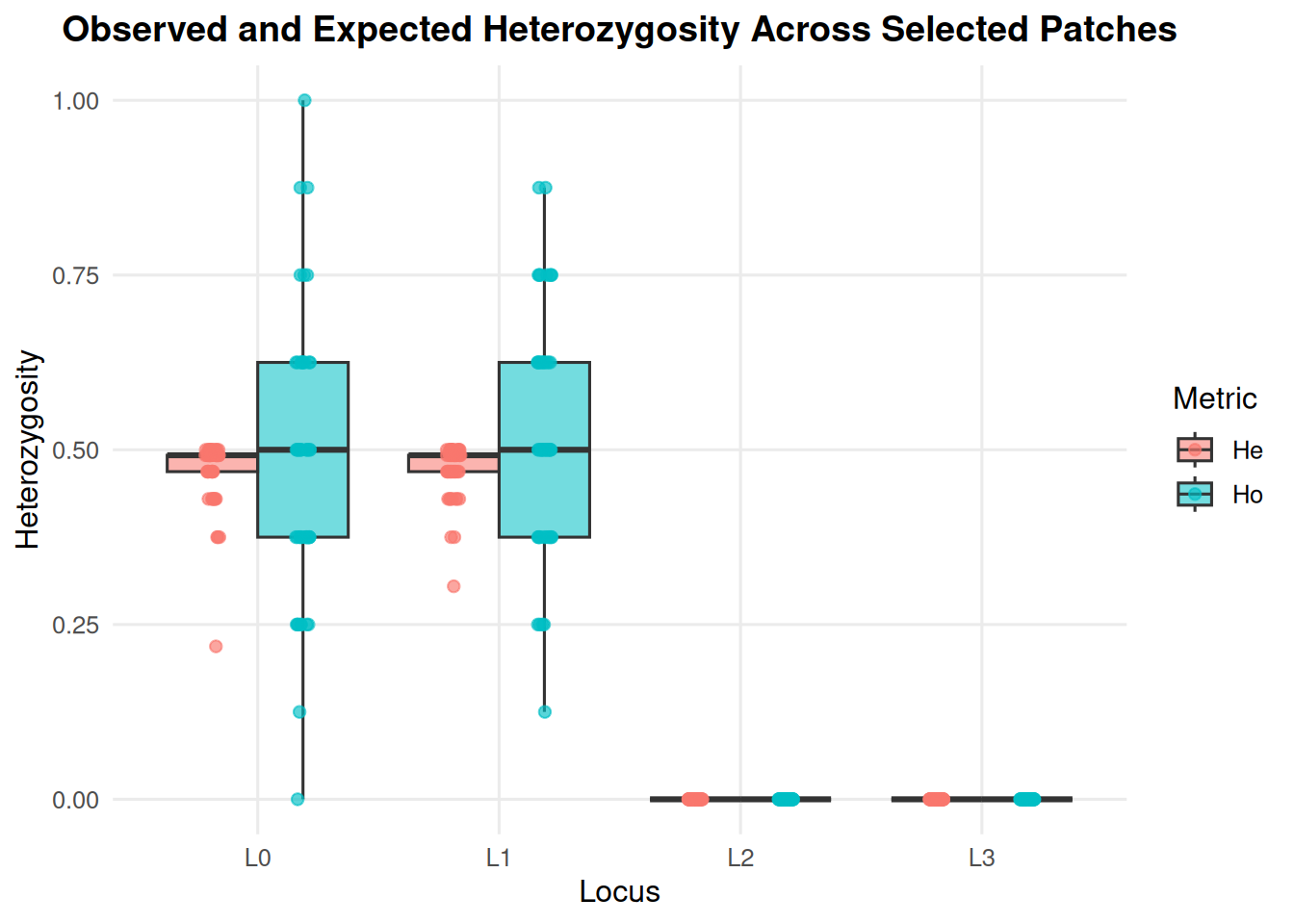
heterozygosity_ind(ex_dir, year = 9, batch = 0, mc = 0)

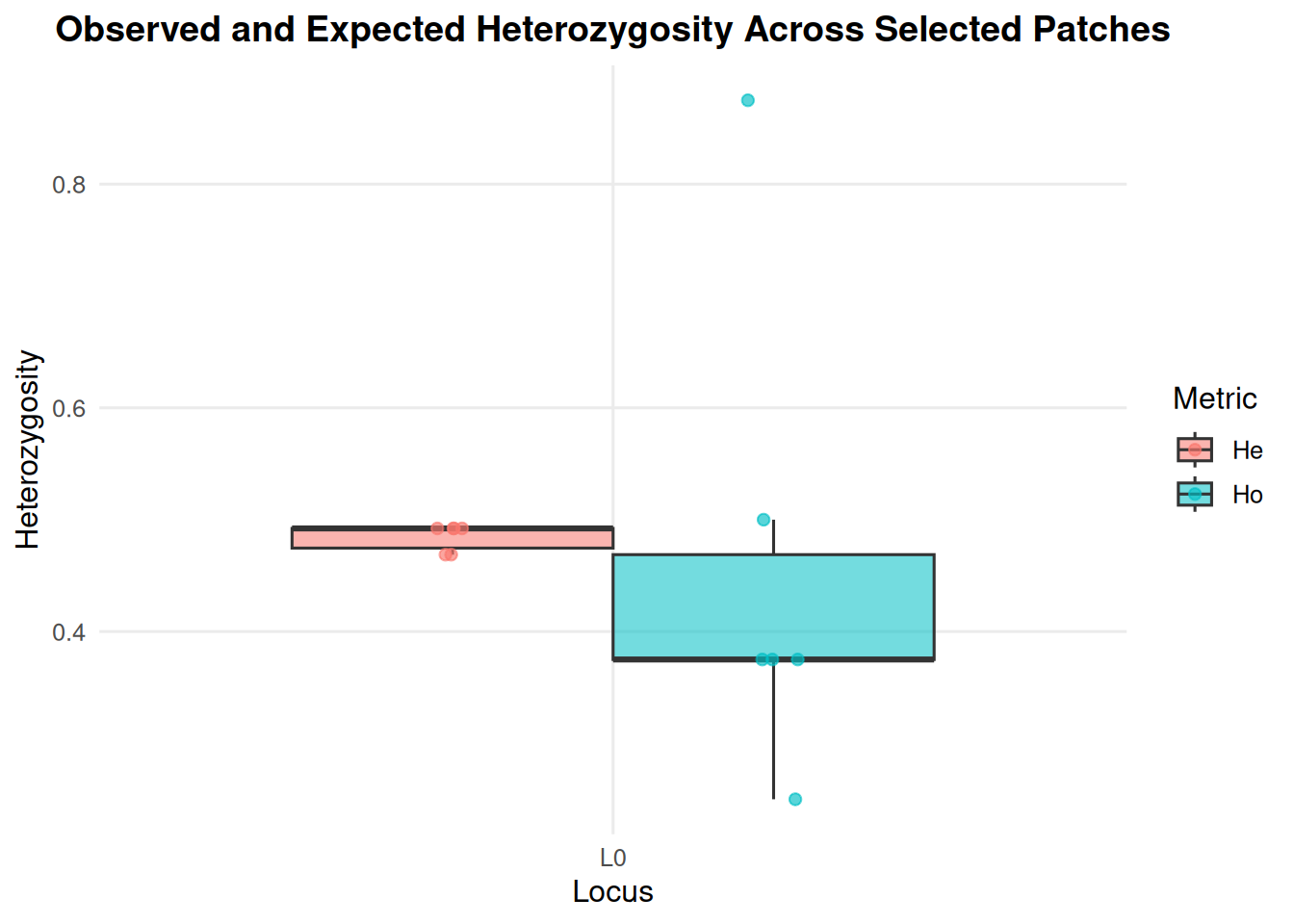
heterozygosity_ind(
  ex_dir,
  year = 9,
  batch = 0,
  mc = 0,
  loci = "L0",
  patches = c(1, 3, 4, 5, 7, 9)
)

8.3 Pairwise FST

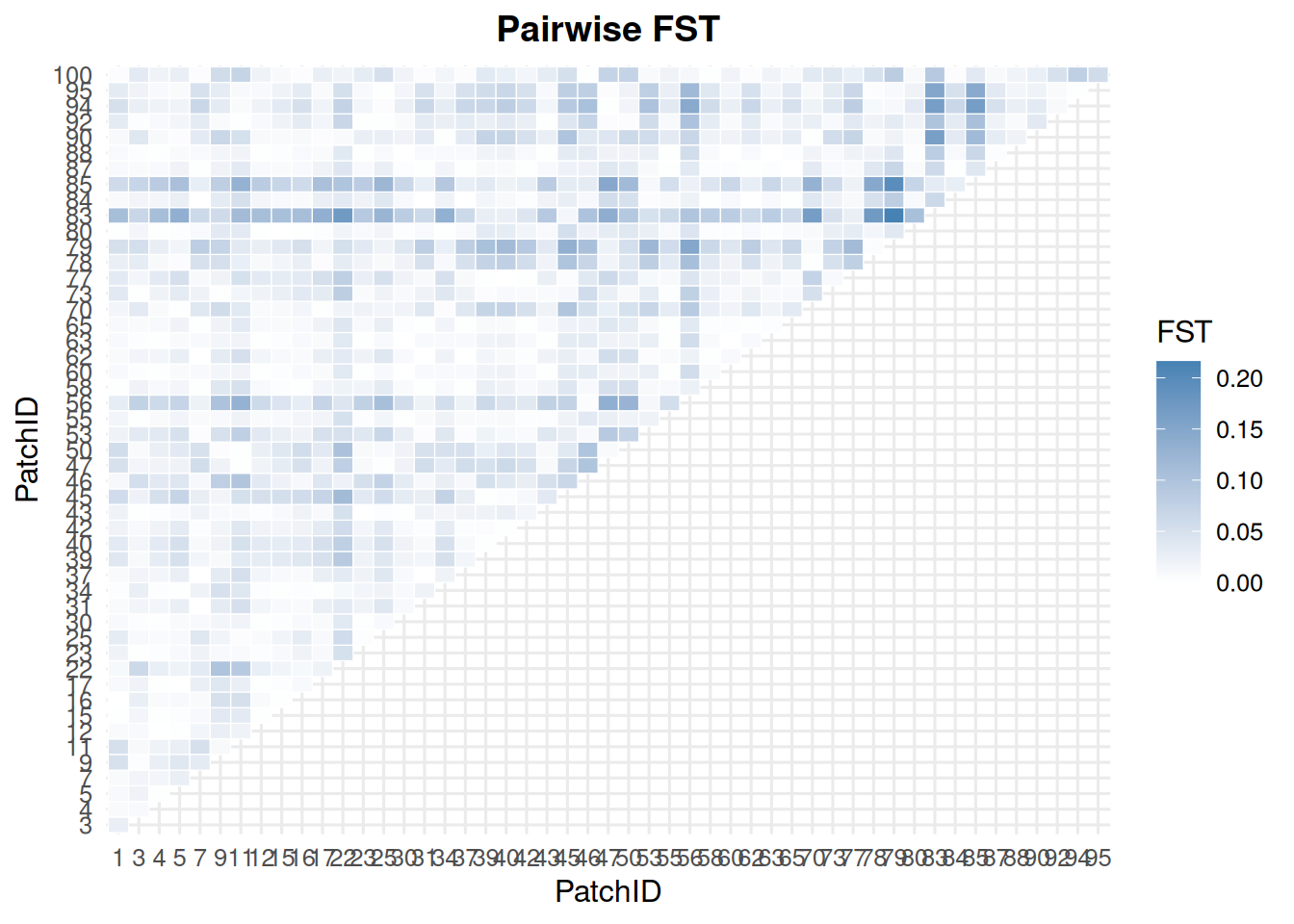
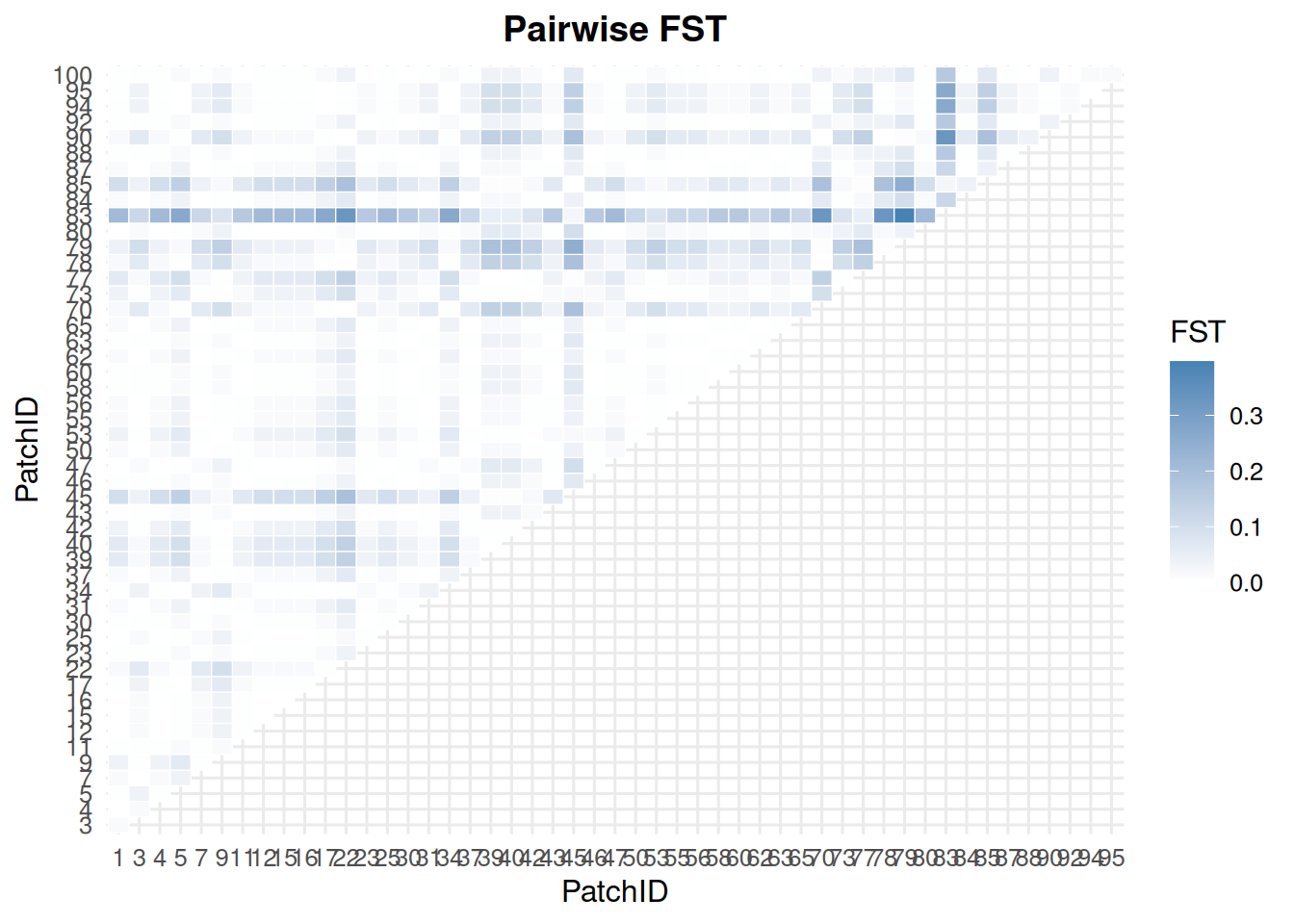
pairwise_fst_ind(ex_dir, year = 9, batch = 0, mc = 0)

pairwise_fst_ind(ex_dir, year = 9, batch = 0, mc = 0, loci = "L0")

9 Patch Maps from Individual Files

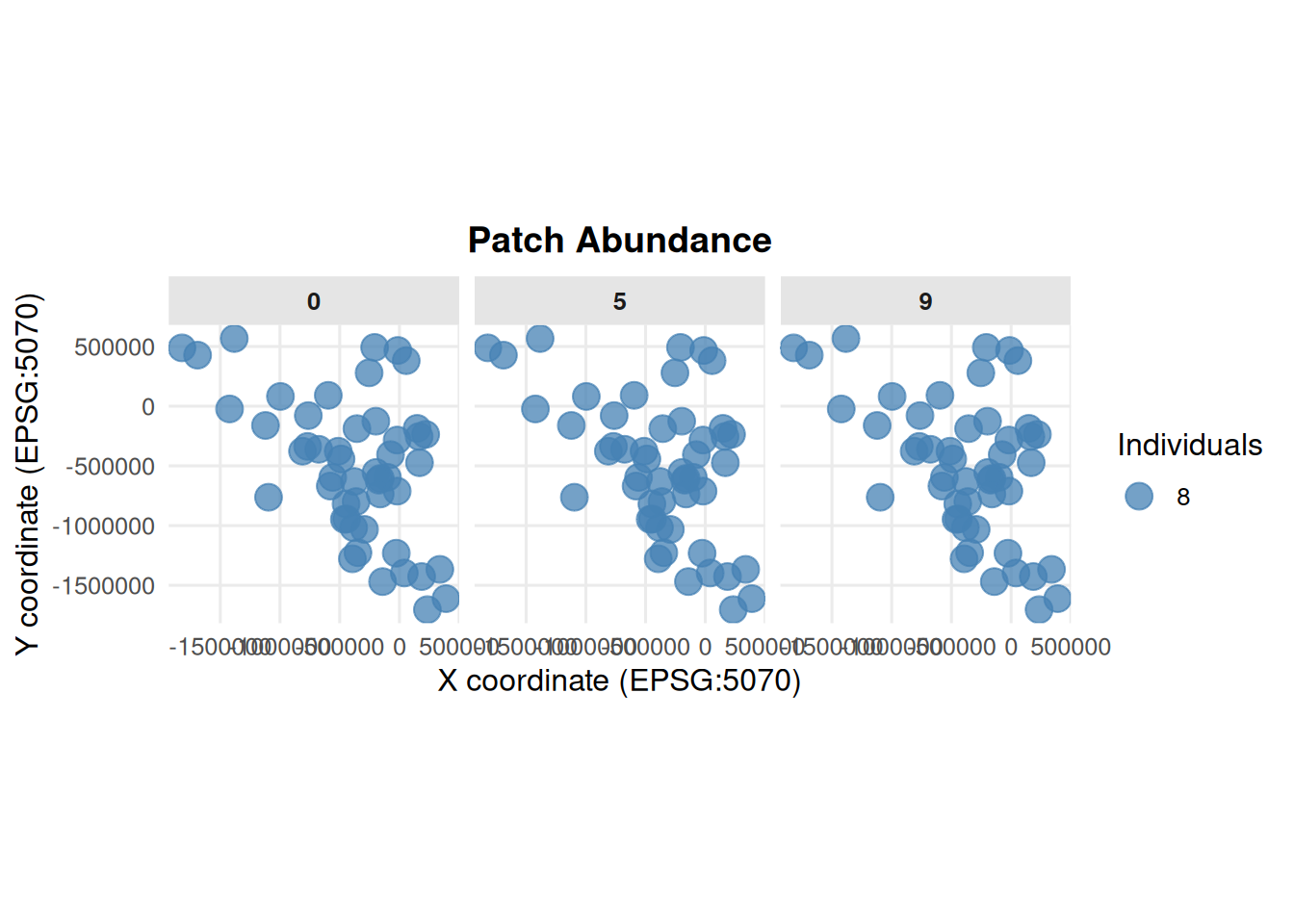
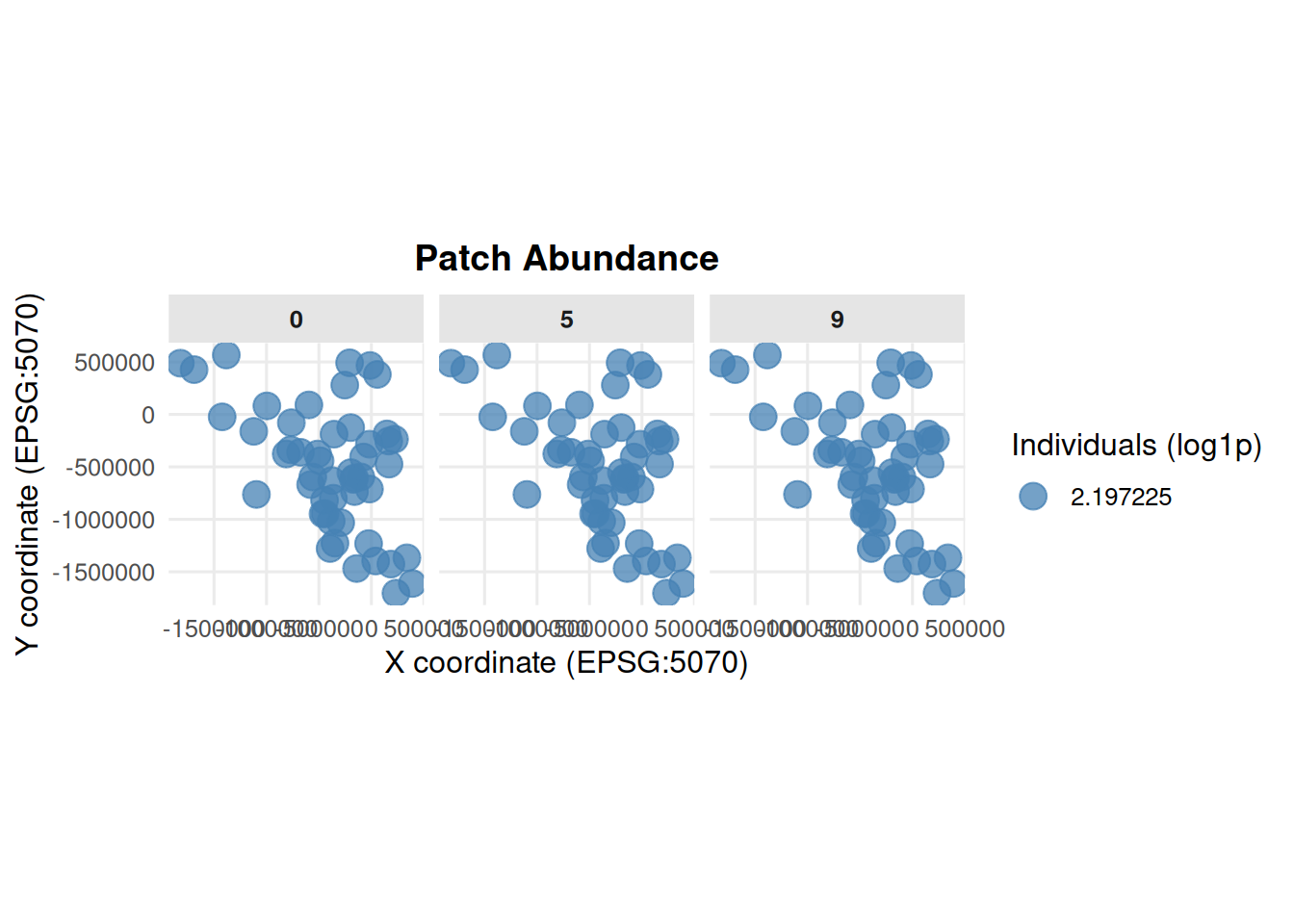
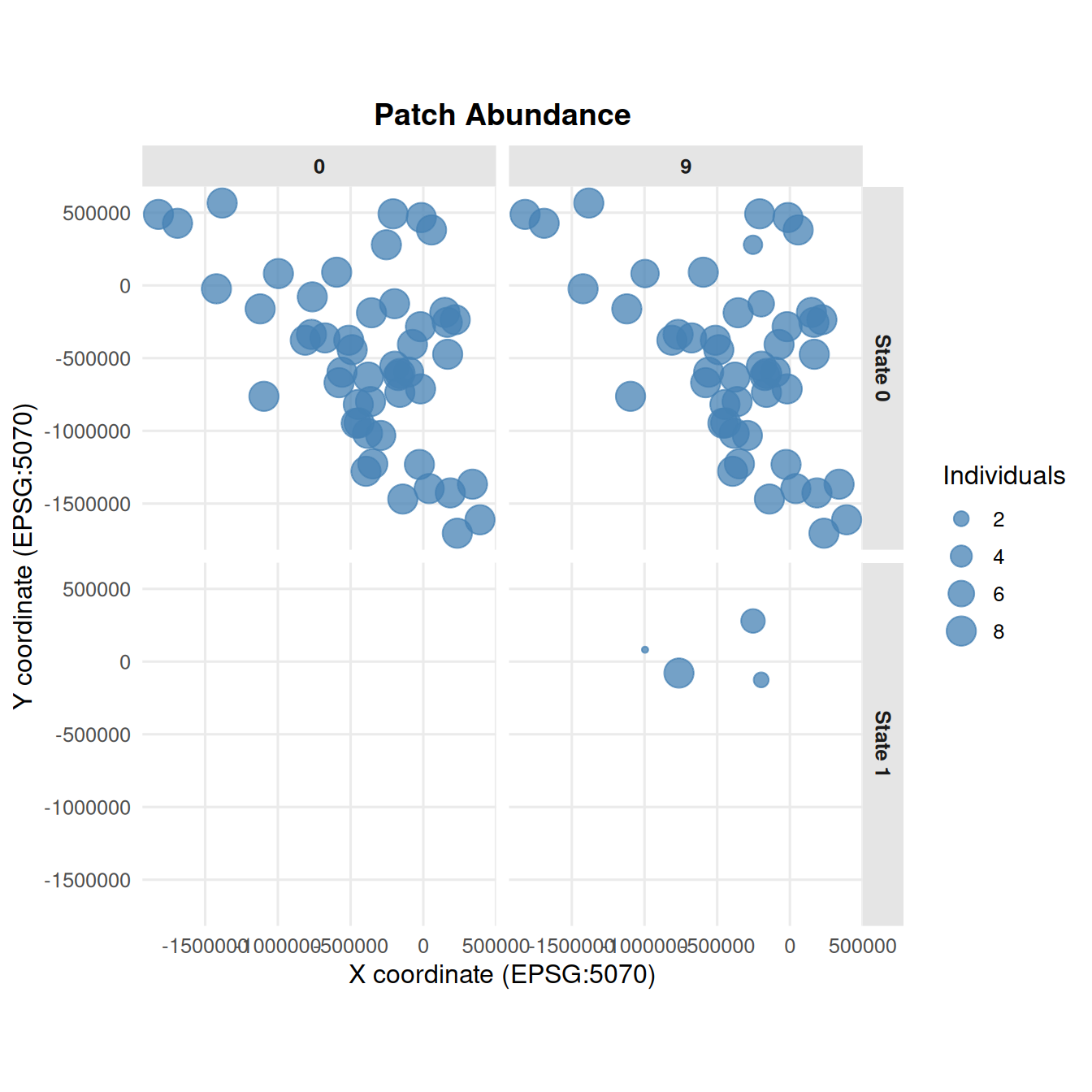
summary_patch_map() maps patch locations from the individual files. Point size reflects the number of individuals in each patch.

9.1 All Individuals

summary_patch_map(
  ex_dir,
  years = c(0, 5, 9),
  batch = 0,
  mc = 0,
  crs = 5070
)

If patch counts vary widely, use log_scale = TRUE for abundance point sizes.

summary_patch_map(
  ex_dir,
  years = c(0, 5, 9),
  batch = 0,
  mc = 0,
  log_scale = TRUE,
  crs = 5070
)

9.2 One Disease State

Use states to count only individuals in selected disease states.

summary_patch_map(
  ex_dir,
  years = c(0, 5, 9),
  batch = 0,
  mc = 0,
  states = 1,
  crs = 5070
)

9.3 Faceted by Disease State

summary_patch_map(
  ex_dir,
  years = c(0, 9),
  batch = 0,
  mc = 0,
  states = c(0, 1),
  facet_by_state = TRUE,
  crs = 5070
)

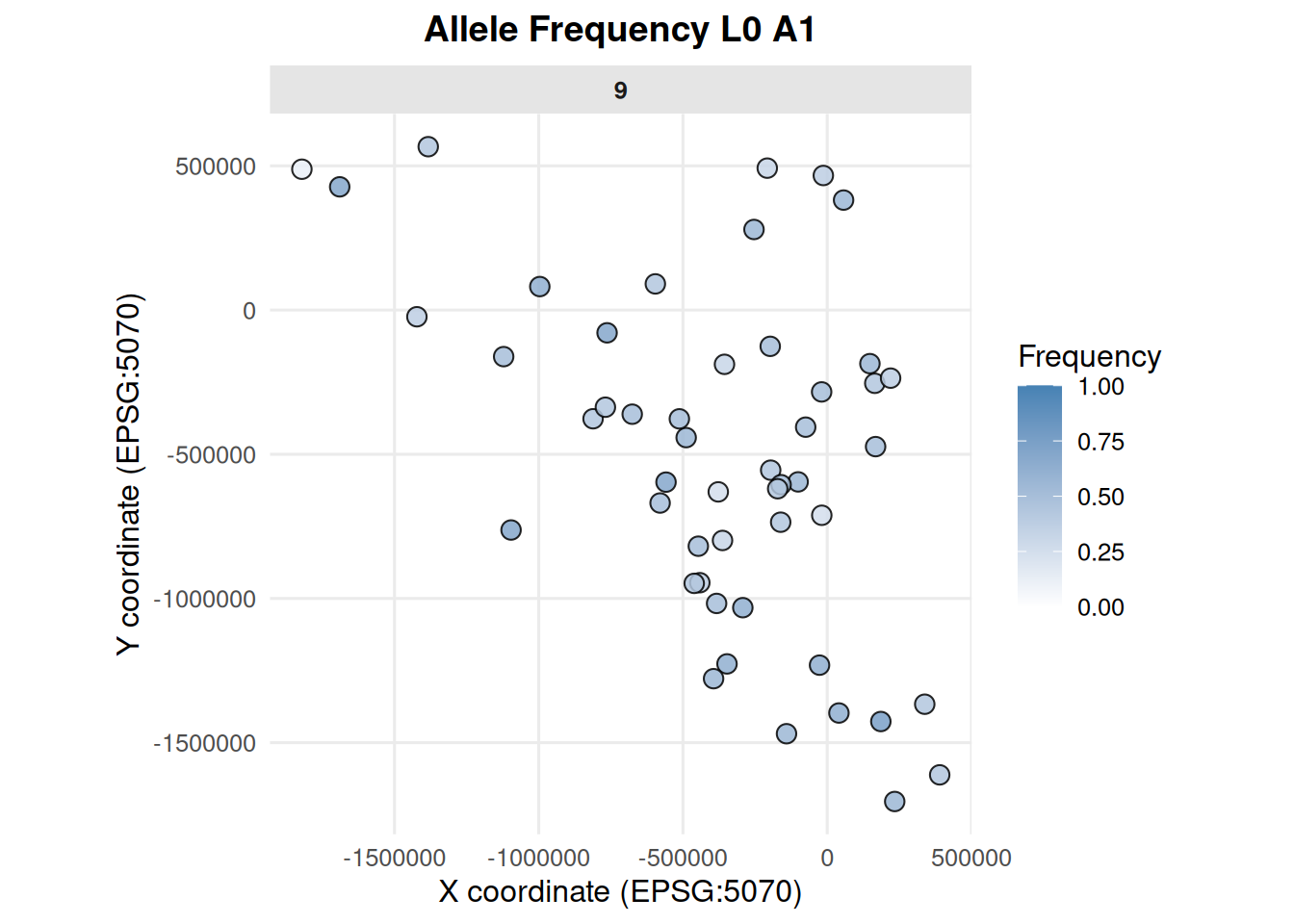
9.4 Allele Frequency Map

Patch maps can also show genetic summaries from individual files. For allele frequency maps, specify one locus and one allele.

summary_patch_map(
  ex_dir,
  type = "allele_frequency",
  years = 9,
  batch = 0,
  mc = 0,
  locus = "L0",
  allele = "A1",
  crs = 5070
)

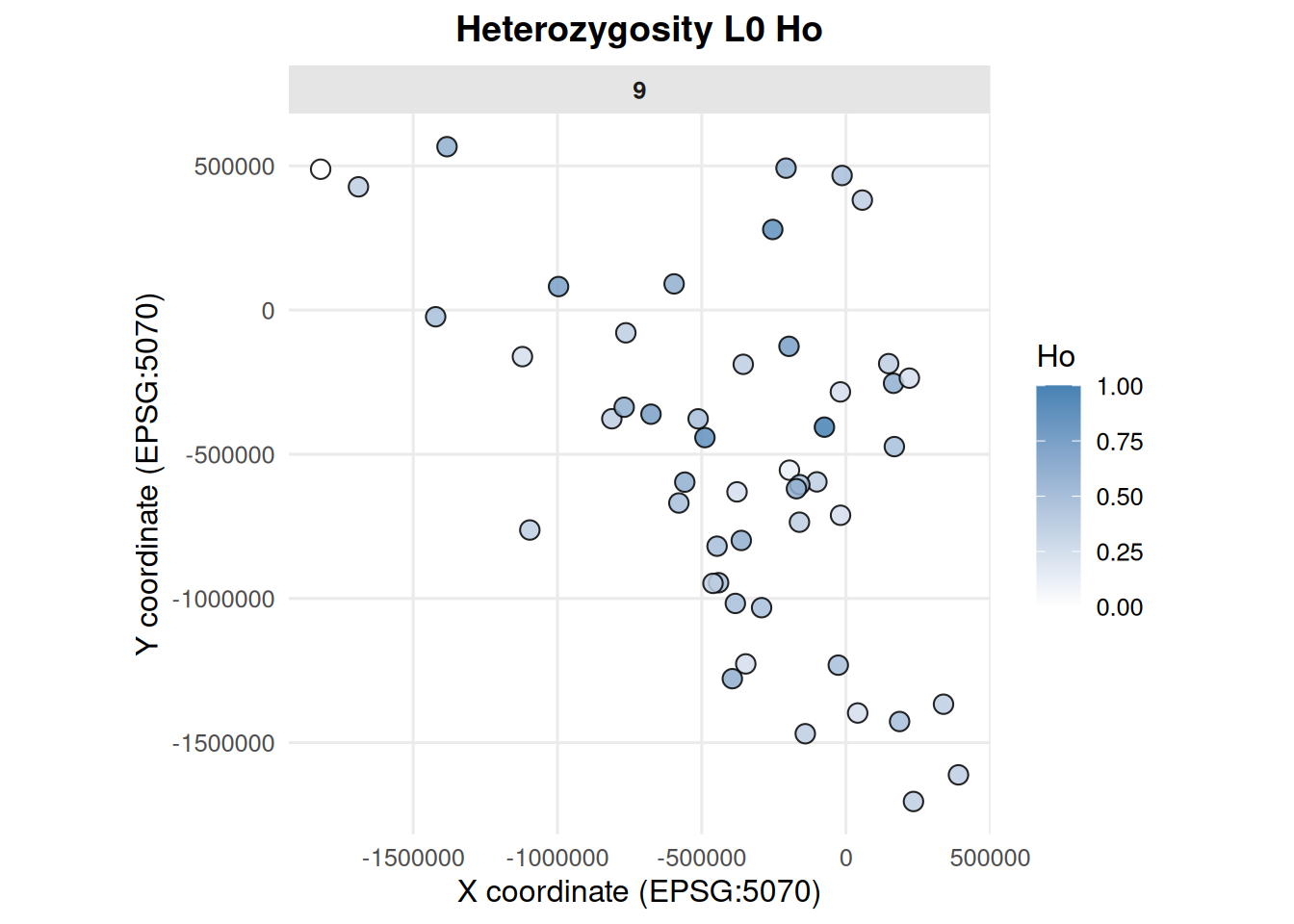
9.5 Heterozygosity Map

summary_patch_map(
  ex_dir,
  type = "heterozygosity",
  years = 9,
  batch = 0,
  mc = 0,
  locus = "L0",
  metric = "Ho",
  crs = 5070
)

10 Older Summary Helpers

These functions are still exported and can be useful for specific legacy workflows.

10.1 age_structure_proportions()

age_structure_proportions(
  path = paste0(ex_dir, "/"),
  runs = 1,
  gen = 9,
  species = 0
)
              MC1         Avg
Age1  0.498127341 0.498127341
Age2  0.202247191 0.202247191
Age3  0.153558052 0.153558052
Age4  0.116104869 0.116104869
Age5  0.082397004 0.082397004
Age6  0.074906367 0.074906367
Age7  0.063670412 0.063670412
Age8  0.052434457 0.052434457
Age9  0.014981273 0.014981273
Age10 0.011235955 0.011235955
Age11 0.011235955 0.011235955
Age12 0.018726592 0.018726592
Age13 0.007490637 0.007490637
Age14 0.003745318 0.003745318
Age15 0.044943820 0.044943820
Age16 0.142322097 0.142322097

10.2 dispersal()

With plot = FALSE, dispersal() returns a data frame of movement proportions.

dispersal(
  path = paste0(ex_dir, "/"),
  run = 0,
  batch = 0,
  mc = 1,
  gen = 9,
  species = 0,
  plot = FALSE
)
   run0batch0mc0species0 run0batch0mc1species0
Y0                0.0000                0.0000
Y1                0.1425                0.1425
Y2                0.1425                0.1425
Y3                0.1425                0.1425
Y4                0.1425                0.1425
Y5                0.1425                0.1425
Y6                0.1450                0.1450
Y7                0.1425                0.1425
Y8                0.1425                0.1425
Y9                0.1425                0.1425

With plot = TRUE, it draws a base R barplot and returns the same kind of summary.

dispersal(
  path = paste0(ex_dir, "/"),
  run = 0,
  batch = 0,
  mc = 0,
  gen = 9,
  species = 0,
  plot = TRUE
)

   Year movers
1     0      0
2     1     57
3     2     57
4     3     57
5     4     57
6     5     57
7     6     58
8     7     57
9     8     57
10    9     57

10.3 hets_plot()

summary_pop_single <- read.csv(pop_file)
hets_plot(summary_pop_single)

10.4 alleles_by_year()

alleles_by_year(summary_pop_single, n = 10)

10.5 size_age_class()

size_age_class(class_file)

11 Interactive and External-Run Functions

The following functions are exported, but they launch external software or interactive Shiny apps. They are shown here as code examples but are not run while knitting this document.
11.1 launch_cdmetapop()

launch_cdmetapop(
  pythonFilepath = "C:/path/to/python.exe",
  CDMetaPOPFilepath = "C:/path/to/CDMetaPOP.py",
  runvarsDirectory = "C:/path/to/example_files/",
  runvarsFilename = "RunVars.csv",
  outputDirectory = "test_output"
)

11.2 Template Editors

write_runvars(output_file = "my_new_runvars.csv")
write_popvars(output_file = "my_new_popvars.csv")
write_patchvars(output_file = "my_new_patchvars.csv")
write_classvars(output_file = "my_new_classvars.csv")

12 Deprecated Internal Compatibility Function

locus() is exported for compatibility with older gstudio workflows. It is included in the package because the original function is deprecated elsewhere.
locus(c("0", "1"), type = "snp")
[1] "A:A" "A:B"
attr(,"class")
[1] "locus"